The Configuration Menu
UltraCart configuration covers all of the settings related to your online store. From this menu, you can configure your company information, your checkout settings, customize the look & feel of your cart, and set up your UltraCart back office system for your business. You can visit the Configuration section by navigating to:
info
Main Menu → Configuration
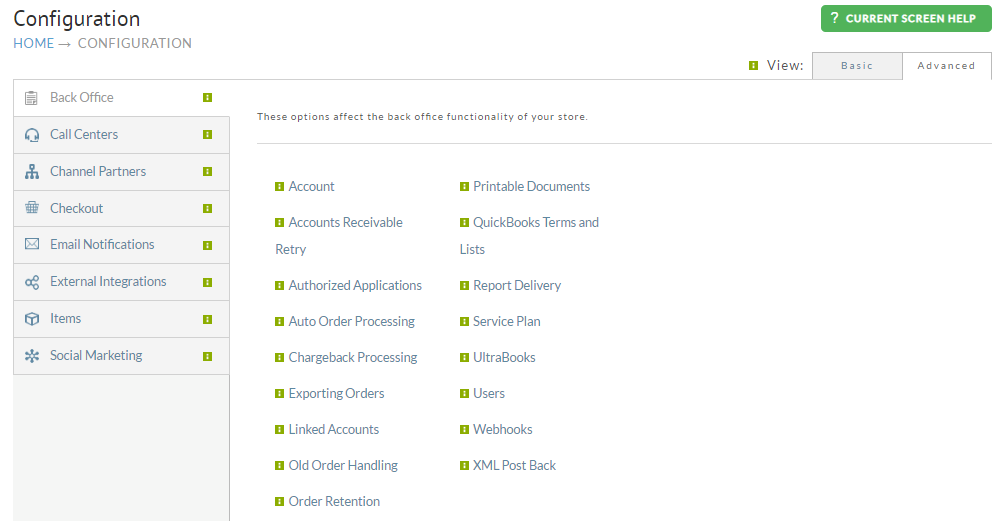
| Name | Description |
|---|---|
| Account | Provides an overview of the accounts Plan, Billing, Users, and more. |
| Accounts Receivable Retry | The Accounts Receivable Retry feature allows you to automatically retry payments on orders sent to Accounts Receivable, on a schedule that you can define. |
| Authorized Applications | Authorized applications are software programs that you have granted access to your UltraCart account. This screen now lives under Configuration → Development → Authorized Applications / API Keys. |
| Auto Order Processing | The Auto Order Processing section provides special settings for auto orders. |
| Chargeback Processing | For handling chargeback disputes easy through an automated workflow process. |
| Exporting Orders | The Exporting Orders screen allows you to configure export formats that will be used when exporting from certain sections of UltraCart. |
| Linked Accounts | UltraCart has the capability to link multiple accounts. When accounts are linked, users are synchronized across the various accounts. |
| Old Order Handling | In order to prevent the Check Orders from piling up in accounts receivable, UltraCart can reject mail-in orders after a "user definable" number of days (typically 45 days). |
| Order Retention | Allows UltraCart to retain your customer information so you can run reports and email marketing. |
| Printable Documents | The Printable Documents section is made up of 6 sections: Address Labels, Packing Slips, Invoices, Pick List, and Receipt. |
| Quickbooks Terms and Lists | QuickBooks Terms and Lists are applicable only to merchants that will download orders to QuickBooks and that will also utilize UltraCart's Customer Profiles. |
| Report Delivery | UltraCart can automatically e-mail you an executive summary of your UltraCart order traffic on a periodic basis. |
| Service Plan | Legacy version of the Account page. |
| UltraBooks | UltraBooks allows UltraCart merchants to import data directly to QuickBooks™ software. |
| Users | Provides a list of the users on the account with the ability to edit and change permissions. |
| Webhooks | Webhooks allow for notifications of events to be sent to another server. |
| XML Postback | A tool to transmit an xml copy of an order to a external server after it is placed. |
Advanced
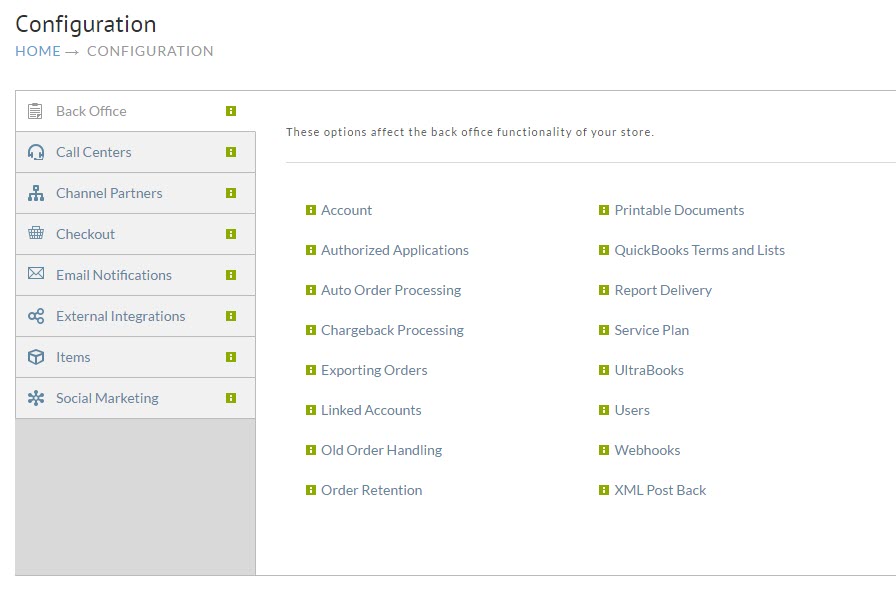
This view contains all of the areas provided in the basic view and a lot more. This view should only be using by advanced users of the system.
| Name | Description |
|---|---|
| Auto Order Processing | The Auto Order Processing section provides special settings for auto orders. |
| Chargeback Processing | UltraCart makes handling chargeback disputes easy through an automated workflow process. |
| Exporting Orders | The Exporting Orders screen allows you to configure export formats that will be used when exporting from certain sections of UltraCart. |
| Linked Accounts | UltraCart has the capability to link multiple accounts. When accounts are linked, users are synchronized across the various accounts. |
| Old Order Handling | Configuration options for how the system should handle old check payments that have not been paid. |
| Order Retention | Allows UltraCart to retain your customer information so that you can run reports and email marketing. |
| Printable Documents | In this section merchants can configure Address and Shipping Label formats. |
| QuickBooks Terms and Lists | QuickBooks Terms and Lists are applicable only to merchants that will download orders to QuickBooks and that will also utilize UltraCart's Customer Profiles. |
| Report Delivery | UltraCart can automatically e-mail you an executive summary of your UltraCart order traffic on a periodic basis. |
| UltraBooks | Integration between UltraCart and QuickBooks™ works through a downloadable piece of software called UltraBooks. |
| XML Postback | UltraCart's XML Post Back feature gives merchants the opportunity to have orders automatically "posted" to their server shortly after the order is placed. |
Was this page helpful?