Error Message
"Login failed. Please make sure this IP has been authorized to access the system."
This message will be returned for any Unauthorized IP address that attempts a remote connection using the JavaScript API, SOAP API, or one of the legacy XML APIs. This is a security measure to lessen the chance of someone stealing credentials and harming a merchant's account.
Solution
(A user with "Edit Users" permission enabled)
Login to https://secure.ultracart.com and navigate to:
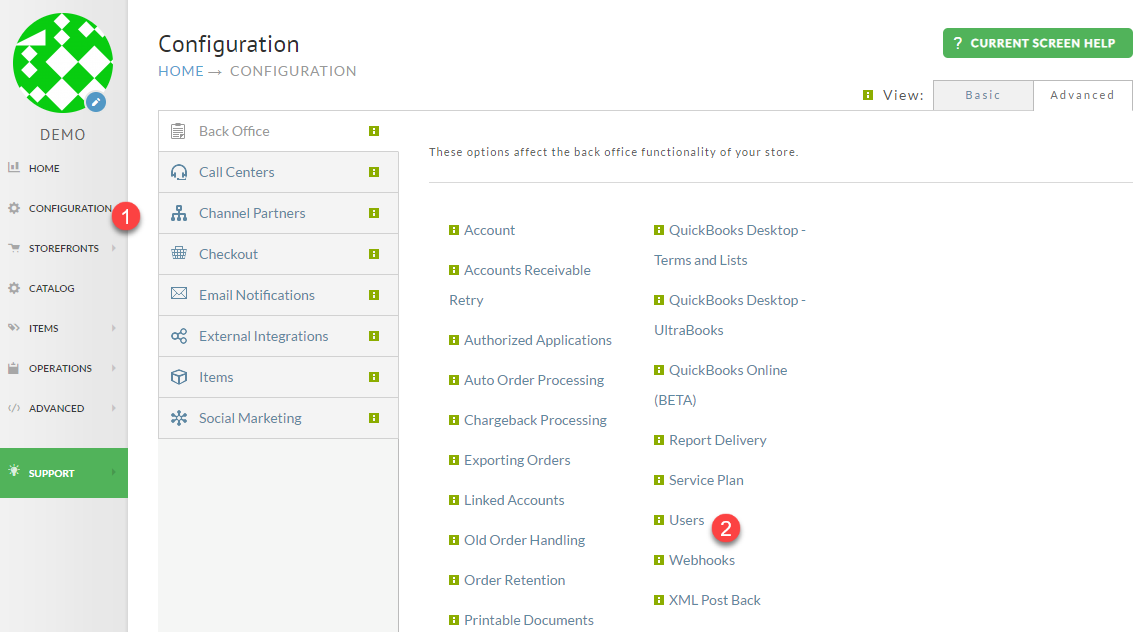
Home → Configuration → Users
Navigate from the Main Menu, first clicking Configuration, Then clicking Users:
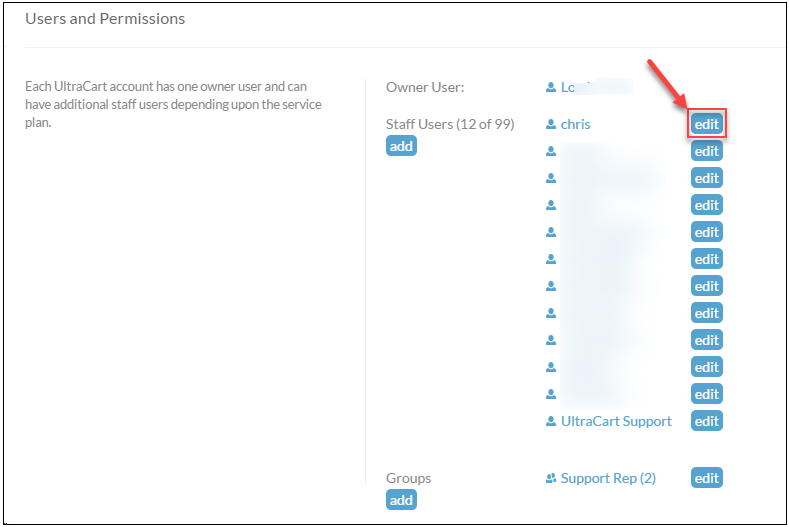
From the Users and Permissions section, click the edit button for the login that will be used to connect remotely.
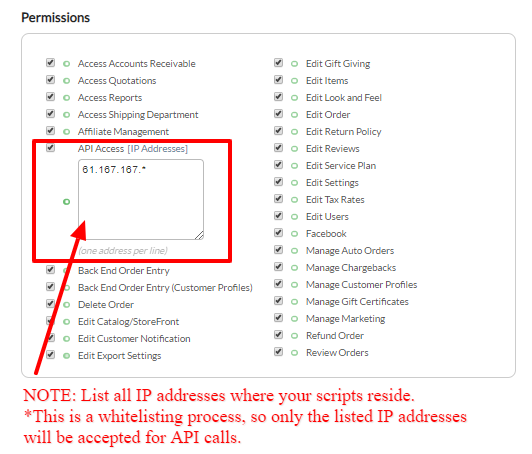
Scroll down the page a little, and in the left column will be Permissions.
To the right of API Access is a link [IP Addresses].
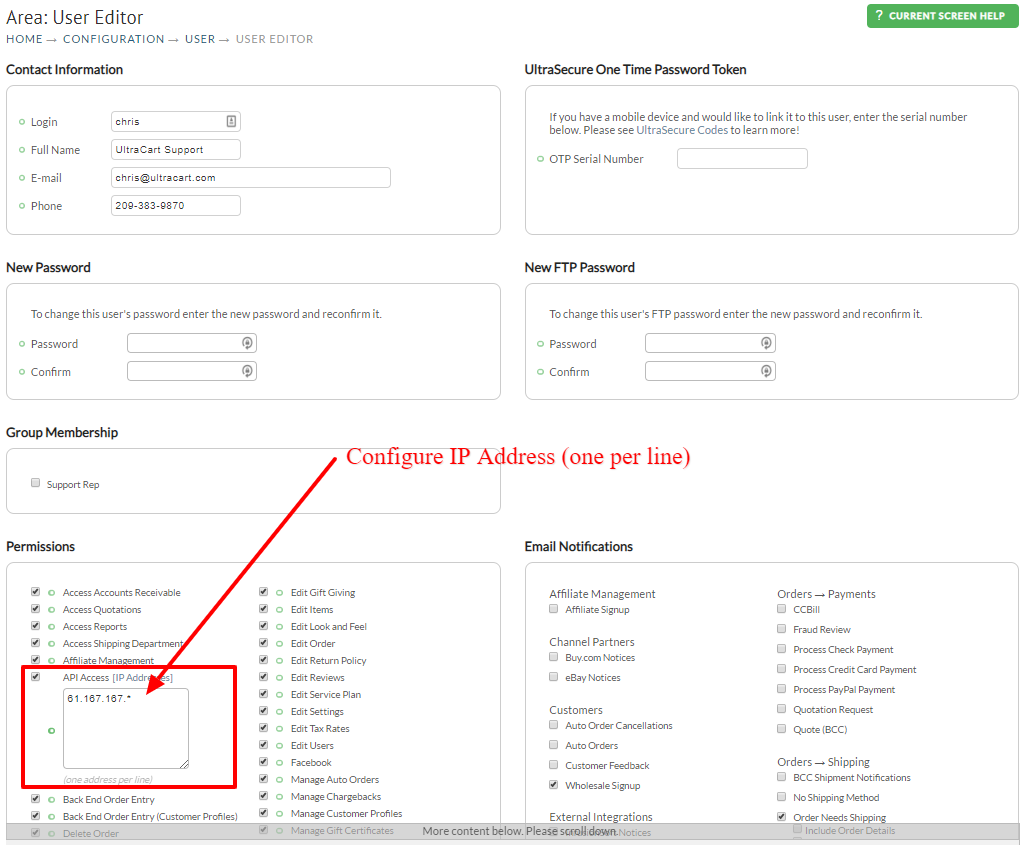
Add each IP address that needs access. The error message you receive will report the IP address that was denied access.
When finished, remember to click the Save button at the bottom of the screen.