General Configuration
The configuration page contains 8 tabs, the first tab is the "Back Office" tab. These options affect the back office functionality of your store.
The Back Office tab contains the following links:
In the 'Basic' View
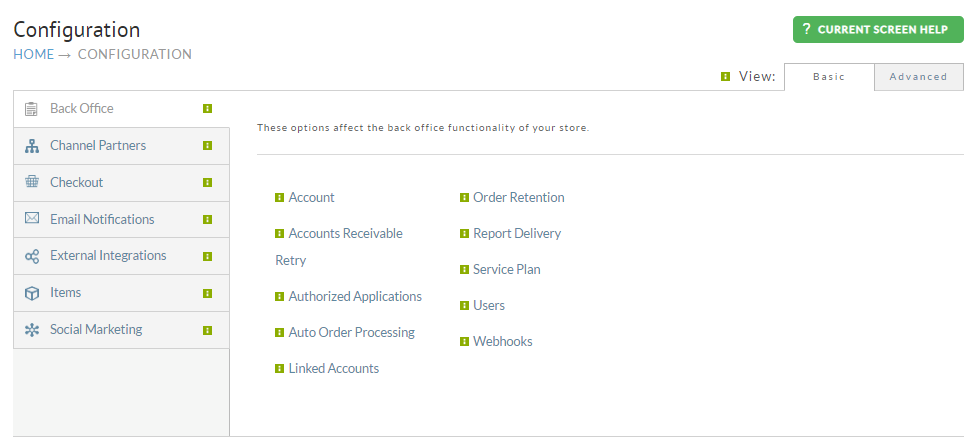
| Name | Description | View |
|---|---|---|
| Account | The Account page contains the following sections: - Overview (Sign-up Date, Current Service Plan designation, Account Status) - Billing Information (This is where your billing credit card details are configured.) - User and Permissions (Add,Edit your users on the account.) - Merchant Profile (Company Name, Main Website URL, Geographical location) - Account Status (Deactivate Account / Reactivate Account) | Both |
| Accounts Receivable Retry | An automated service that can re-attempt transactions on orders sitting in Accounts Receivable to generate additional revenue. | |
| Authorized Applications | Home > Configuration > Development > Authorized Applications / API Keys, or Home > Advanced > Developer Tools > REST APIs > Setup API Credentials Authorized applications are software programs that you have granted access to your UltraCart account. Authorized applications can be third party applications that you've granted permission to or internally developed applications. | |
| Auto Order Processing | ||
| Linked Accounts | ||
| Order Retention | ||
| Report Delivery | ||
| Service Plan | Configure billing credit card details for service billing, review recent billing activity, close/open account | Both |
| Users | Configure/Edit users for accessing UltraCart | Both |
| Webhooks | ||
In the Advanced View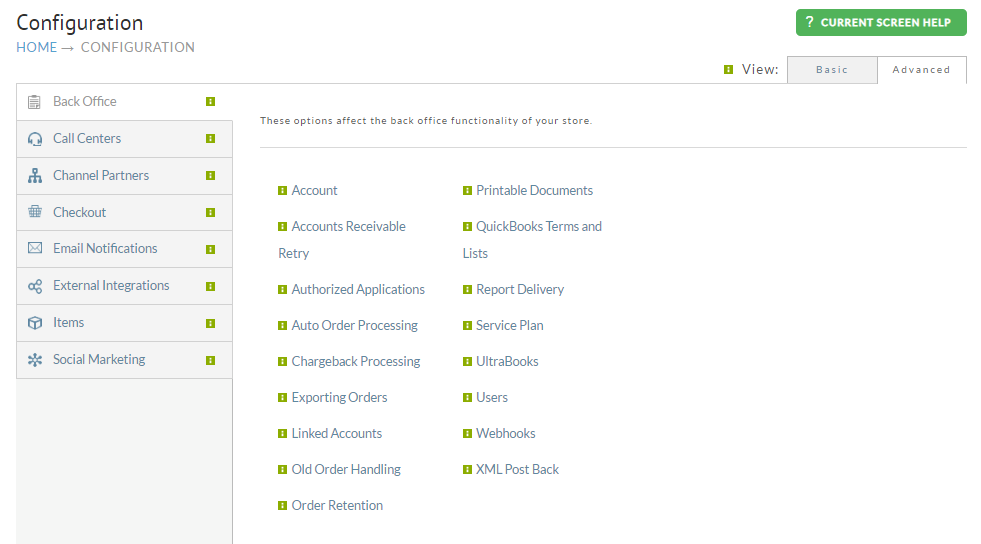 | Field | Description |
 View |
|---|---|---|
| Account | The Account page contains the following sections: - Overview (Sign-up Date, Current Service Plan designation, Account Status) - Billing Information (This is where your billing credit card details are configured.) - User and Permissions (Add,Edit your users on the account.) - Merchant Profile (Company Name, Main Website URL, Geographical location) - Account Status (Deactivate Account / Reactivate Account) | Both |
| Accounts Receivable Retry | An automated service that can re-attempt transactions on orders sitting in Accounts Receivable to generate additional revenue. | Both |
| Authorized Applications | Home > Configuration > Development > Authorized Applications / API Keys, or Home > Advanced > Developer Tools > REST APIs > Setup API Credentials Authorized applications are software programs that you have granted access to your UltraCart account. Authorized applications can be third party applications that you've granted permission to or internally developed applications. | |
| Auto Order Processing | ||
| Chargeback Processing | ||
| Exporting Orders | ||
| Linked Accounts | ||
| Old Order Handling | ||
| Order Retention | ||
| Printable Documents | ||
| QuickBooks Terms and Lists | ||
| Report Delivery | ||
| Service Plan | Configure billing credit card details for service billing, review recent billing activity, close/open account | Both |
| UltraBooks | ||
| Users | Configure/Edit users for accessing UltraCart | Both |
| Webhooks | ||
| XML Post Back | Configure, Company name, main store URL, and the zip, state, and country of your company's primary headquarters | Both |
Was this page helpful?