Overview
UltraCart has implemented a new virtual File Transfer Protocol (FTP) server that will allow you to transfer (download/upload) files.
The FTP password differs from your regular login password and must be configured seprately within the user editor
How does FTP work?
FTP stands for File Transfer Protocol. It is the standard Internet protocol for transferring files from one computer to another. FTP requires two computers, one running an FTP server, the other running an FTP client (software). The exchange is initiated by the client who logs in under an accepted user name and password. Once this occurs, a session is opened and stays open until closed by either the client or the server, or until it times out. While the session is open, the client may execute numerous FTP commands on the server. These include commands to change directories, list files, get files and put files.
Configuring the FTP Password for An UltraCart User
To access the FTP server, you first set an FTP password on your user. You can do this from either of two places.
The User Editor
Home → Configuration (Back Office) → Users → Edit User
Only users with the "Edit Users" permission can access the users area and make changes. If you do not have access to modify your own user profile, contact your UltraCart account administrator.
The My Preferences Editor
Home → hover over the merchant ID above Home → My Preferences
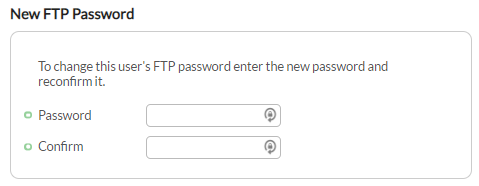
User Editor View of the "New FTP Password" section
Each user of your UltraCart account can set their own FTP password.
Accessing UltraCart's FTP server
Set up a site in your FTP client with these settings:
| Setting | Value |
|---|---|
| Host | merchantftp.ultracart.com |
| Port | 21 |
| Encryption | Explicit TLS, also called FTPES or AUTH TLS. Required. |
| Username | <MerchantID>/<LOGIN> |
| Password | Your FTP password |
The server refuses plain, unencrypted FTP connections. In your client, choose the explicit TLS option, which may be labeled FTPES, FTP over explicit TLS/SSL, FTPS (AUTH TLS - Explicit), or FTP with TLS/SSL.
For example, with merchant ID TEST, login Michael, and FTP password winningrace, you would enter host merchantftp.ultracart.com, username TEST/Michael, and password winningrace.
For step-by-step setup in CuteFTP and Transmit (macOS), see FTP Configuration User Guide. UltraCart no longer recommends FileZilla, because some download sites bundle malware with its installer.
Accessible Files in UltraCart
- Catalog Arbitrary File System
- Catalog Group Multimedia
- Catalog Logs
- Digital Delivery
- Item Multimedia
- Screen Branding Graphics Library