Catalog Templates - UltraTrains
The Ultra Trains Demo contains 16 total templates.
Of that, 12 are code blocks, referred to sometimes as snippets that are included in the 4 main pages.
Main Pages
| Template Name | Description |
|---|---|
| template_home | Template for the Home Page |
| template_page | A Generic Page template for non product pages |
| template_group | Template for displaying a group or product category |
| template_item | Template for displaying an item page |
Code Blocks
| Code Block Name | Description |
|---|---|
| snip_document-top | top of page, contains mostly head tag information |
| snip_document-bottom | bottom of page, usually just closing body and html tag |
| snip_header | page header code, such as a banner or logo, top menu, etc |
| snip_footer | simple footer navs, copyrights, disclaimers, etc |
| snip_left | left side navigation |
| snip_crumb | bread crumbs at top |
| snip_help-text | help text that displays if a merchant is logged to the site. |
| snip_group-column | a tiny bit of code to display item information for an item in a large group |
| snip_pagination | generates pagination navigation for group pages |
| snip_review | displays product reviews on the item page. |
| snip_admin-panel | contains code providing an admin panel for you, the merchant (when logged in) |
| snip_item-top | This is almost exactly like snip_document-top, with the following differences: the title contains the item description. Most importantly, for the demo, the snip_item-top prepopulates some credit card fields so anyone playing with the demo can fake a checkout. In a normal production instance, we would not have this code block, and snip_document-top would suffice. |
tip
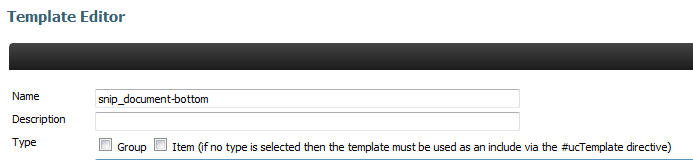
The Professional Services guys who created this site used the convention of naming code blocks with a snip prefix. Works well enough. There is no requirement for naming conventions with prefixes or suffixes. The determining factor for whether a code block is stand alone or not is the Type checkboxes within the template editor.
Was this page helpful?