Introduction
So you've completed your setup? Great! Here are a few things that we recommend you check before you launch your marketing and sales campaigns.
Payment Configuration
One of the most common issues merchants encounter when going live is leaving some part of their payment configuration in test or "sandbox" mode. This can occur at either the gateway level, or directly in UltraCart.
The first place to check in UltraCart is under Payment Gateways.
Home → Configuration → Checkout [tab] → Payments → Transaction Gateways
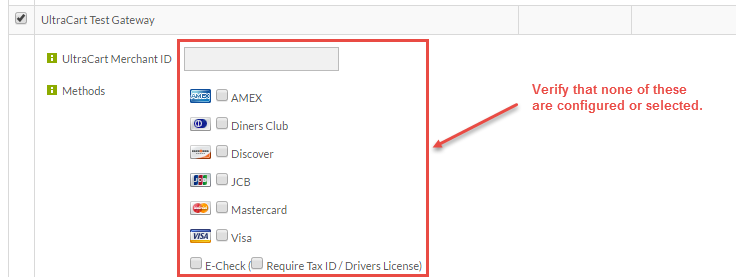
After clicking the Transaction Gateways tab, you'll see a (long) list of gateways. Scroll down to UltraCart Test Gateway. Verify that the UltraCart Test Gateway IS NOT configured. If it is, remove data, check marks and click Save.
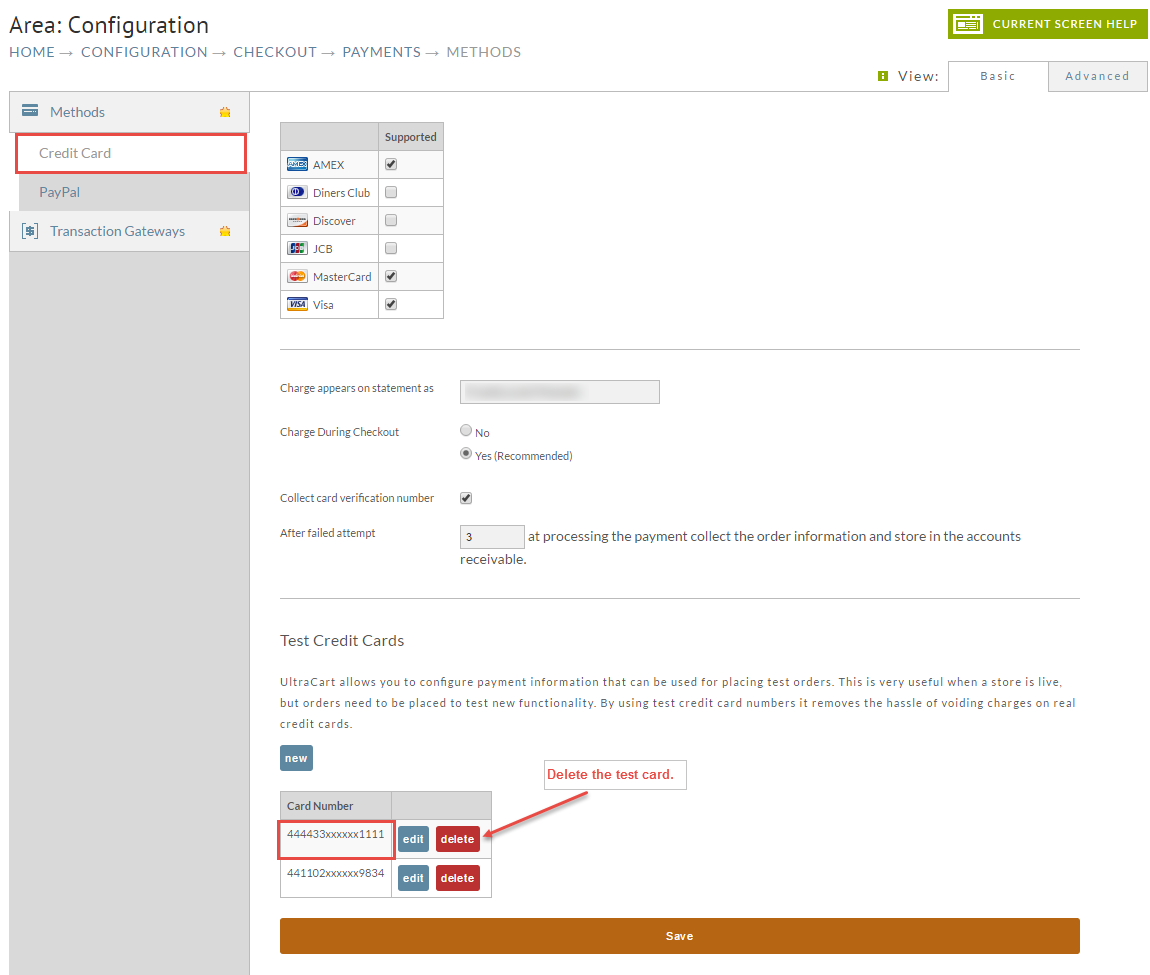
Next, click on the Methods tab. Then click on the Credit Card tab. You will be shown a list of currently configured credit cards..(Note: screen shot made while in Basic View).
Scroll down to "Test Credit Cards". Verify that there are no "test" numbers, such as 4444333322221111, configured: