What is Sezzle?
Sezzle is a payment method that allows the customer to split their purchase into four equal payments over a period of several weeks. Sezzle assumes all credit risk associated with offering the customer this purchase option.
Why use Sezzle?
67% of young buyers do not own a credit card
6% of abandoned carts are due to lack of payments options
55% of abandon carts are due to too high of a total cost of purchase
Signing up for Sezzle
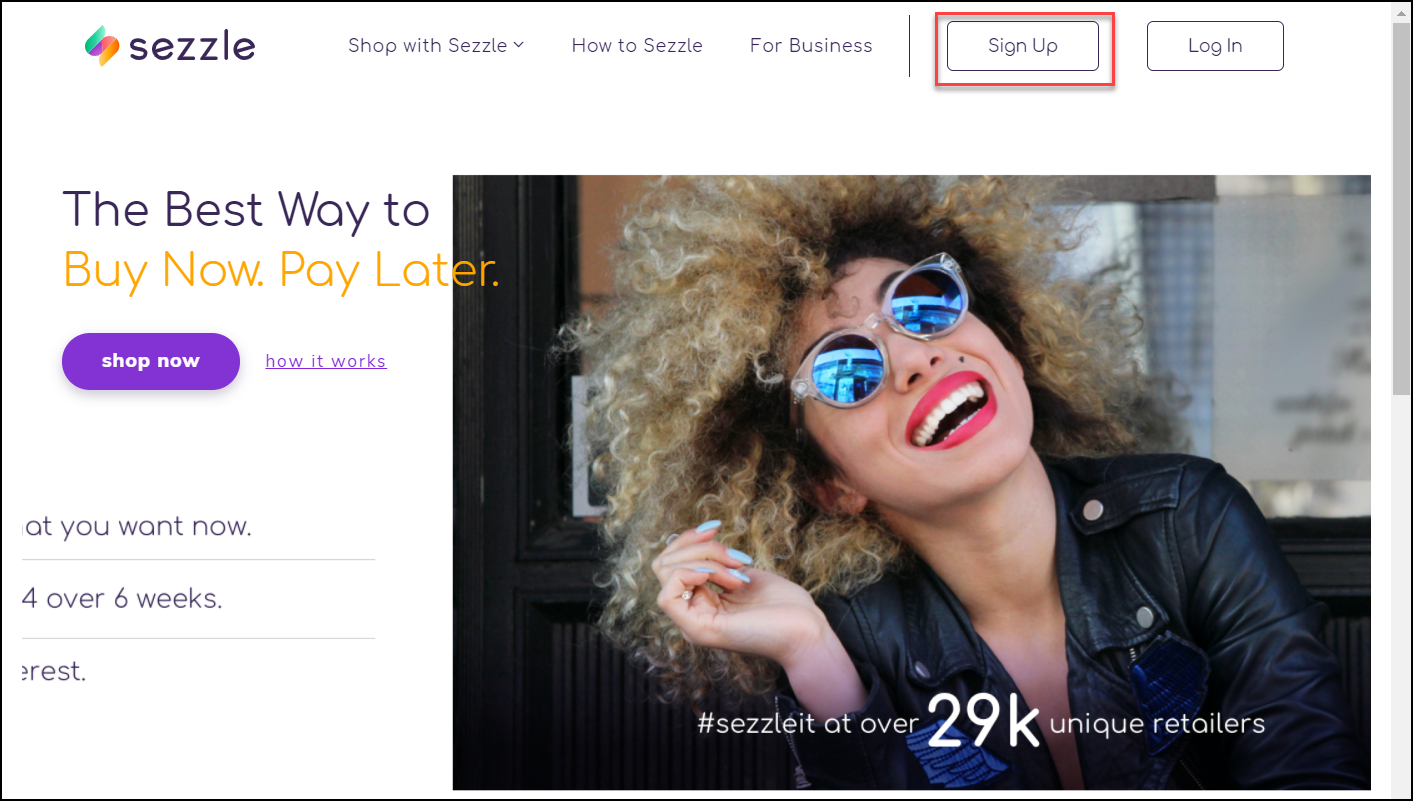
Visiting Sezzle.com and click on the Signup button as shown below.
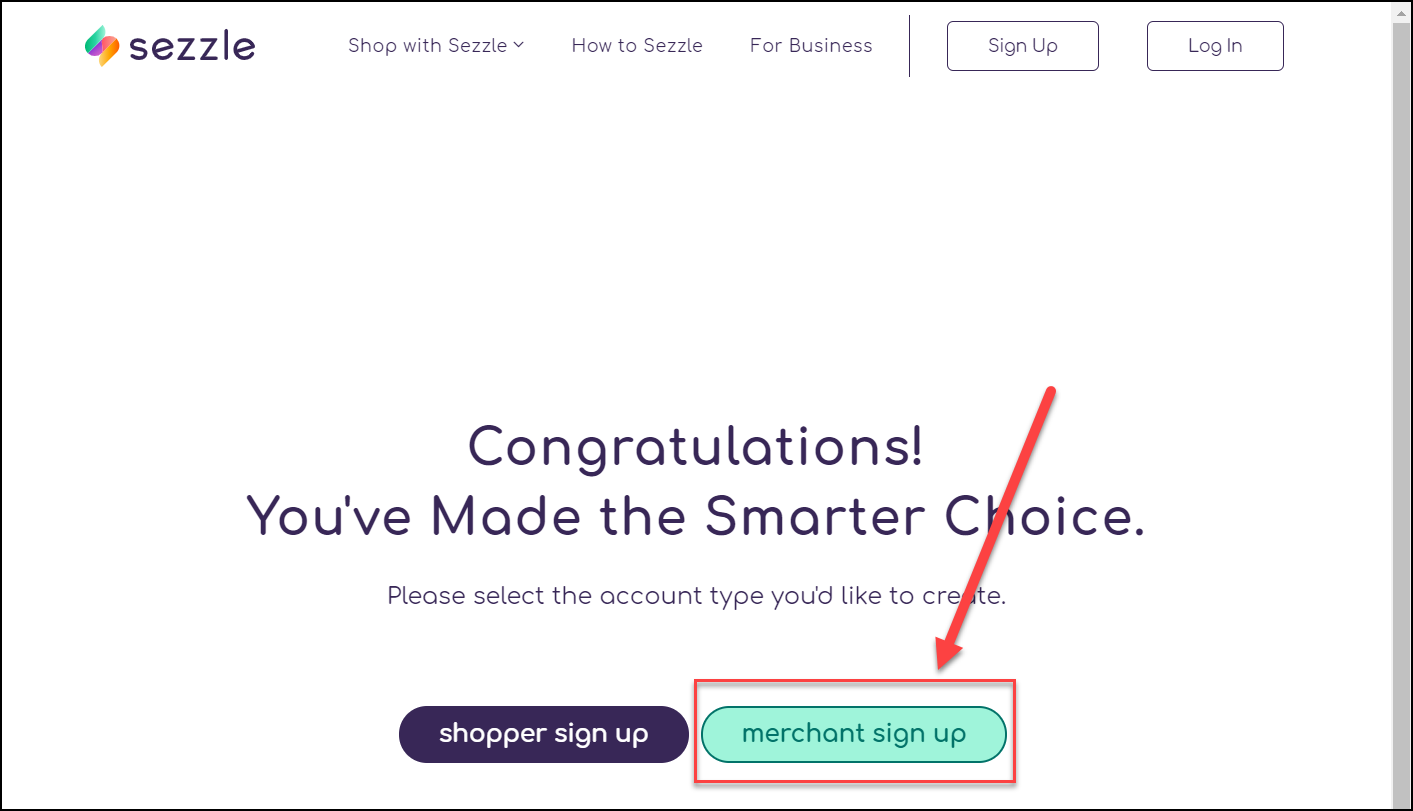
Click on the “merchant sign up” button as shown below.
Continue through their entire signup process.
Obtaining Sezzle Credentials
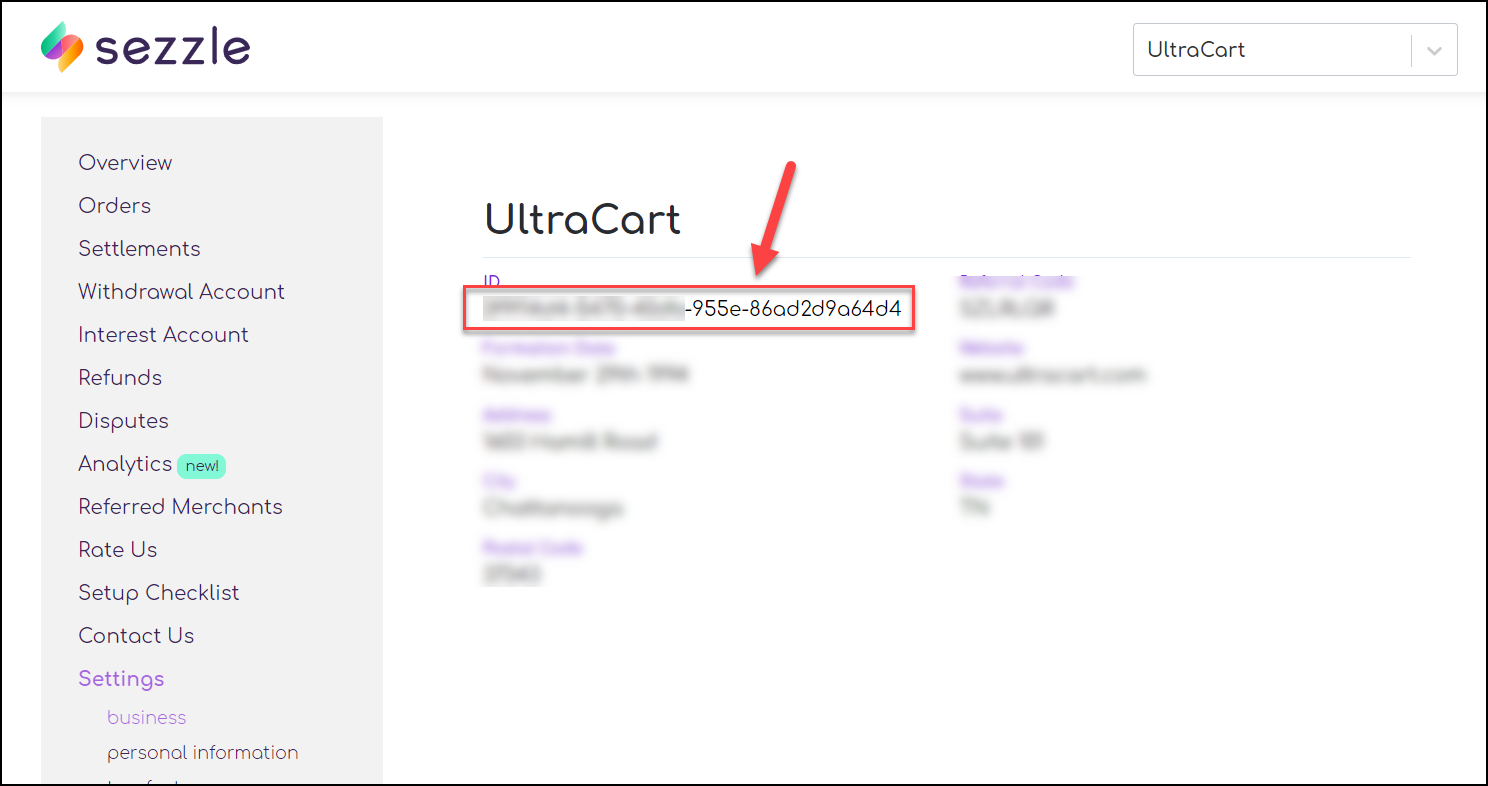
Once you are logged into your Sezzle account, navigate to Settings → business as shown below.
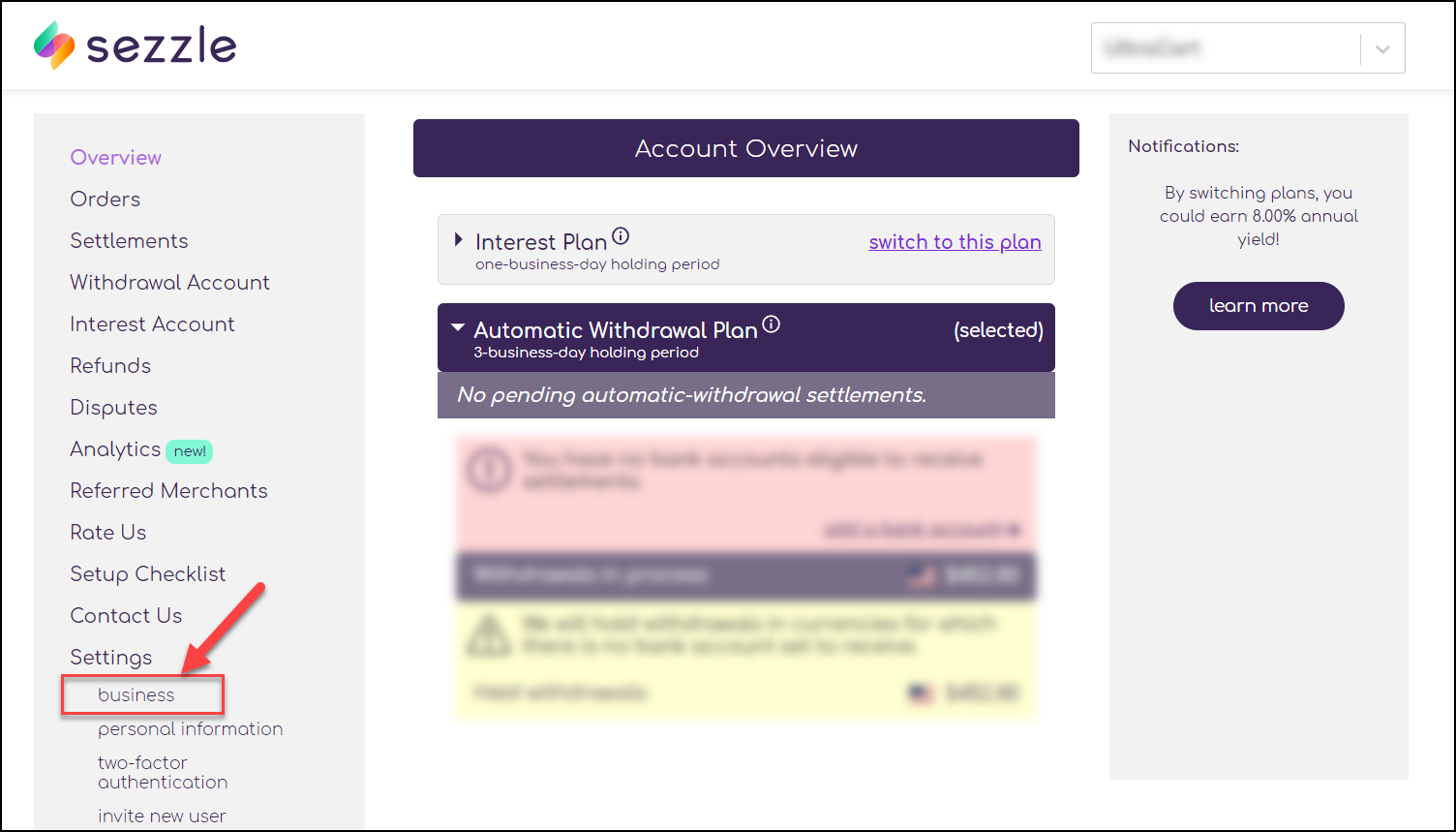
Copy off the business ID shown in the field below.
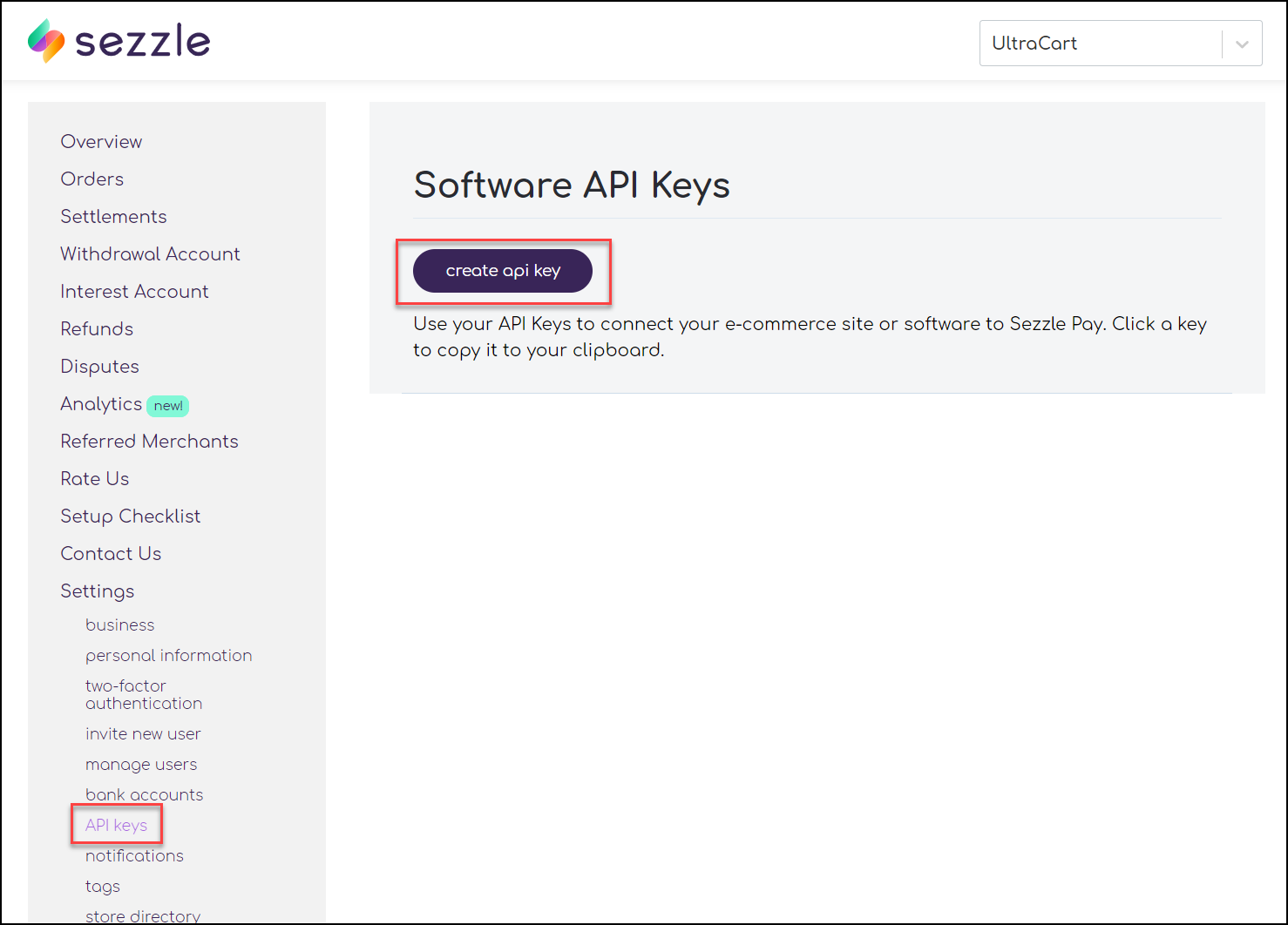
Next, click on Settings → API keys and then create “create api key” as shown below.
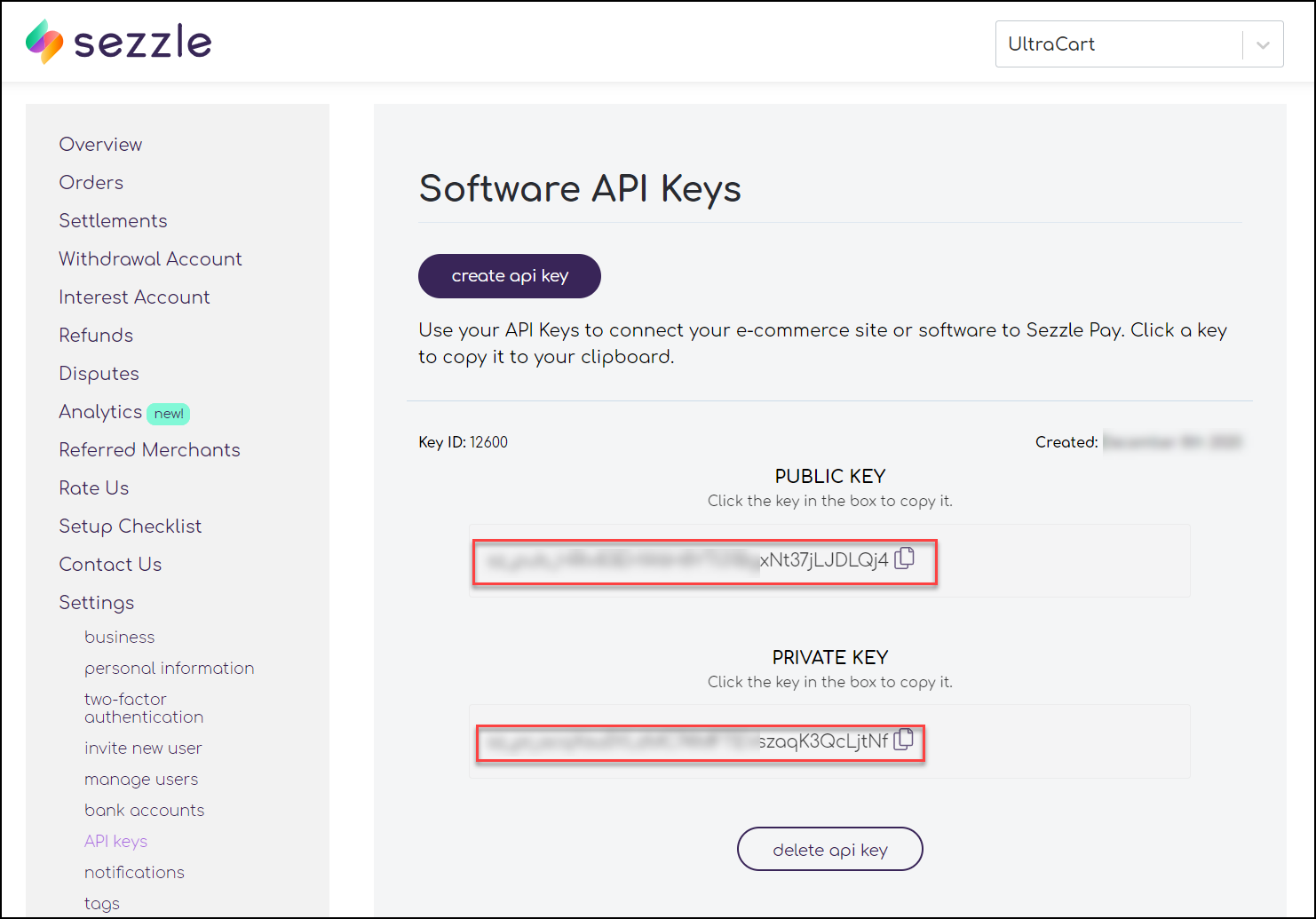
After the key is created, copy off the public and private keys as shown below.
Configuring UltraCart
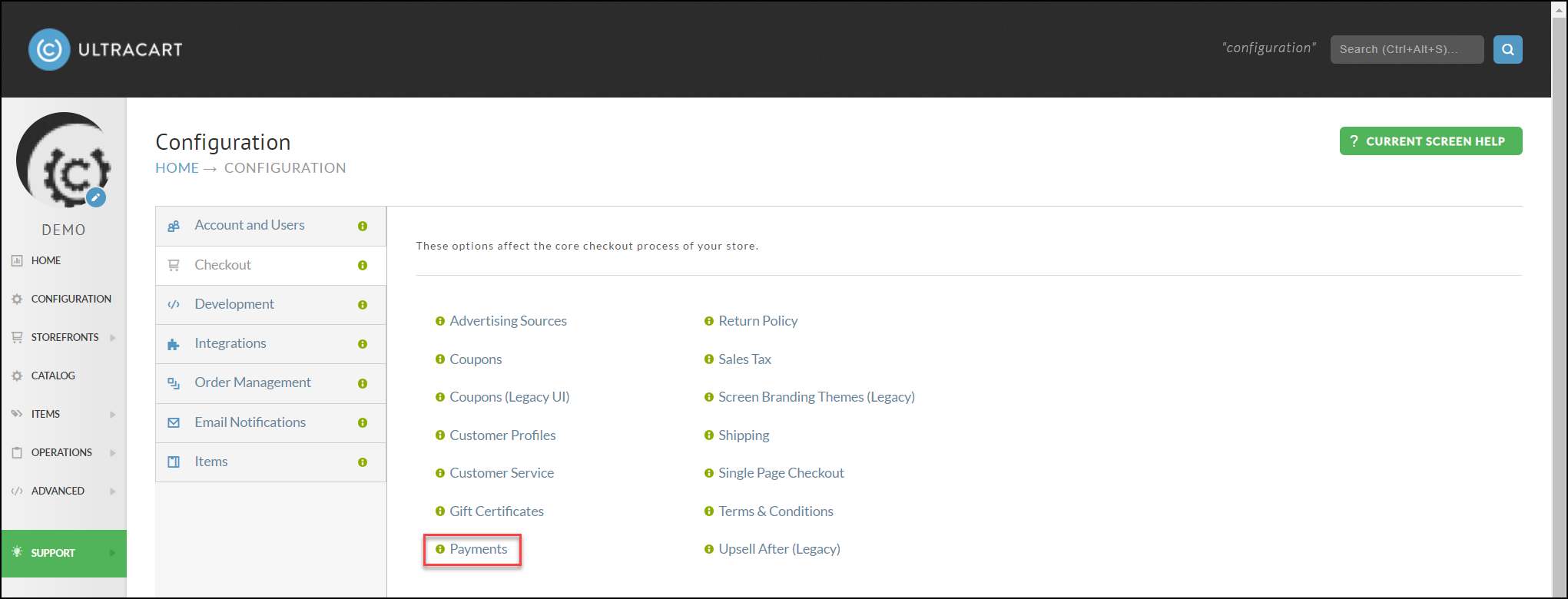
Inside the UltraCart web site, navigate to Configuration → Checkout → Payments as shown below:
Scroll down to the Sezzle section and toggle it on as shown below.
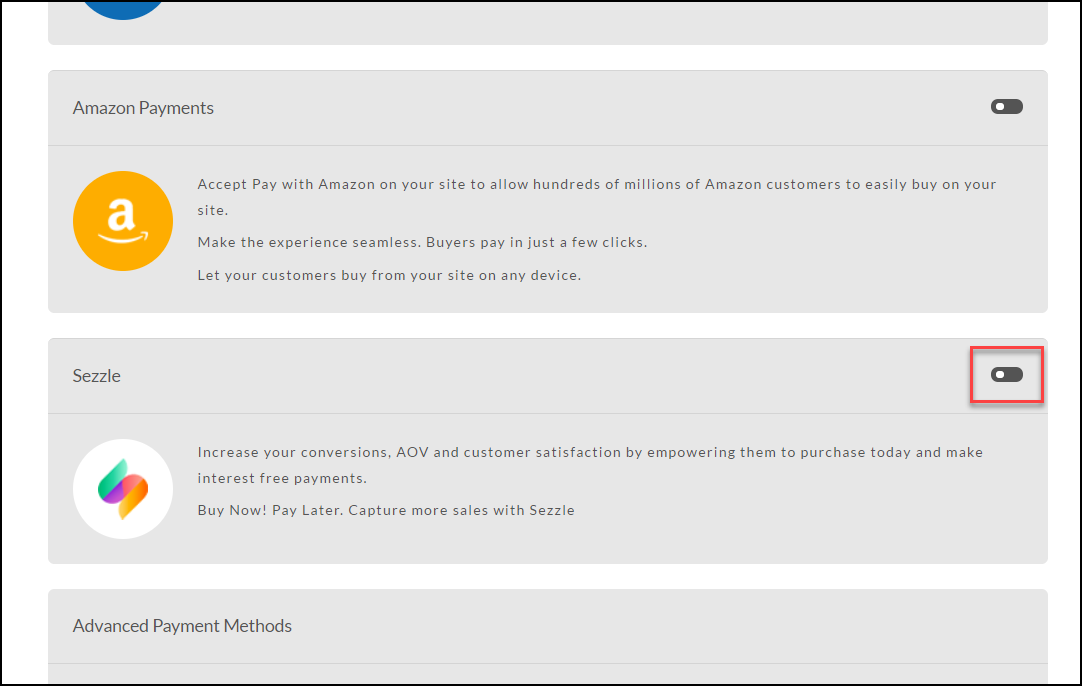
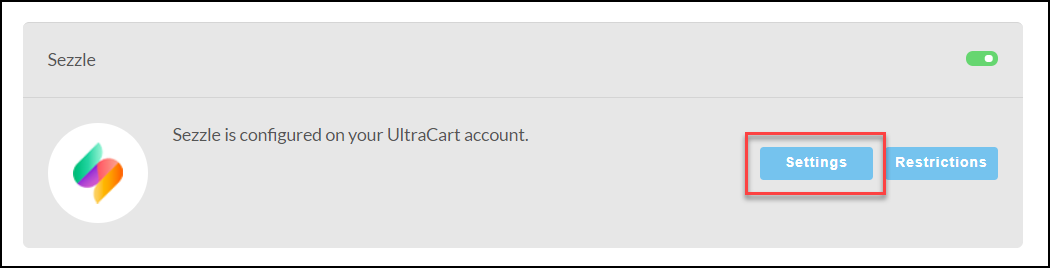
Now click on the Edit Settings button as shown below.
Take the credentials that you obtained from the Sezzle website and add them into the configuration. Make sure to select Live as the environment.
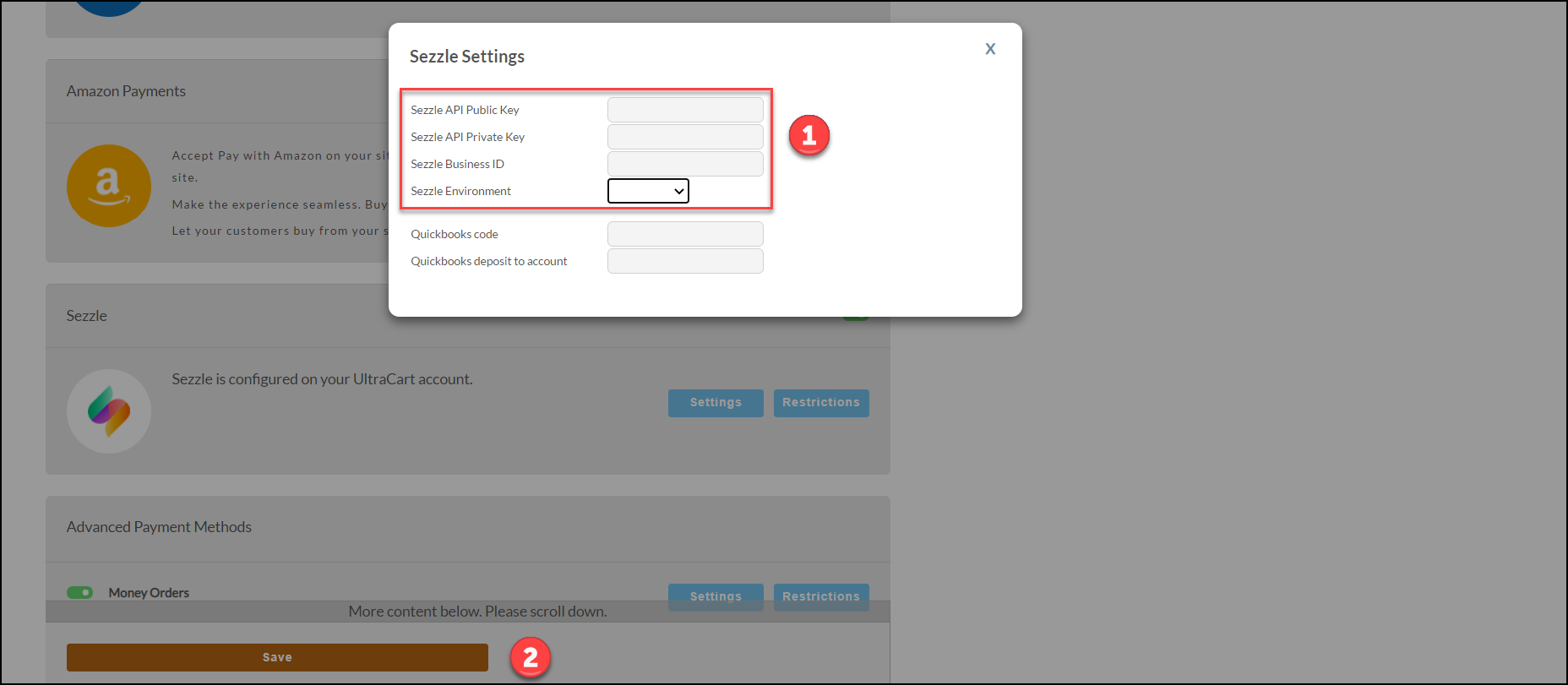
After closing the dialog, make sure to click Save.
StoreFront Theme Support
The following minimum StoreFront Visual Builder based themes support the “sezzle payment plan” element to market to customers the availability of the payment plan.
| Theme | Version |
|---|---|
| Elements | 2.05 |
| Hero | 1.07 |
| Jewel | 1.04 |
| Lifty | 1.05 |
| Native | 1.05 |
| Natural VB | 1.05 |
| Poppy | 1.00 |
It is not necessary to upgrade to these themes in order to use Sezzle, but these versions will have the marketing elements already in place. If you have questions about adding the marketing elements to an existing theme that has been heavily modified, please contact UltraCart Support.
The screenshot below shows the availability of the payment plan to the customer.
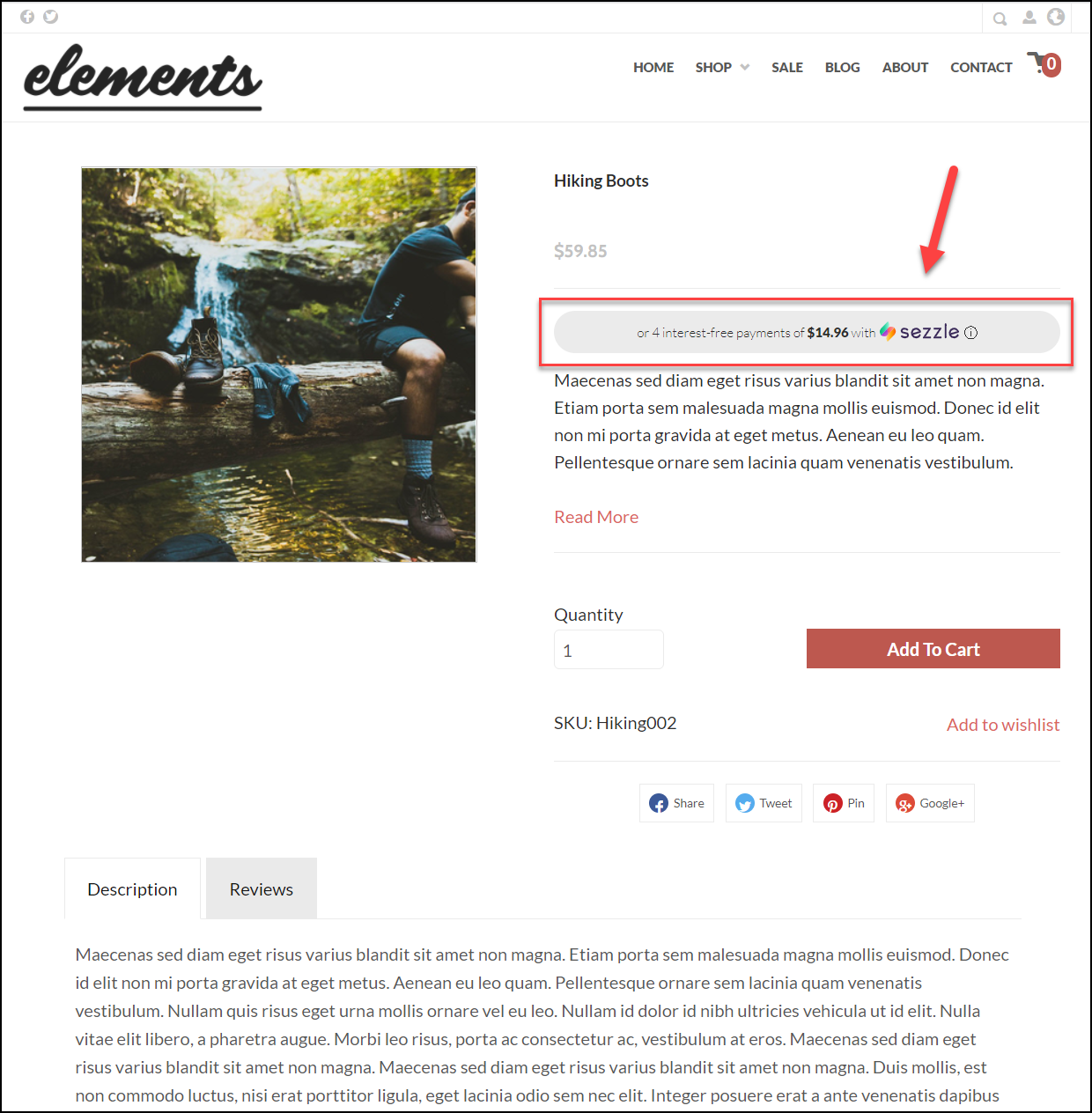
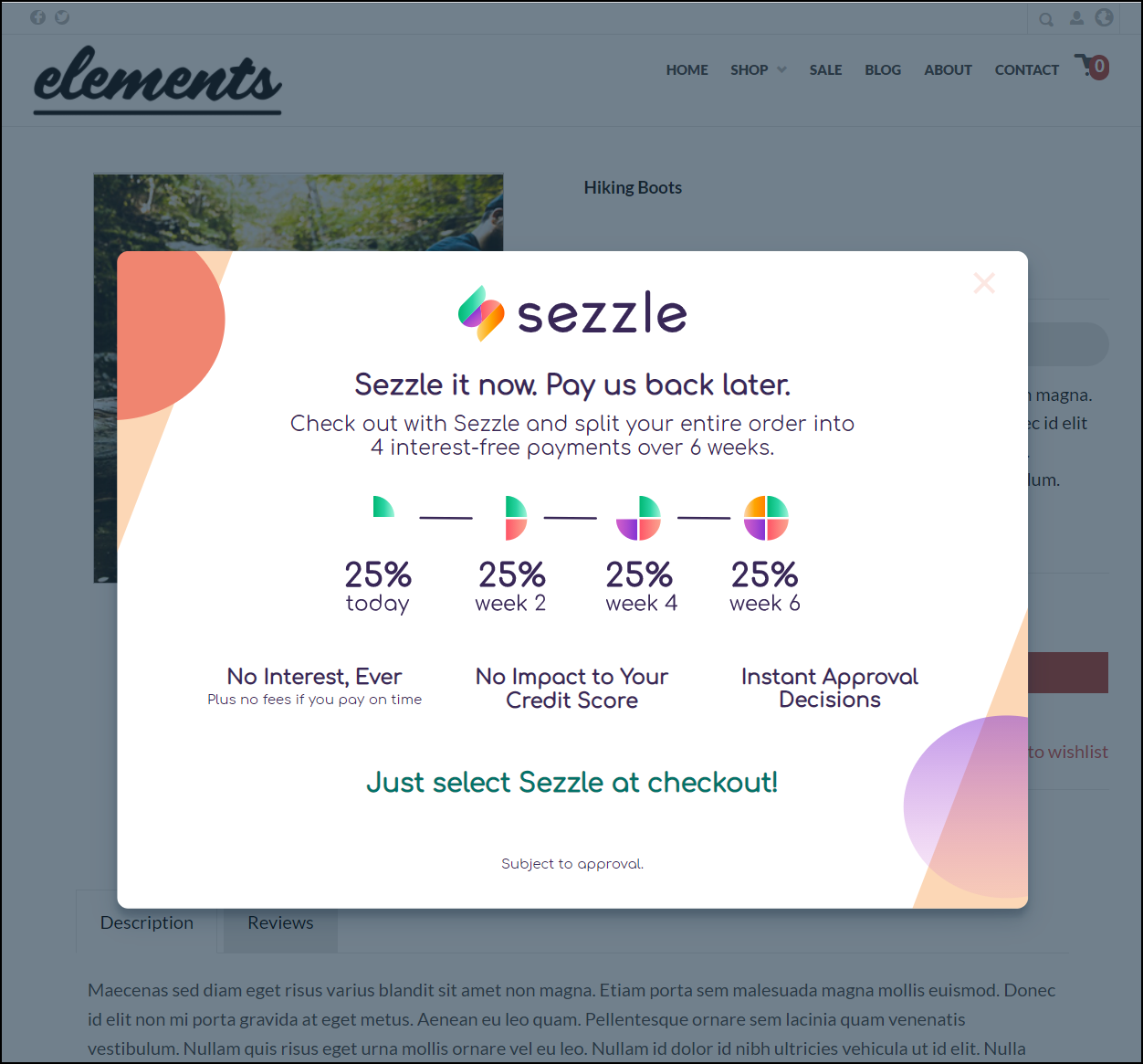
If the customer clicks on the information button they will see the dialog shown below.
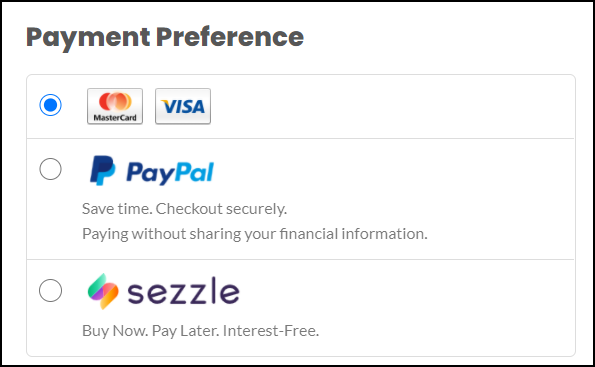
On the payment options section the customer will receive Sezzle as an option as shown below.
Limitations
Sezzle requires the multi-page checkout.
Sezzle is not compatible with Rotating Gateway Configuration.
Sezzle is not compatible with auto orders or upsells.
If a cart contains an auto order item, Sezzle will not be offered as a payment option.
If Sezzle is selected as the payment method, upsells are not shown to the customer.