Changing Authorize.net batch time to match UltraCart Server time
QUESTION:
How can I get my Authorize.net batches to coincide with the UltraCart server timestamps, which are set to Eastern Time Zone (EST/EDT) ?
ANSWER:
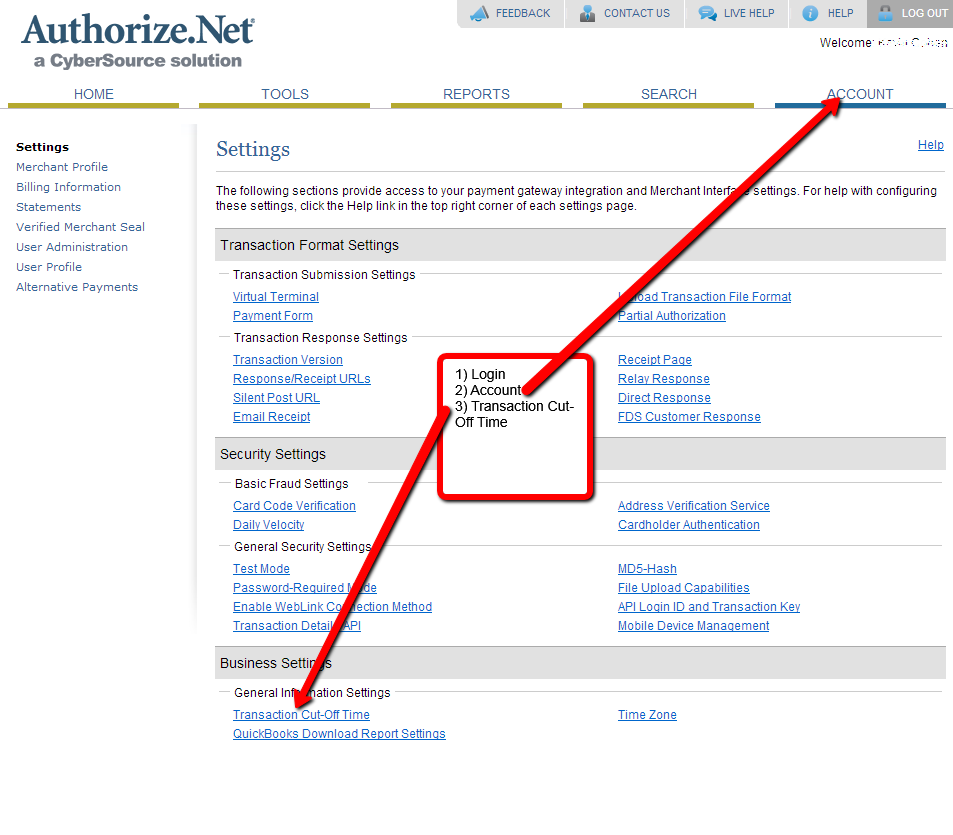
You can adjust the the transaction cutoff time within your Authorize.net account, by logging in and navigating to Account then clicking on "Transaction Cutoff time".
Click on Account then Click on Transaction Cut-Off Time:
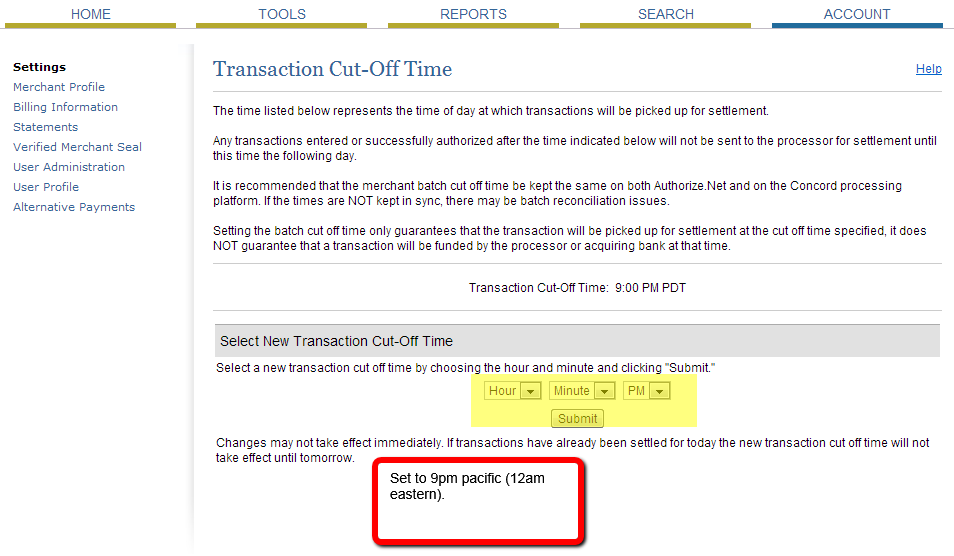
Next you'll set the cutoff time to midnight:
You're done!
Was this page helpful?