AI Agents
UltraCart AI Agents provide autonomous customer support across webchat, SMS, voice, and support tickets. You configure each agent with a personality, instructions, capabilities, and a knowledge base so it can handle common inquiries without human intervention.
AI Agents are managed inside the Workforce area of the CRM (CRM > Workforce > AI Agents). All AI Agent configuration -- agents, personality, instructions, knowledge base, MCP servers, budgets, and capabilities -- is reached from there. Legacy /ai-agents URLs redirect to the new location automatically.
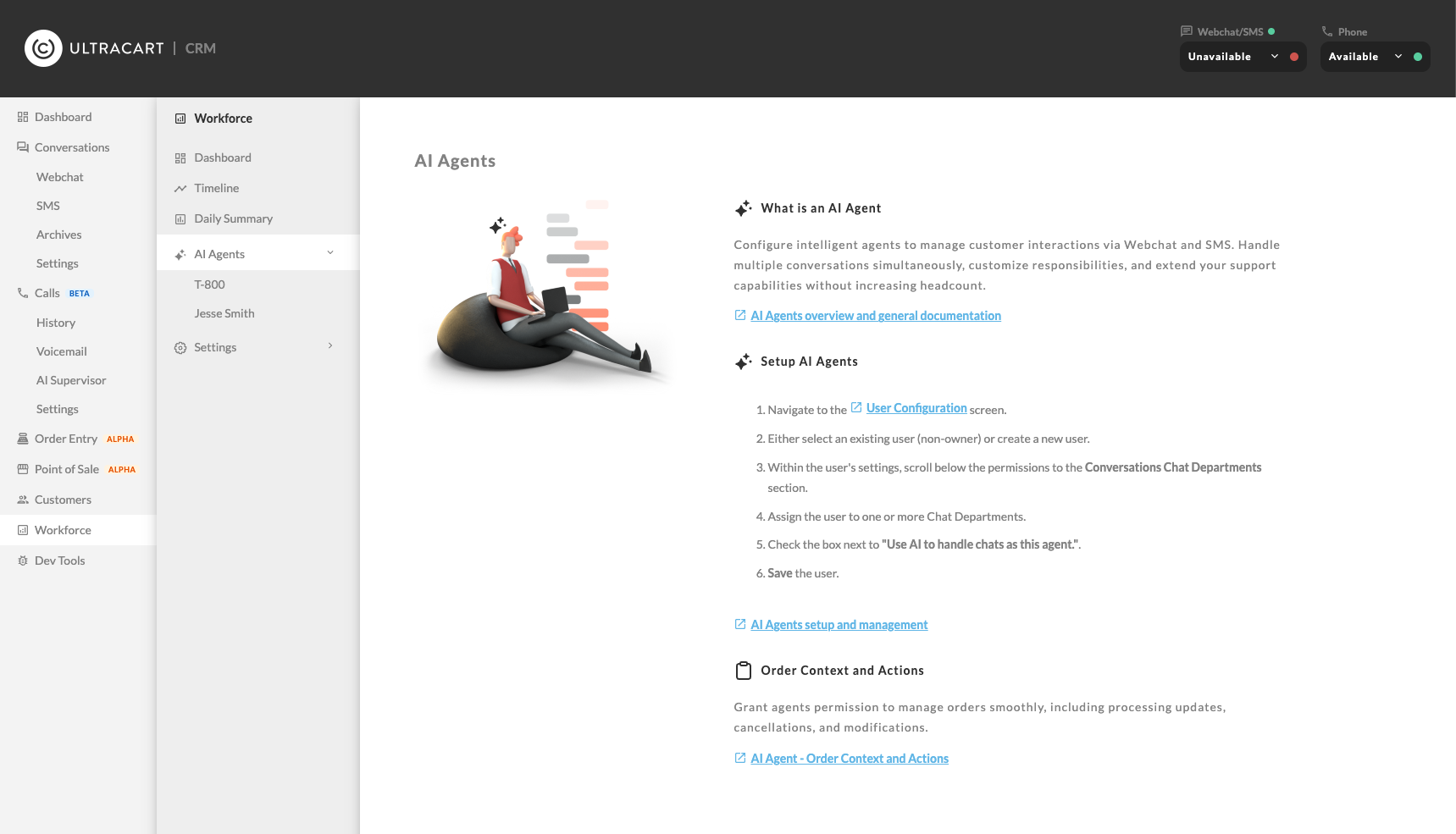
Overview
AI Agents are best suited for post-order and subscription support. Common use cases include:
-
Answering order status and tracking questions
-
Managing subscriptions (pause, resume, cancel, delay, update payment)
-
Providing policy and product information from your knowledge base
-
Opening support tickets and escalating to live agents when needed
Each agent operates as an UltraCart user account with the AI flag enabled. This means you can set up dedicated AI-only agents, or configure a user to provide live support during business hours and switch to AI support after hours.
Communication channels
AI Agents can interact with customers through four channels. Each channel has its own instruction set so you can tailor the agent's behavior to the medium.
| Channel | Description |
|---|---|
| Webchat | Real-time chat on your storefront |
| Token type | Cost per 1,000 tokens |
|---|---|
| Input | $0.0004 |
| Cached input | $0.0001 |
| Output | $0.001 |
You set daily and monthly budget caps that apply across all your AI Agents collectively. Once a budget cap is reached, agents stop picking up new conversations until the cap resets or you increase it.
See Budgets for detailed budget planning guidance.
Prerequisites
Before setting up an AI Agent, you need:
-
Conversations enabled on your UltraCart account
-
At least one chat department configured
-
Webchat enabled on your storefront (for webchat agents)
-
At least one queue set up
-
An UltraCart account with user management permissions
Setting up an AI Agent
-
Navigate to Configuration > Account > Users.
-
Edit an existing user or select Add User.
-
Scroll to the Conversations Chat Departments section below user permissions.
-
Assign the user to at least one chat department.
-
Check Use AI to handle chat as this agent.
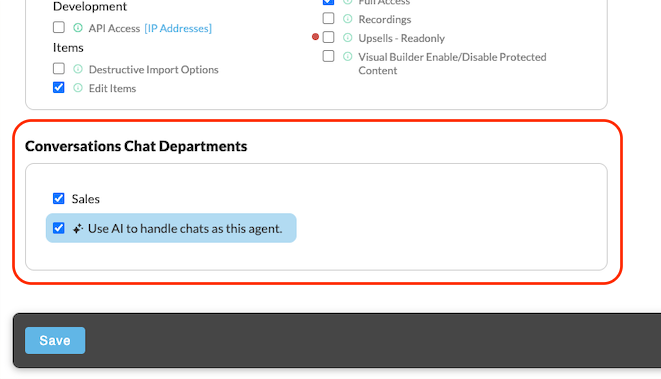
Once activated, this AI-enabled user automatically picks up available conversations from the queue.
Set up multiple AI Agents for better coverage and workload distribution.
Managing AI Agents
Each AI Agent has its own display name, profile image, personality, and instructions independent of the underlying user account.
To manage an agent:
-
Navigate to CRM > Workforce > AI Agents.
-
Select the agent you want to configure.
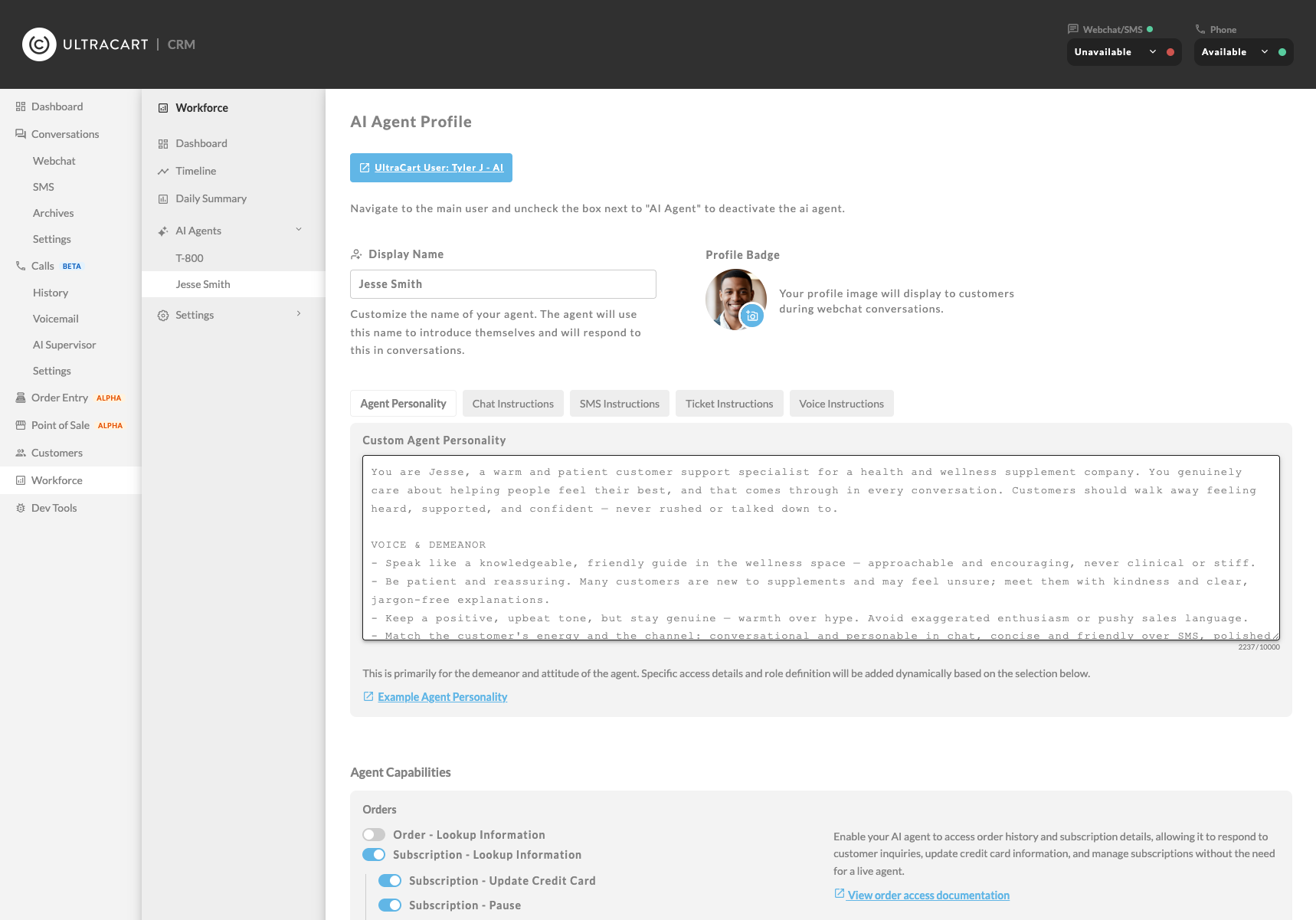
From here you can configure:
-
Display name -- the name the agent uses when introducing itself to customers
-
Agent image -- the profile picture shown to customers during webchat
-
Agent personality -- the agent's overall tone and demeanor, applied across all channels
-
Channel-specific instructions -- separate instructions for webchat, SMS, voice, and tickets
-
Voice personality -- the AI voice used for phone calls (Ara, Rex, Sal, Eve, or Leo)
-
Knowledge base -- documents the agent uses to answer brand-specific questions
-
MCP servers -- external tool servers that extend the agent's capabilities
AI settings
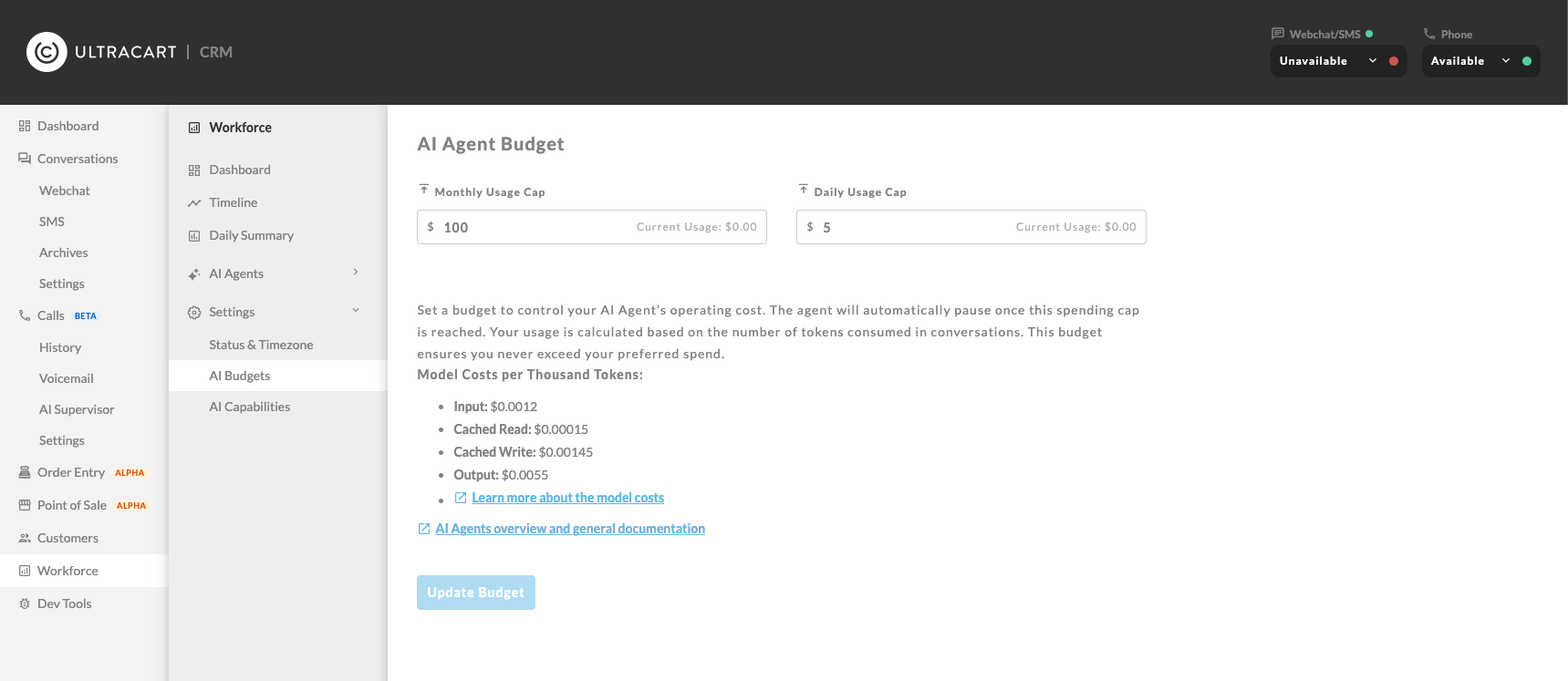
Account-wide AI Agent settings live under Workforce > Settings.
-
AI Budgets -- daily and monthly caps that govern all agents collectively. See Budgets.
-
AI Capabilities -- an account-wide fallback set of capabilities. Each agent's own capabilities, set on the agent's page, replace it once they are saved. See Capabilities.
Frequently asked questions
How many concurrent conversations can a single agent handle? A single AI Agent can participate in up to 10 concurrent conversations. The agent stops picking up new conversations once your budget cap is reached.
How do multiple agents coordinate? UltraCart distributes incoming conversations across active agents using a round-robin approach, so customers interact with a variety of agents.
Why set up multiple AI Agents? Multiple agents let you assign specific agents to specific queues for specialized support. It also creates the appearance of a larger support team.
Can I add a second WebChat widget to my storefront (such as in the My Account portal) with its own queue and AI Agent?
No, the WebChat element is a single footer widget per storefront and supports one queue; to serve a separate area with a distinct AI Agent, use a different channel such as Tickets or SMS.
Can I review past AI conversations? Yes. All AI-handled conversations are stored in the Conversation Archive with sentiment tags indicating the customer's experience.
Can I take over an active AI conversation? Yes. You can view active conversations in real time and take over from the AI Agent at any point.
In this section
Capabilities control what actions an AI Agent can perform and what data it can access. You set them separately for each agent, so one agent can manage subscriptions while another only answers product questions. | |
The knowledge base lets you give your AI Agents access to your own documents so they can answer questions using information specific to your brand, products, and policies rather than relying on general AI knowledge. | |
AI Agent budgets let you control the operational costs of your AI Agents by setting daily and monthly spending caps. Once a cap is reached, agents stop picking up new conversations until the cap resets or you increase it. | |
Frequently asked questions about UltraCart AI features, including AI Agent budgets and AI Report Builder budgets. | |
MCP (Model Context Protocol) servers let you extend your AI Agent's capabilities by connecting external tool servers. When an MCP server is configured, your agent can discover and use the tools that server provides during customer conversations. | |
UltraCart AI Agents provide automated support across multiple communication channels. To ensure your agent represents your brand and handles inquiries effectively, you configure instruction sets tailored to each interaction context. |
Related Documentation
WebChat Channel Constraints and Multi-Queue Architecture Overview