About
Customers will sometime create more than one customer profile, usually due to changes in email addresses. This can cause issue for merchant , when the customer profile is managing subscriptions or product licenses, etcetera. So, a merchant may need to merge the customers profiles into a single profile, as a process of ongoing customer management.
Navigate to the Customer Profiles Management:
Main Menu → Operations → Customer Profiles
How to merge two customer profiles
-
First, Identify the two email addresses associated with the two customer profiles that need to be merged.
-
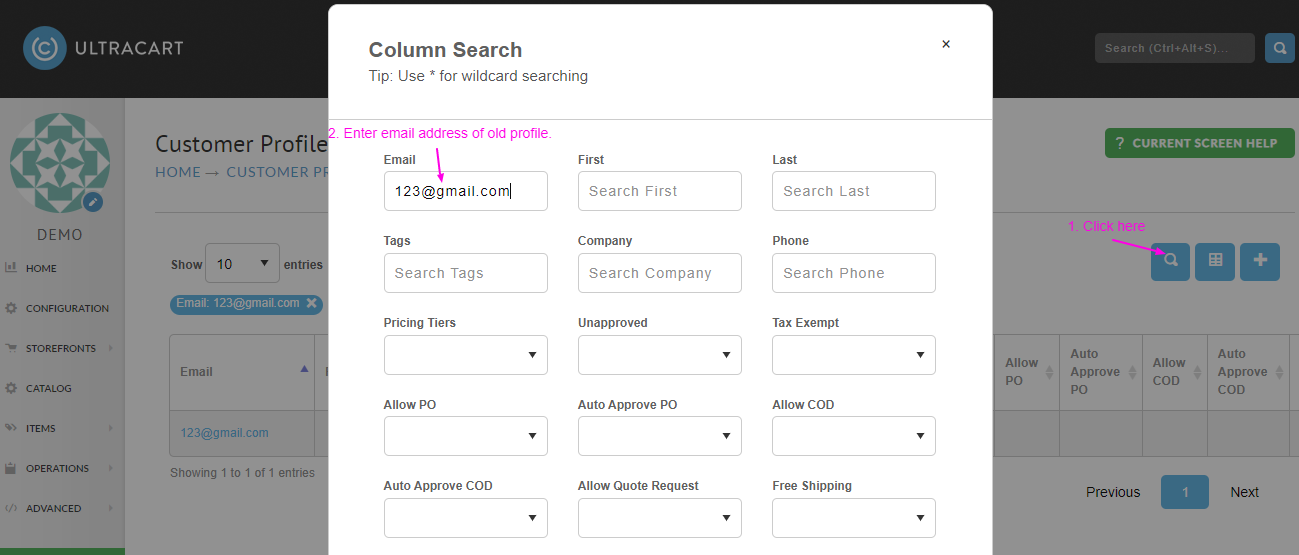
Click the Magnifying Glass Icon then search for the “old” customer profile that needs to be merged into the new or ongoing customer profile:
-
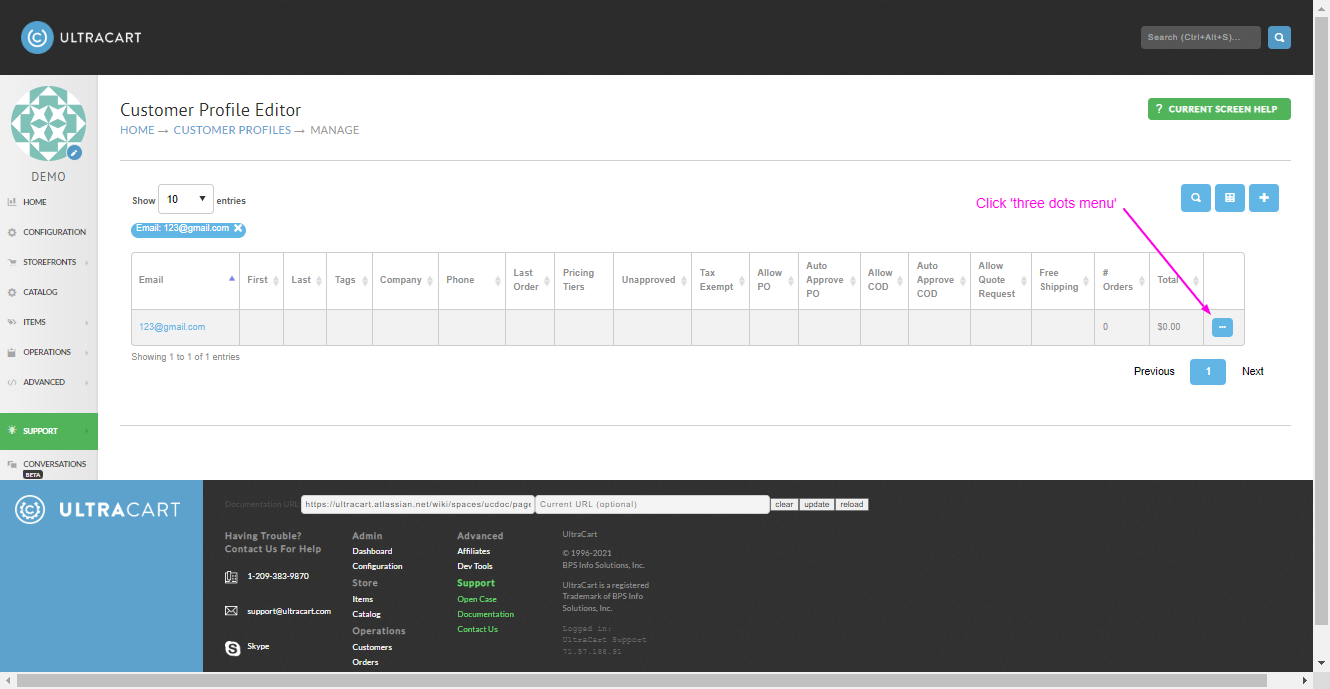
In the search results, click on the “three dots” menu on the far right side of the customer profile in the search results:
-
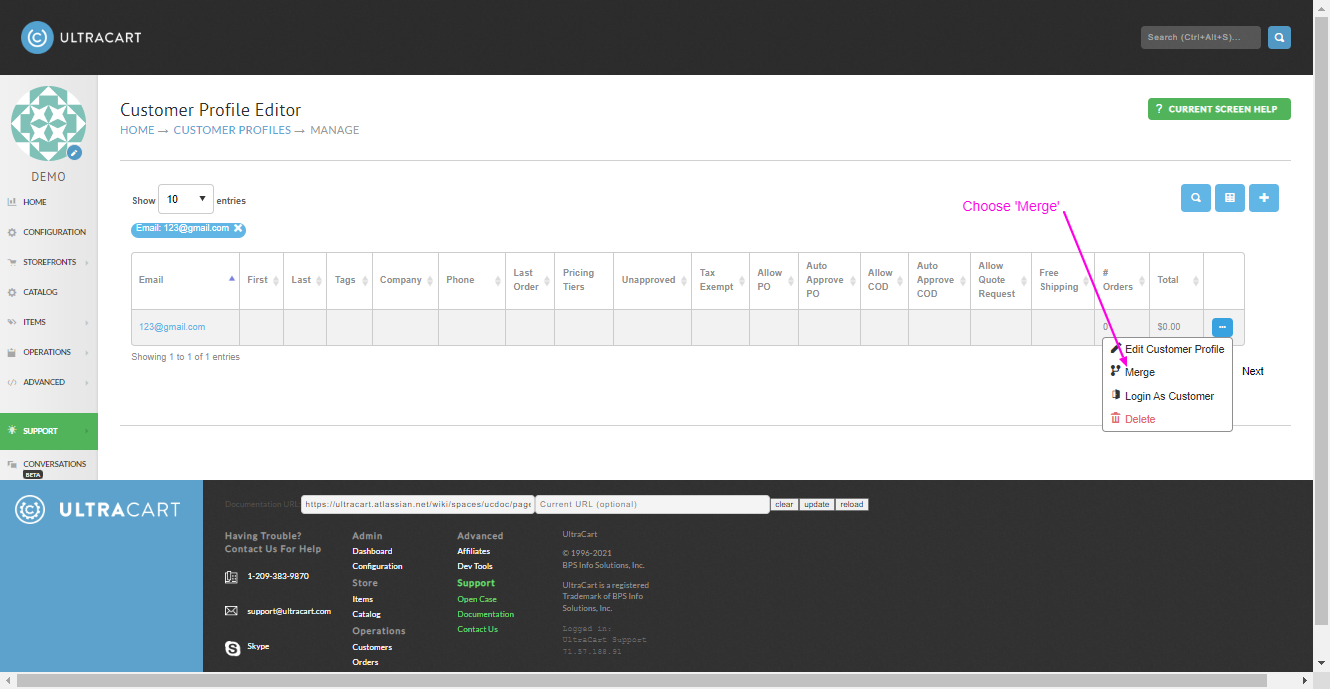
Then choose ‘Merge’:
-
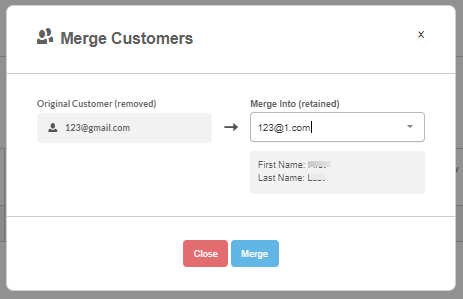
Then enter the email address for the ongoing customer profile, then click the ‘Merge’ button:
Congratulations! - The merge process is completed.