Channel Partner API
The UltraCart channel partner API allows merchants to import orders into the UltraCart system from channels that we are not directly integrated into. For example if you are a call center that wants to take orders and send them into an UltraCart account you could use the Channel Partner API.
Configuring the Channel Partner
You can create one or more custom channel partners on an UltraCart account. To do this go to:
Main Menu → Configuration → Channel Partners → Custom (Generic)
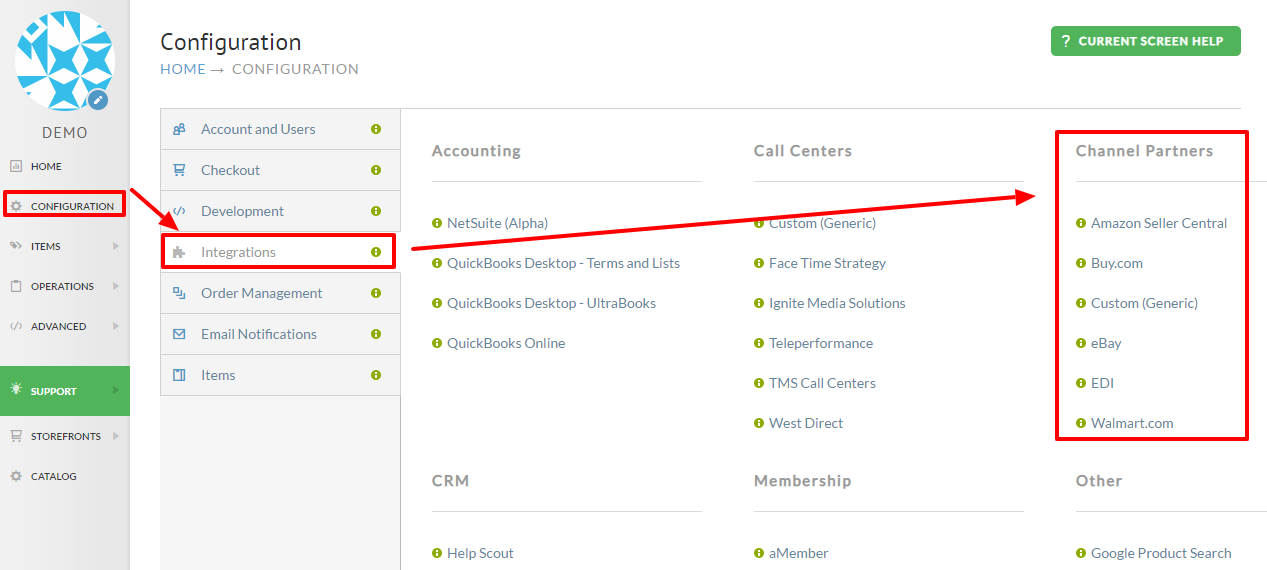
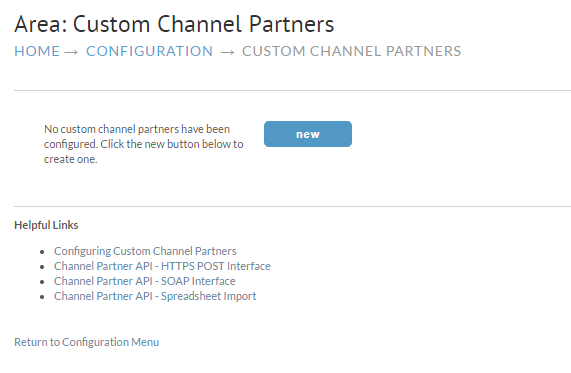
First click the new button as shown below.
Now fill the basic information for the channel partner as shown below.
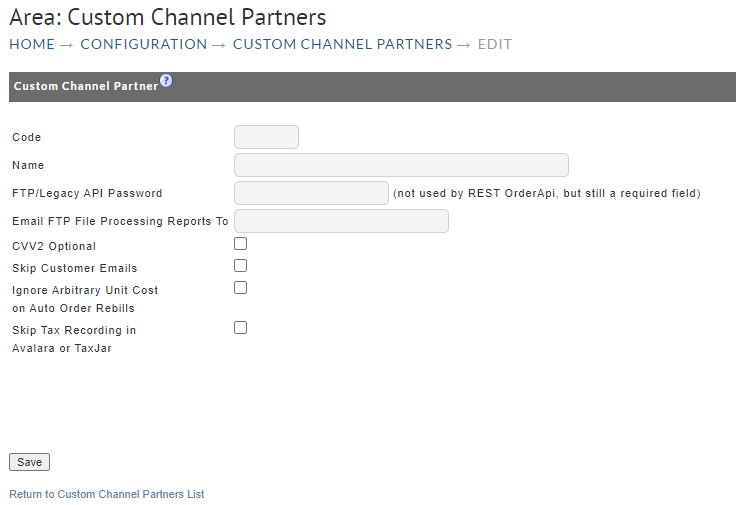
| Field | Description |
|---|---|
| Code | A letter code identifying the channel partner. This will appear throughout the back end of UltraCart and should be an abbreviation |
| Name | The name of the channel partner |
| FTP/Legacy API Password | This is the password that will be required to call the various channel partner systems. |
| Email FTP File Processing Reports To | Enter the email address to which you want to have the processing reports sent. |
| CVV2 Optional | Select this to make the CVV@ optional for payment processing of imported orders. |
| Skip Customer Emails | If selected, customer will not be order related emails. |
| Ignore Arbitrary Unit Cost on Auto Order Rebills | If selected, Arbitrary unit cost will not be applied to the auto order rebills. |
| Skip Tax Recording in Avalara or TaxJar | If selected, The orders will not be processed to tax calculation service (Applies to each of the third party Tax Service integrations: Avalara, TaxJar & Sovos) |
After you click save the channel partner will appear in the list.
Methods of Integration
The channel partner API has the following interfaces at this time:
- HTTPS POST (Documentation)
- Channel Partner API - Spreadsheet Import
- Rest API (Code sample in C#, most commonly used by Call Centers)
For further assistance, please email support@ultracart.com attention "Engineers".
Related Documentation
Call Center Integration Information (checklist)