Mr Teas - Adding an Instructions Tab to Item Page
This tutorial is now deprecated . Please see the" Adding new tab to Item page." for new documentation.
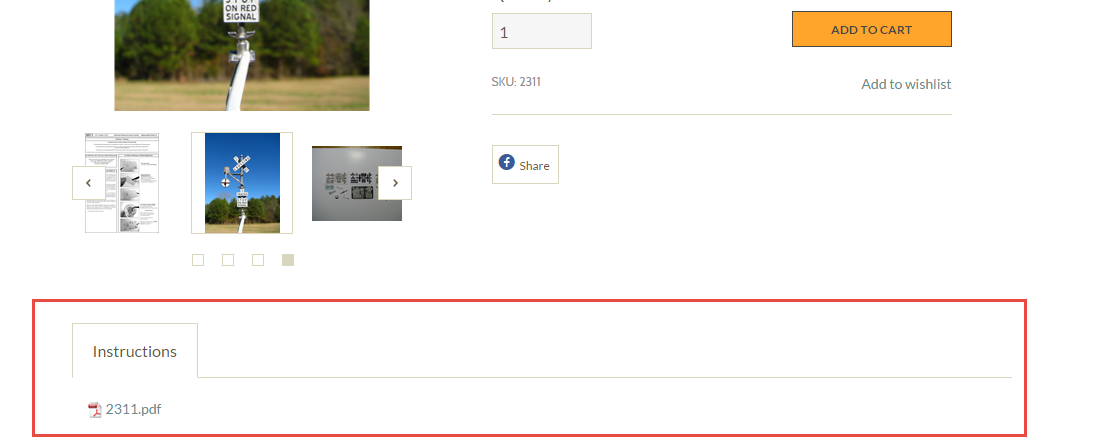
This tutorial will guide you through the process of adding an instructions tab to the item page of the Mr Teas theme. This tab will automatically display all of the PDF files attached to an item.
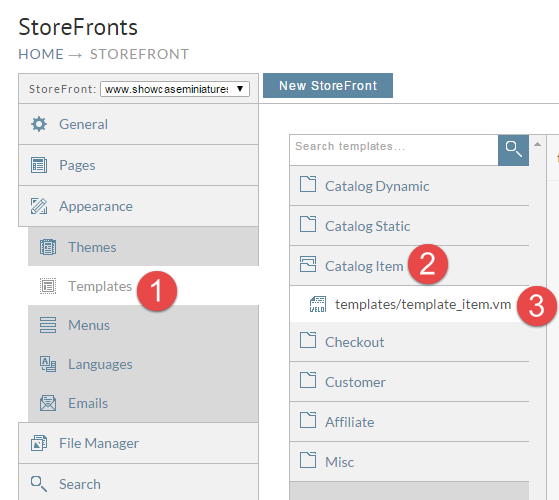
First click on Templates, Catalog Item, and then templates/template_item.vm as shown below.
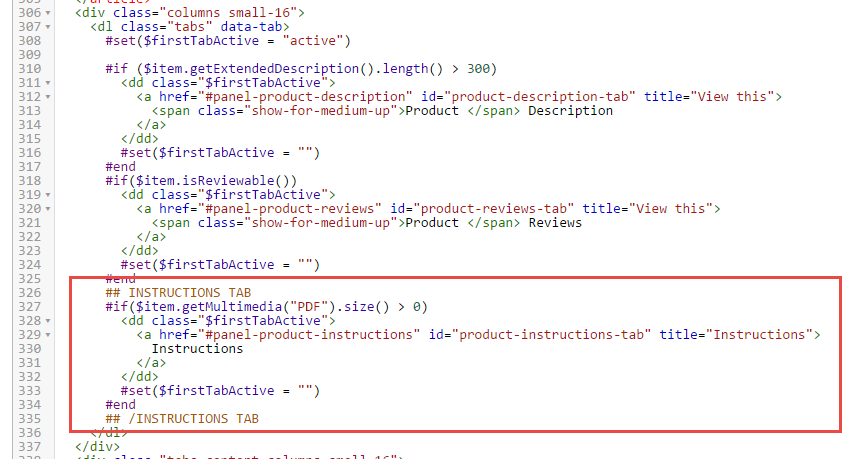
Now we need to instruct the following block of code:
      ## INSTRUCTIONS TAB
      #if($item.getMultimedia("PDF").size() > 0)
        <dd class="$firstTabActive">
          <a href="#panel-product-instructions" id="product-instructions-tab" title="Instructions">
            Instructions
          </a>
        </dd>
        #set($firstTabActive = "")
      #end
      ## /INSTRUCTIONS TAB
to add the tab to the page as shown below. This should be inside of the dl tag with the class of tabs around line 326.
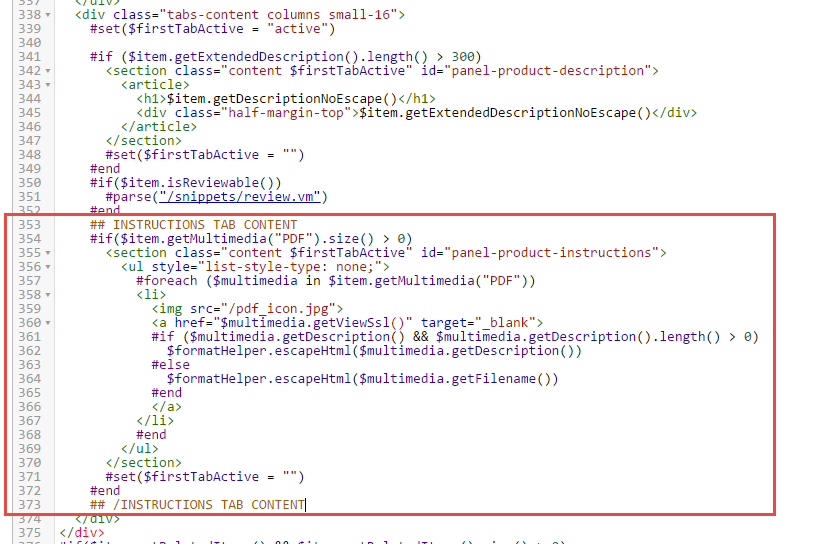
Now we need to insert the following code to output the instructions tab content.
    ## INSTRUCTIONS TAB CONTENT
    #if($item.getMultimedia("PDF").size() > 0)
      <section class="content $firstTabActive" id="panel-product-instructions">
        <ul style="list-style-type: none;">
          #foreach ($multimedia in $item.getMultimedia("PDF"))
          <li>
            <img src="/pdf_icon.jpg" />
            <a href="$multimedia.getViewSsl()" target="_blank">
            #if ($multimedia.getDescription() && $multimedia.getDescription().length() > 0)
              $formatHelper.escapeHtml($multimedia.getDescription())
            #else
              $formatHelper.escapeHtml($multimedia.getFilename())
            #end
            </a>
          </li>
          #end
        </ul>
      </section>
      #set($firstTabActive = "")
    #end
    ## /INSTRUCTIONS TAB CONTENT
This should be inside of the div with the class tabs-content around line 353 of the template as shown below.
Upload the pdf_icon.jpg attached to this article into the root directory of your StoreFront file manager.
Now any item where we upload a .pdf file to, the instructions tab will appear. If the file has a description then it will display.