Search
A convenient Search text box is located in the right corner of the top UltraCart banner of almost every screen.

UltraCart will search for matching items from our Peer-to-Peer Forums and Knowledge Base. Enter your criteria into the text box and press the "enter" key on your keyboard . Matching subjects will be listed in an overlay (split) screen.
Search Results
The following is a sample screen showing search results in a split screen.
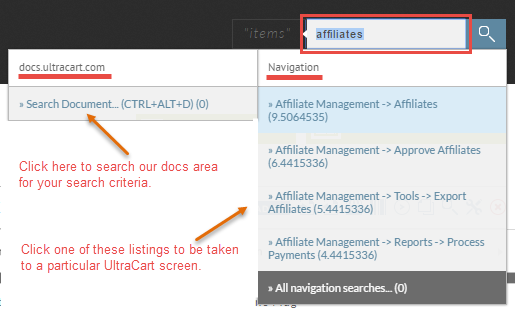
Clicking the "Search Document" link in the left box will perform a secondary search for any matching documents. Clicking a link from within the right side will take you to that particular screen.
Was this page helpful?