Item Editor -Digital Delivery
After successfully uploading your digital content, you then must associate that content to your digital store Items (assuming you have created your store items already). To accomplish the association navigate to:
note
Main Menu → Items → Item Management
Click on the Item (ID) you wish to associate the digital content with. This will bring up the Item Editor screen for that Item. Then click on the "Digital Delivery" tab.
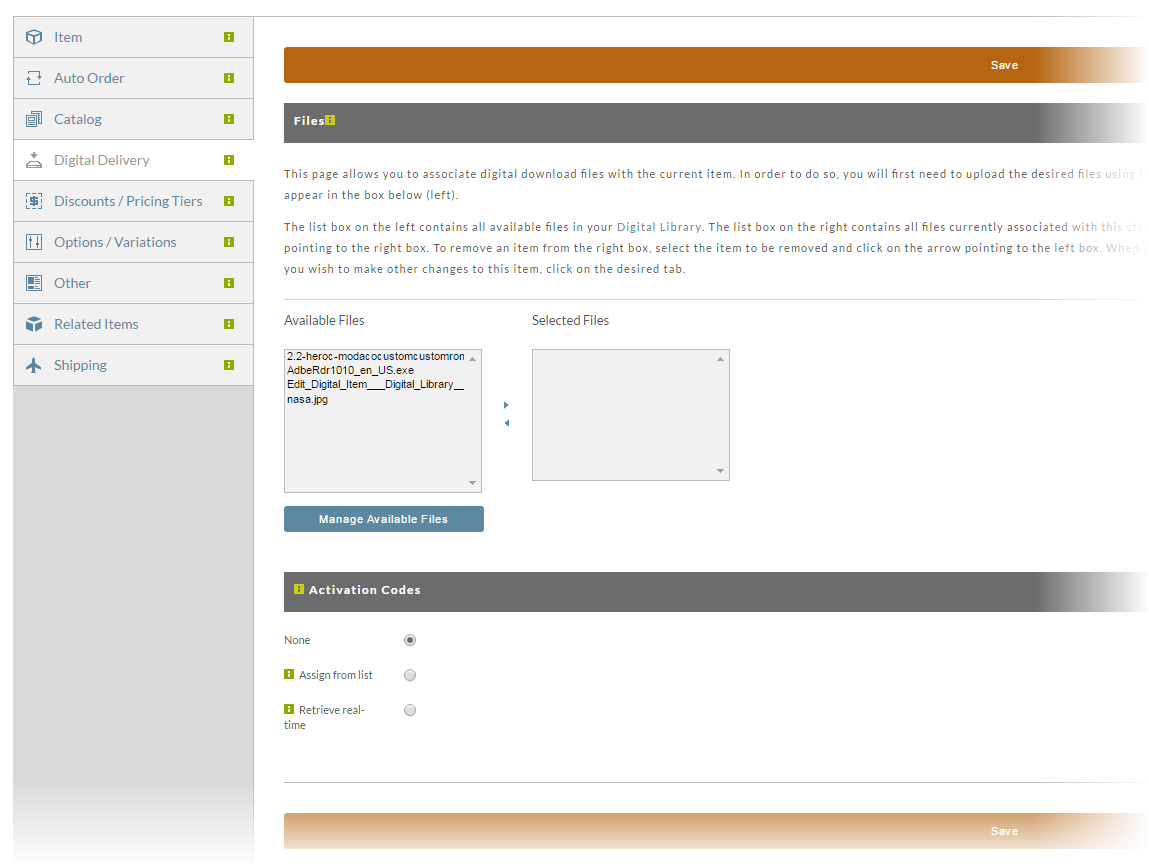
This Digital Delivery screen is divided into two sections; Files and Activation Codes.
Files
info
Transcluded from Files.
Activation Codes
info
Transcluded from Activation Codes.
Was this page helpful?