Item Management → Create/Edit Item → Digital Delivery Tab → Activation Codes (section)
Overview
Some merchants will want to assign Activation Codes to certain digital content (usually software).
You are given three options; None, Assign from list or Retrieve real-time.
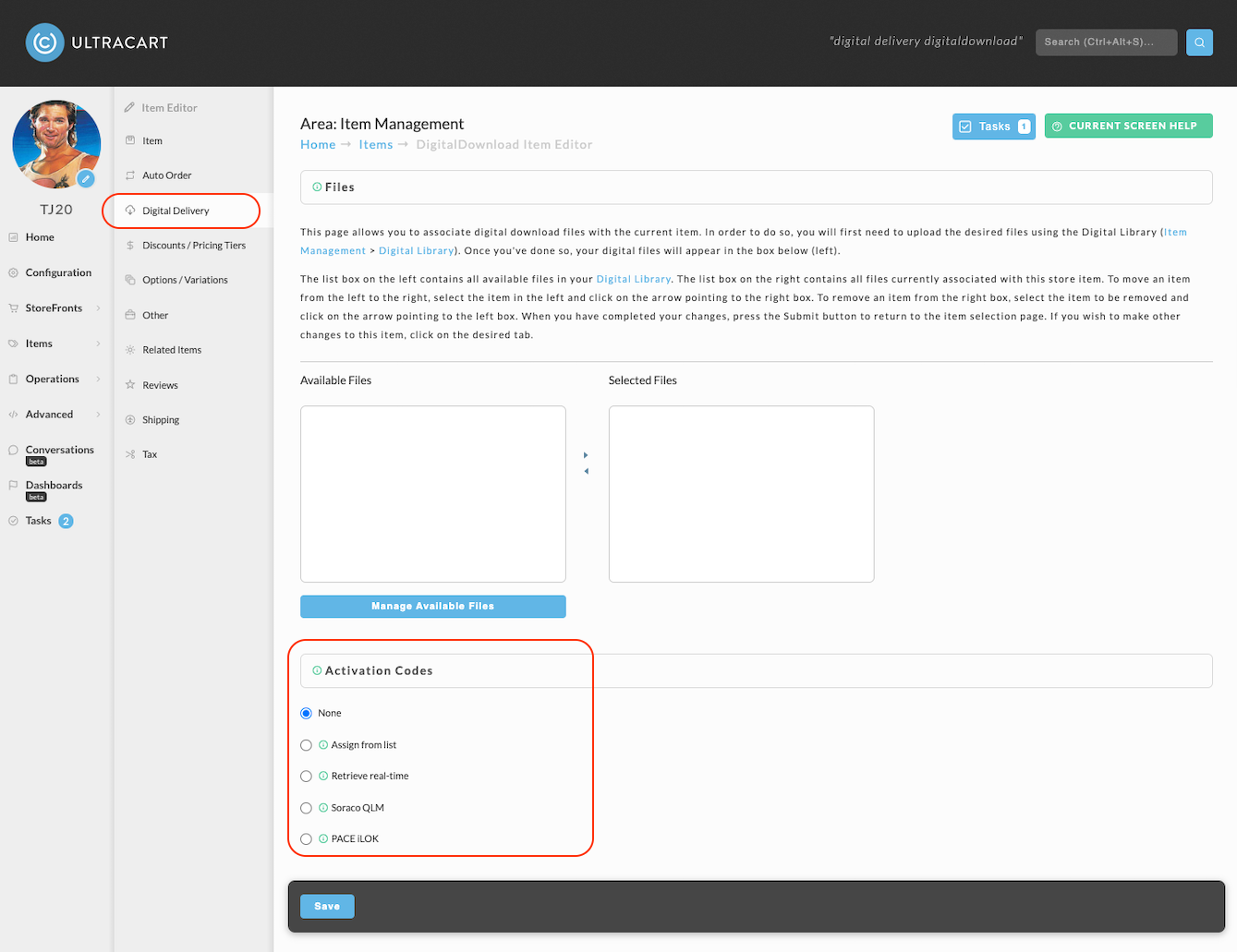
Activation Code Options
Make your selection by clicking on one of the three radio buttons to the left of the options.
None
Make this selection if NO activation codes are needed. No other action is necessary.
Assign from list
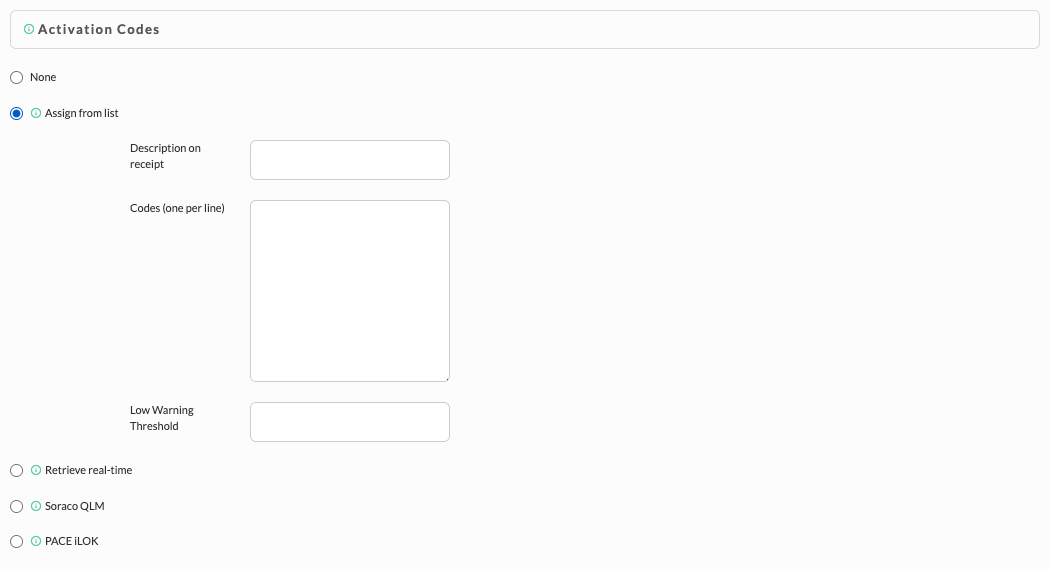
Once you select this choice, the section will expand to allow you to configure your list.
-
First enter a description that you want to appear on the receipt.
-
Then enter your codes, one per line (hit 'enter' at the end of each line).
A limit of 3,000 codes should be used, when using a list of codes. If you need more then 3000 codes, we recommend using the Real time list. -
Lastly, enter the "Low Warning Threshold".
note
Each user that has the "Activation Codes" email notification configured in their user will receive notifications for items configured with the "Low Warning Threshold" field in the "Assign from List" configuration fields.
To activate the Low Activation Codes email notification, navigate:
Configuration → Users → Click on user login of user you wish to configure to receive the notifications → select the checkbox titled “Low Activation Codes” then save the settings.
Each user that has the "Activation Codes" email notification configured in their user will receive notifications for items configured with the "Low Warning Threshold" field in the "Assign from List" configuration fields.
To activate the Low Activation Codes email notification, navigate:
Configuration → Users → Click on user login of user you wish to configure to receive the notifications → select the checkbox titled “Low Activation Codes” then save the settings.
note
A limit of 3,000 codes should be used, when using a list of codes. If you need more then 3000 codes, we recommend using the Real time list.
A limit of 3,000 codes should be used, when using a list of codes. If you need more then 3000 codes, we recommend using the Real time list.
Retrieve real-time
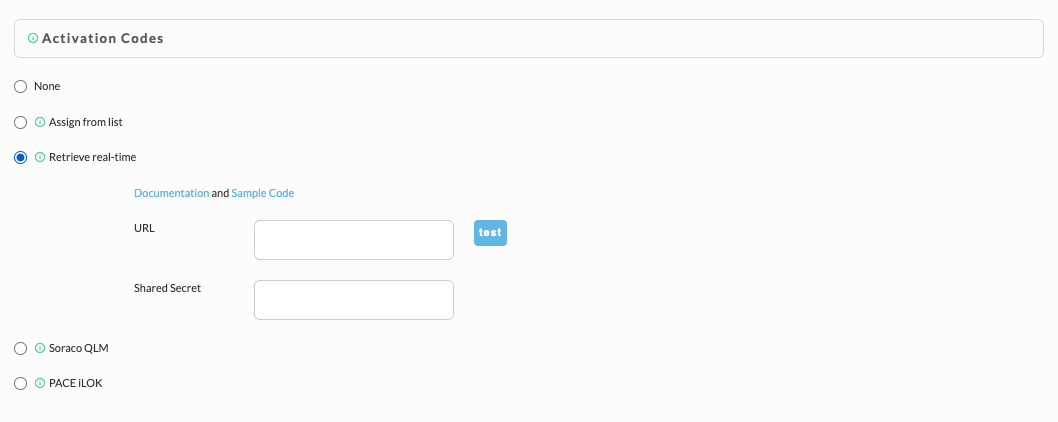
Check this selection if you want the customer to obtain the activation code from a designated URL.
-
Enter the URL in the box provided.
-
Also enter the "Shared Secret"
note
Please see this white-paper for a thorough discussion of shared secrets: UltraCart Activation API
Please see this white-paper for a thorough discussion of shared secrets: UltraCart Activation API
Soraco QLM
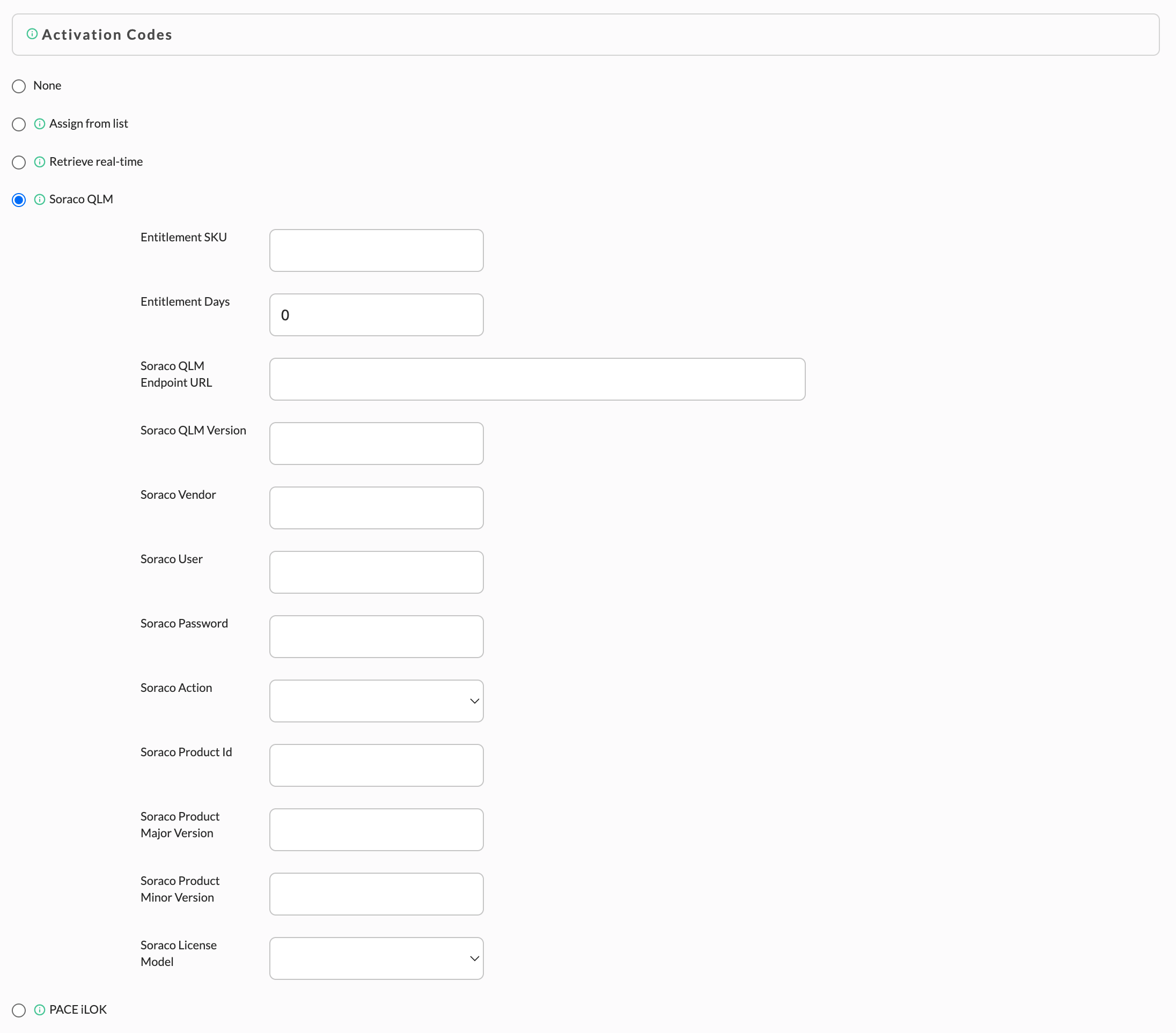
Soraco Licnese Manager provides Software Protection and Licensing services. Select this option if you have established an account with Soraco.
note
To learn more about Soraco, please visit their website: https://soraco.co/
To learn more about Soraco, please visit their website: https://soraco.co/