Item Tools
Item Tools are the bulk operations for your catalog. Instead of editing items one at a time, you export a spreadsheet, change hundreds of rows, and import it back, or edit inventory and pricing for every item on a single screen.
Opening Item Tools
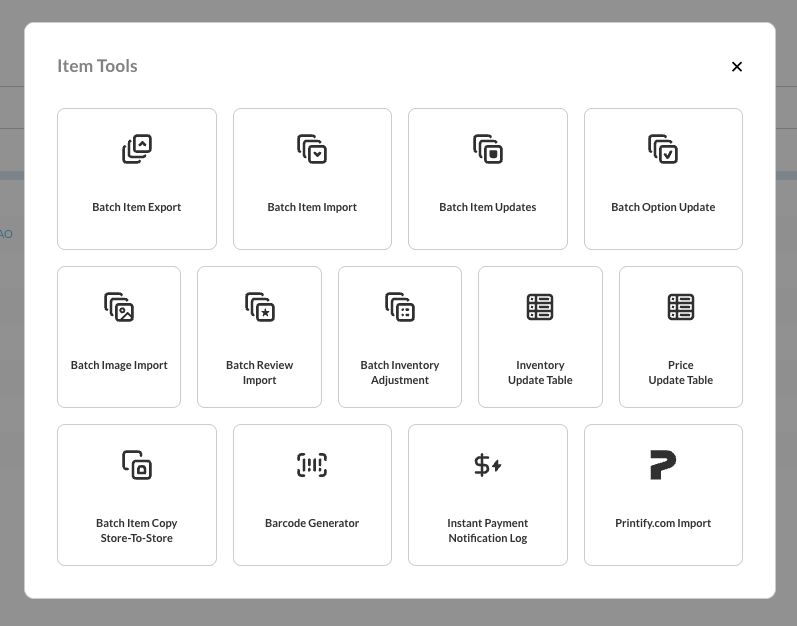
There are two ways in, and both open the same modal.
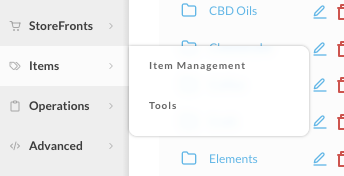
From the main navigation, choose Items → Tools:
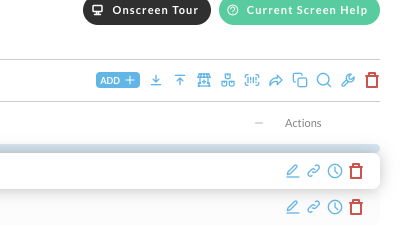
Or, if you are already on the item list, click the wrench icon in the toolbar above the table:
The tools
Listed in the order they appear in the modal.
| Tool | What it does |
|---|---|
| Batch Item Export | Generate an Excel or CSV file of your items, by folder, ready to edit |
| Batch Item Import | Import an edited Excel or CSV file back into your items |
| Batch Item Updates | Search for items by price, weight, description, ID, status, or category, then change all the matches at once |
| Batch Option Update | Add, change, or remove an option value across every option in the account |
| Batch Image Import | Upload many images at once, then assign them to items |
| Batch Review Import | Import product reviews in bulk from a spreadsheet |
| Batch Inventory Adjustment | Increase or decrease distribution center inventory from a CSV of item IDs and quantities |
| Inventory Update Table | Edit stock levels, reorder points, and inventory settings for every item on one screen |
| Price Update Table | Edit the price of every item in the account on one screen |
| Batch Item Copy Store-To-Store | Copy item configuration from one UltraCart store to another |
| Barcode Generator | Generate barcodes for printing onto labels |
| Instant Payment Notification Log | Review the instant payment notifications configured for your items |
| Printify.com Import | Import a Printify shop and its products as UltraCart items |
Several tools were renamed in the modal. Batch Image Import was Upload Multiple Images, Batch Inventory Adjustment was Inventory Adjustment, and Inventory Update Table and Price Update Table dropped the word Table from their old names. The pages behind them are the same pages.
Which tool to reach for
| If you want to | Use |
|---|---|
| Change many fields across many items | Batch Item Export, edit the file, then Batch Item Import |
| Change one or two fields on items matching a search | Batch Item Updates |
| Correct stock counts across the catalog | Inventory Update Table |
| Apply a stock delta from a supplier file | Batch Inventory Adjustment |
| Reprice a lot of items | Price Update Table |
| Rename a size or colour everywhere it appears | Batch Option Update |
The export-edit-import round trip is the most flexible route, because the spreadsheet exposes far more fields than the on-screen editors. The on-screen tables are faster when you only need to touch inventory or price.