If you're selling a digital document in PDF format, you don't have any worries. The iPhone will handle that file gracefully, rendering it in Safari and giving the customer the option of adding it to any configured apps, such as the Apple Bookshelf.
Selling a Series of MP3 Files in an iPhone/iPad Friendly Manner
This short tutorial will show you how to sell a bundle of .mp3 files in a manner friendly to iPhone and iPad users. Merchants may be tempted to take the .mp3 files and sell them as a single .zip file, but most mobile devices do not have built-in support for compressed archives like .zip files. We'll show you how to sell it in a manner friendly to both desktop users and tablet users. Let's first assume that you have a series of .mp3 files and an instruction .pdf in a folder on your computer like the screenshot below.
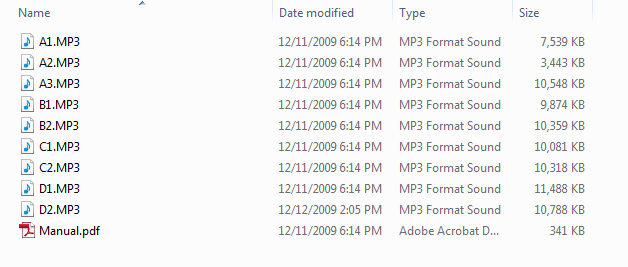
Step 1 - Compress the files into a .zip archive
You need to use your favorite ZIP utility to compress the files into a single ZIP file. We're fond of 7-Zip.
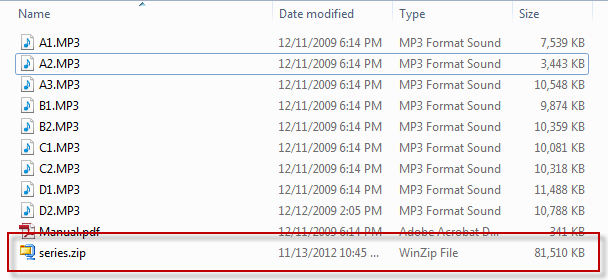
Step 2 - Upload the .zip file.
Now we need to navigate to the digital library located at:
In the "Upload a new File Collection" browse to the .zip file on your computer and upload it.
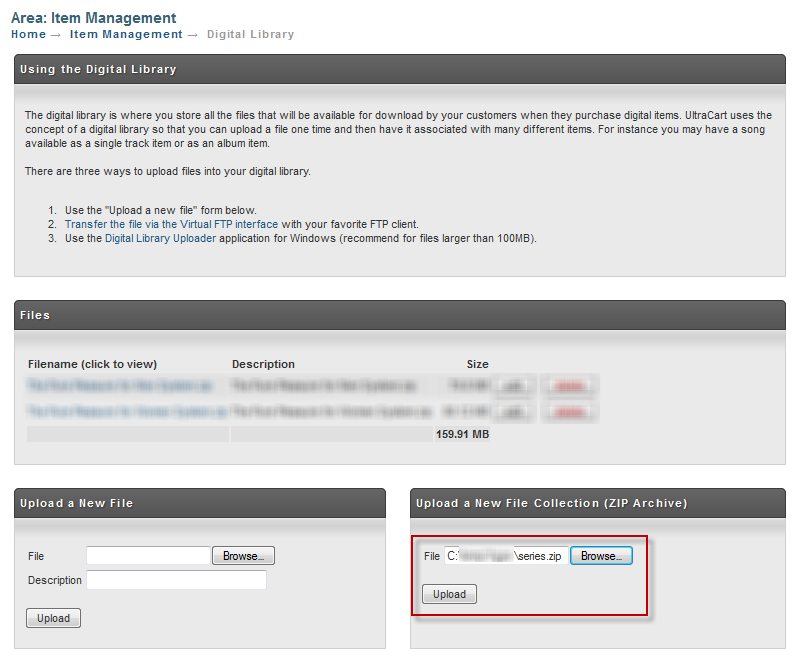
Take care to use the collection upload (right side of screen) and not the normal file upload (left side). The upload on the left will keep the file as a .zip file. The collection upload will read the .zip file and store each file within it.
Step 3 - Edit Individual File Descriptions
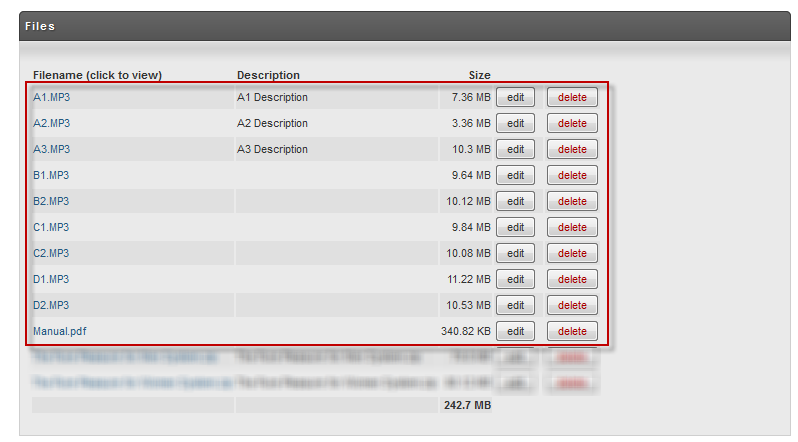
After the ZIP file is upload the system will display each of the files found within the ZIP file. You can enter a description for each file at this point in time.
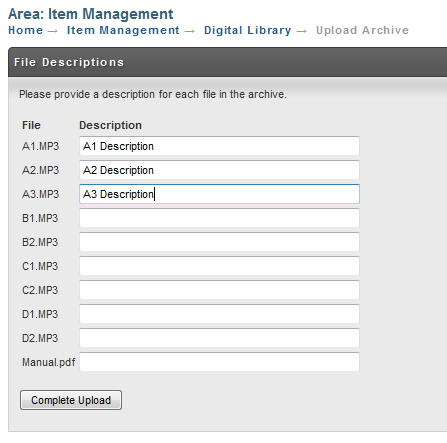
Once your submit the files they will appear in the digital delivery library.
Step 4 - Associate the digital content with a store item
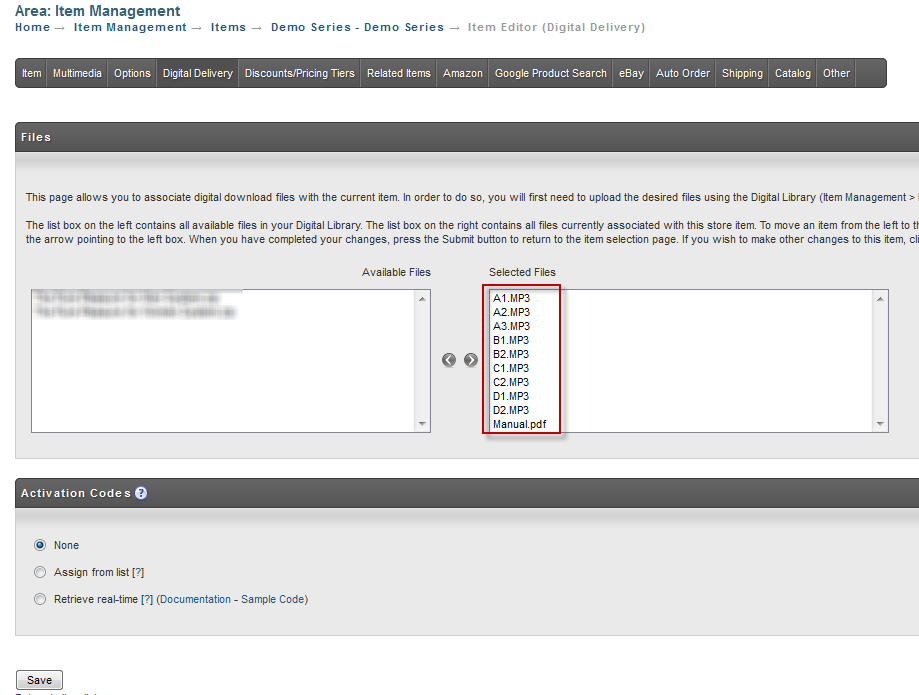
Now we need to edit one of the items in our store under:
Main Menu → Item Management → Items → [click the item id] → Digital Delivery
Select each of the files from the list and assign them to the item.
The Result
When a purchase is made, UltraCart will display links for the individual files, as well as a link to download the entire set as a .zip file. Mobile users can download the individual files, while desktop users will prefer the .zip file option.
UltraCart will build the .zip on the fly. You need to nothing for that to happen.