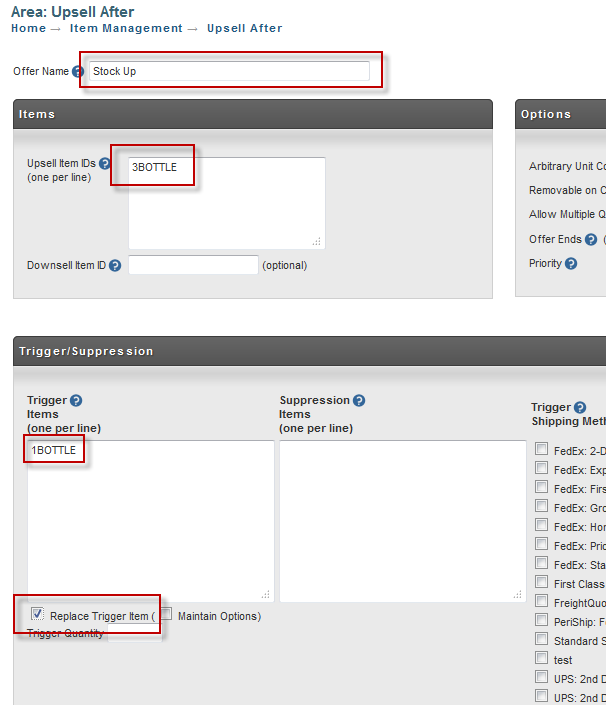
Upsell Higher Quantity of Item Already in the Cart
By default, UltraCart will not show an upsell for an item that is already in the cart. You don't want to offer a discount on something that they are already purchasing for the regular price. You can however get the customer to purchase a larger quantity of your product using kits. Let's look at a scenario where we configure a single bottle item and then a kit of 3 bottles which we use in an upsell.
Configuring the Single Bottle Item
First navigate to:
First click on the "New" button as shown below.
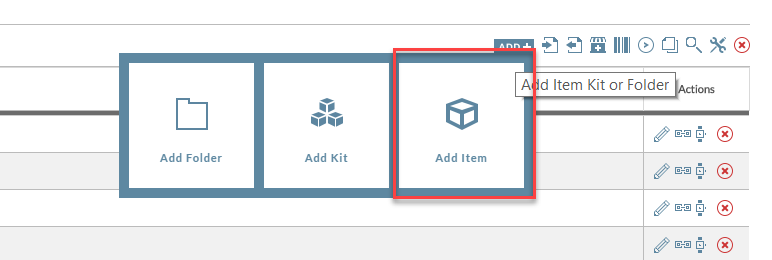
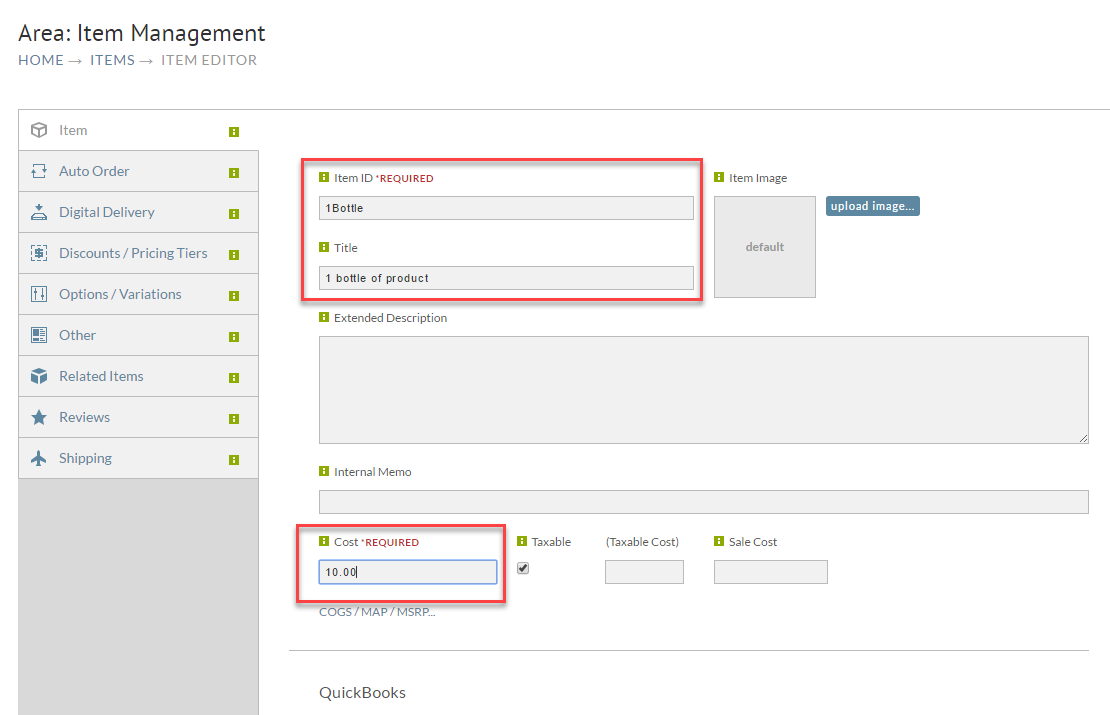
Fill out the item id, description, cost and weight as shown below and then save the item.
3 Bottle Kit Configuration
Now click on the "New" button in the kits area as shown below.
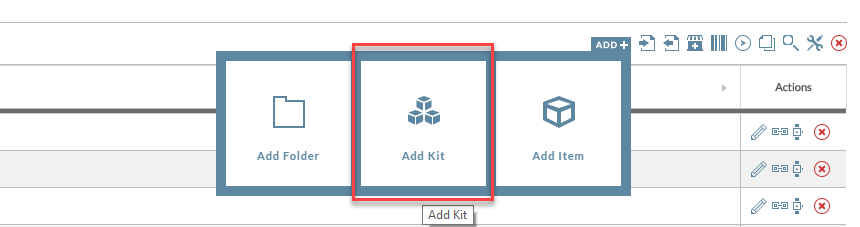
Fill out the item id, description, and cost as shown below and then click on the Components tab.
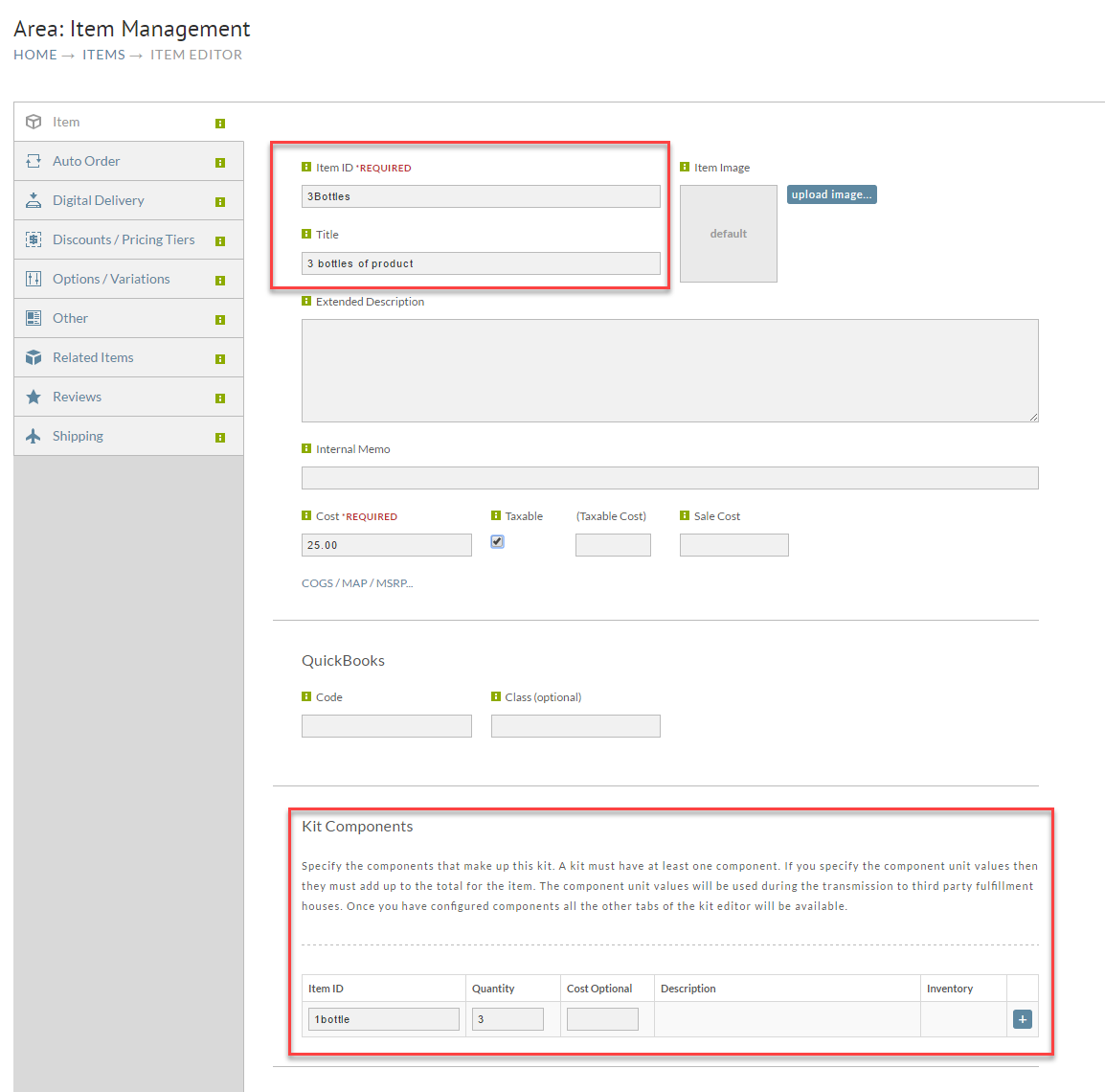
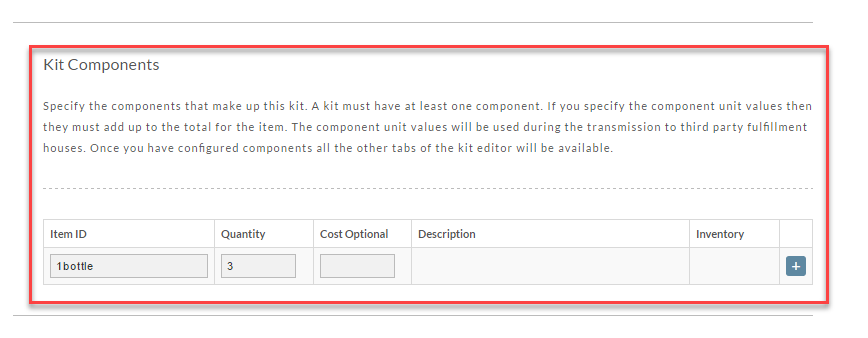
Configure the components as three of the 1BOTTLE item we configured in the previous section of this tutorial and then click save.
Configuring the Upsell After
The final step is to configure the upsell after under:
Click the new button and then fill out the Upsell After configuration as shown below.