About
This tutorial details the process of recording a purchase placed within your brick-and-mortar storefront, using a gift certificate purchased online.
Steps
-
Log into UltraCart
-
Navigate: Configuration → Checkout → Gift Certificates
-
Locate the gift certificate code
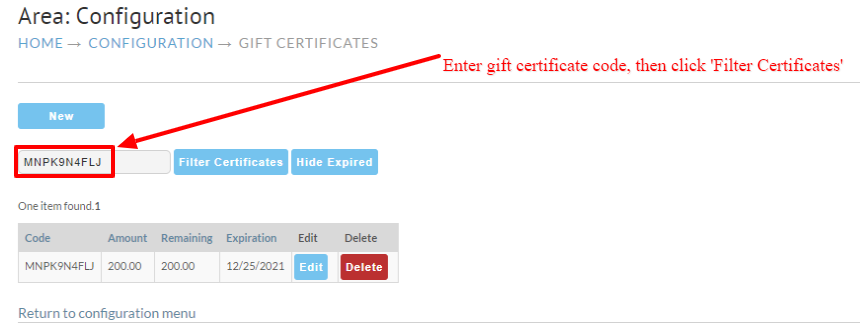
-
Click the Edit button
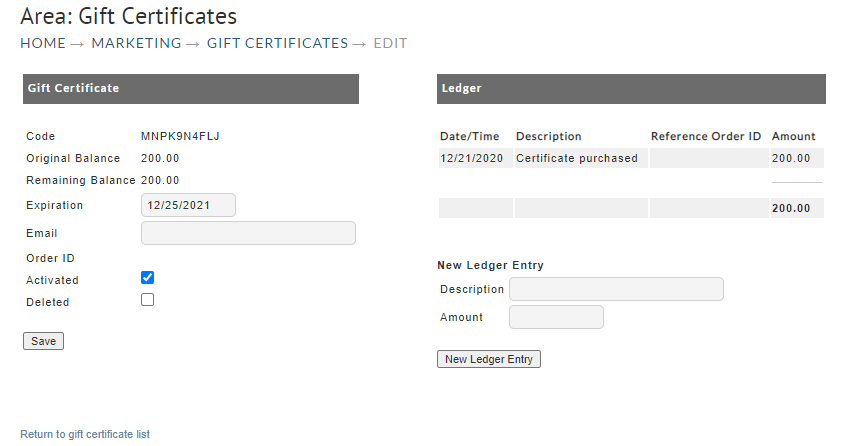
-
In the New Ledger Entry Description field, enter: In-Store Purchase, then enter the Amount as a negative value, then click the New Ledger Entry button
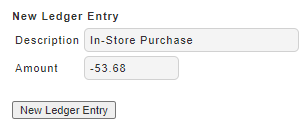
-
Save the ledger entry
(View after saving ledger entry)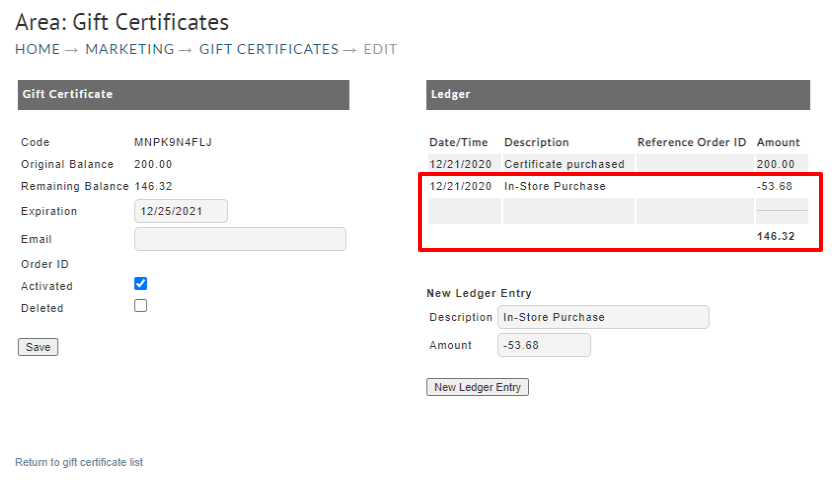
Was this page helpful?