Allowing Affiliates to use Sub-IDs
A common technique that affiliates use on their tracking links is called "sub-ids". These are identifiers that an affiliate can pass in to help understand how their own marketing techniques are working. For example if I have three different banner ads that I'm using to drive traffic to the merchant's site through my own affiliate link, I would want to append a subid to the link so I can track the effectiveness. The process is pretty straight forward. First the affiliate logs into their dashboard which looks something like this:
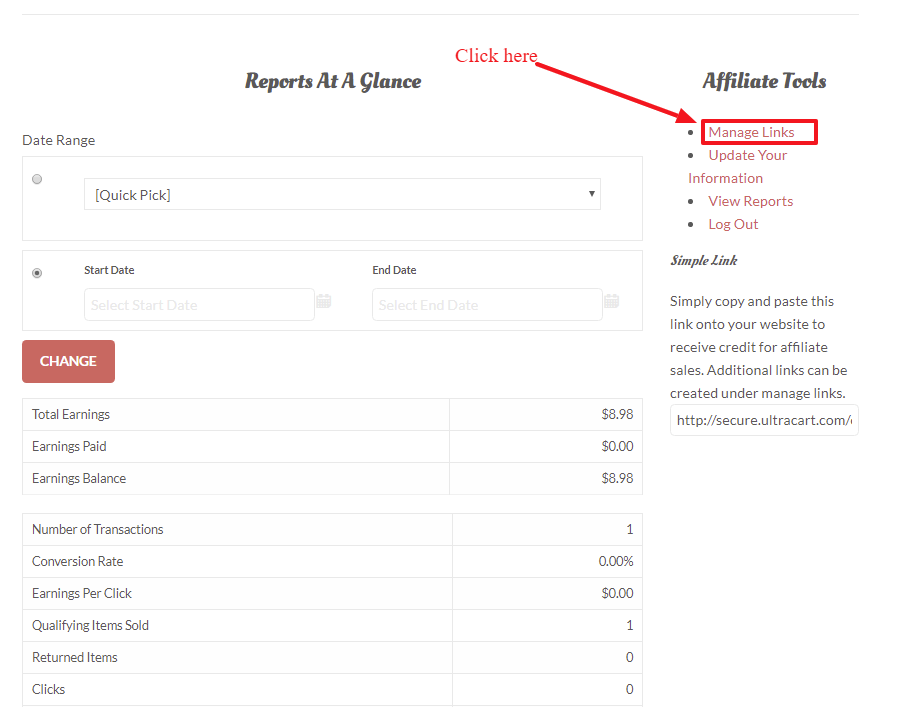
The affiliate then clicks on Manage Links as shown above. After they click "New Link":
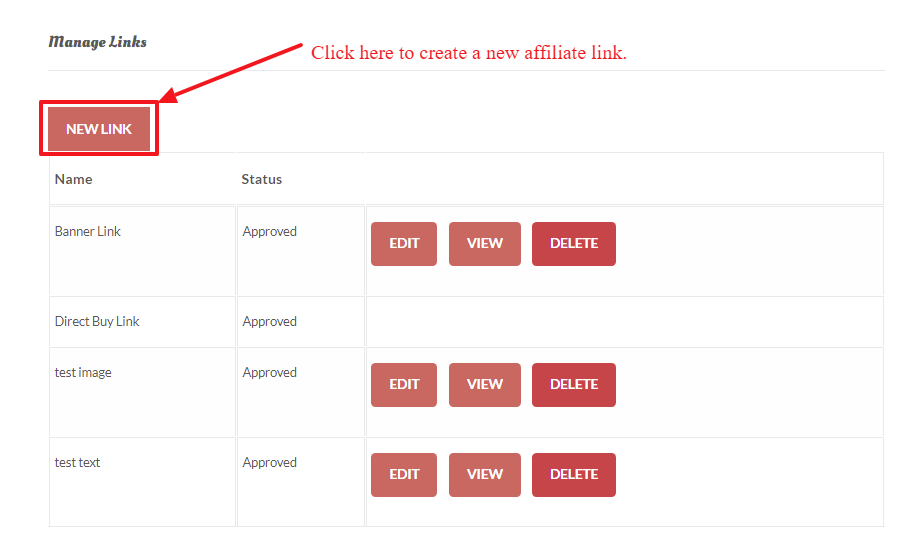
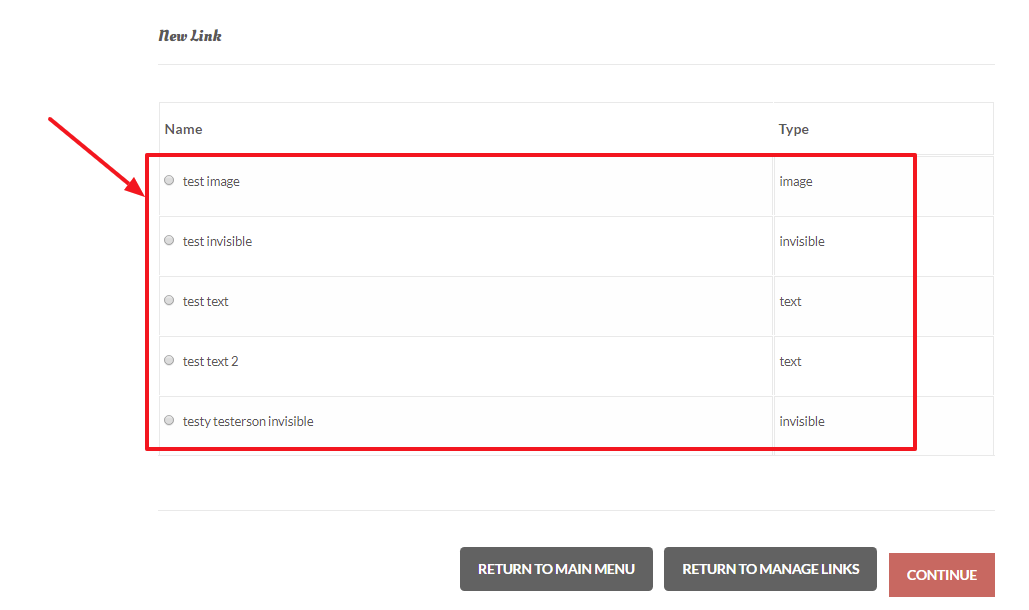
After clicking the 'New Link' button, and the merchant has previously configured one or more "Managed Links", the configured managed links will appear as a radion button list:
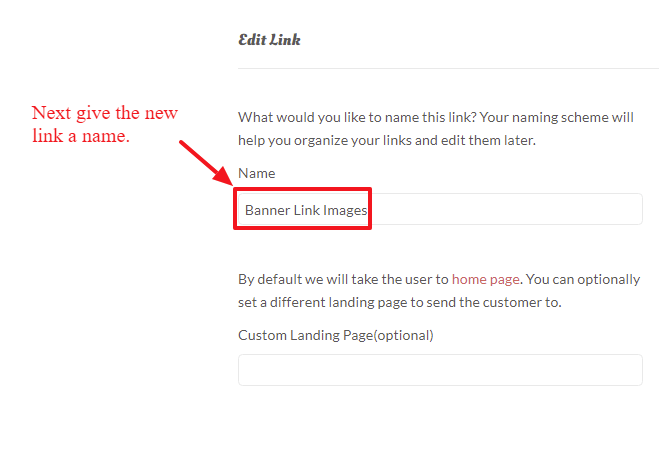
The affiliate then names the link they are creating, then clicks save as shown below.
After the link is created the affiliate is provided a demonstration on how to append the subid to the tracking link as shown below.
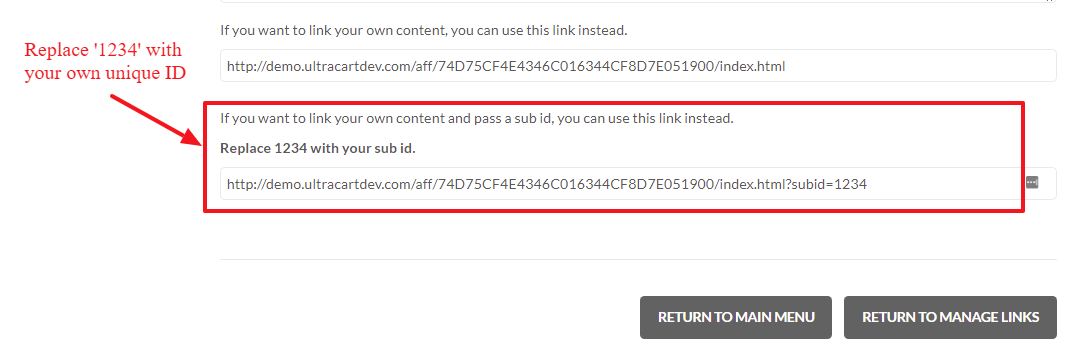
Appending to a "Buy Link" URL:
In some cases there may be a desire to create a buy link that goes directly to the shopping cart for checkout that contains an Affiliate ID and Sub-ID parameters. This can be accomplished with the following parameters appended to the end of a buy link URL:
&AFFID=
&SUBID=
So for example, if to the buy link for the DEMO store's "BONE" item, appending affiliate 80576 with a subid of 1234 would be accomplished like this:
http://secure.ultracart.com/cgi-bin/UCEditor?merchantId=DEMO&ADD=BONE&affid=80576&subid=1234
When the customer click on this link the affiliateID and SubID are automatically applied to the shopping session (and related affiliate cookie to the customers browser to track future orders for the life of the cookie) automatically.
Max length of Sub-ID
The max length of the sub-id string is 50 characters.
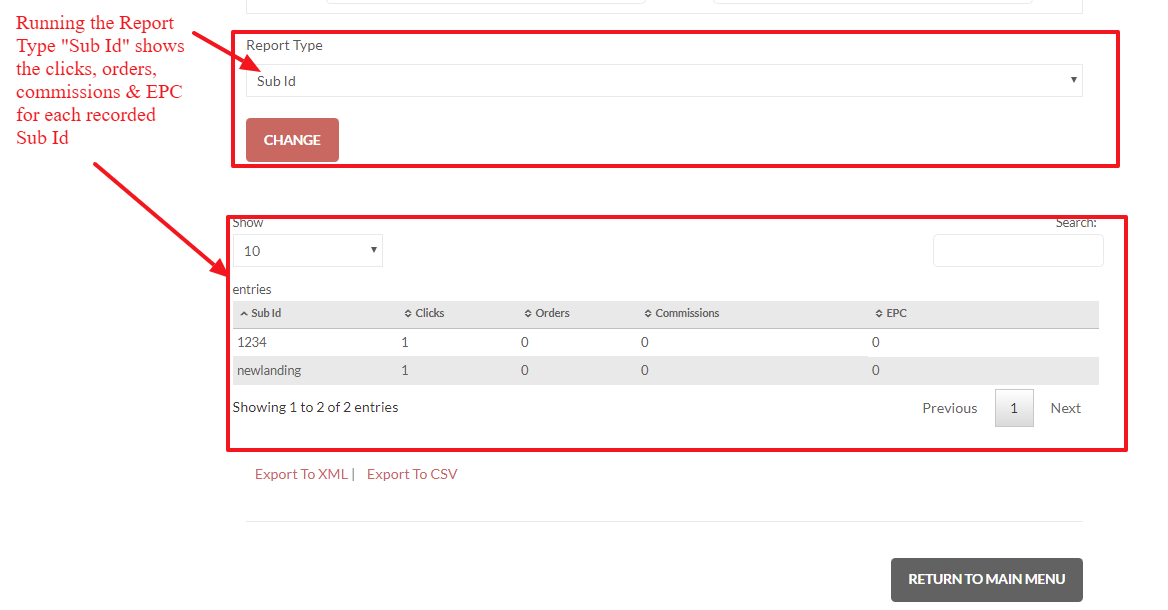
When the affiliate looks at their transaction report they will be shown a column for the sub-id associated with the click event or sale as shown below.
Frequently Asked Questions
Question: Can I use more than one sub-id on a affiliate link?
Answer: No, UltraCart supports only one sub-id per link. However, you can append to it multiple values to the single string (ie - "?subid=idvalue1,idvalue2, idvalue3, etc.)
Question: I have "Prevent Cookie Stomping" enabled. Will passing &AFFID= on a buy link or loading the UCInvisibleLink script on a new landing page override an existing affiliate cookie?
No. When Prevent Cookie Stomping is enabled, first-click attribution is enforced globally. Once a customer's browser holds an affiliate cookie, no subsequent action — landing page visits, URL parameters, or new script loads — will replace it. The cookie remains locked to the original affiliate for its full lifetime.
If you need a specific landing page to always attribute to a designated affiliate regardless of prior cookie state, you must disable Prevent Cookie Stomping. Be aware this changes your entire program to last-click attribution — the most recent affiliate the customer came through receives credit for all affiliates, not just the dedicated page scenario.