One of UltraCart's most powerful features is its robust back office systems. The apex of this system is the Order Management section.
Order Management Screen
The order management screen is divided into 2 sections: Order Life Cycle and Tools. Each section allows you to manage a particular piece of the back office process.
Order Life Cycle
These departments provide life cycle order management. Each stage has a screen to provide functionality specific to that stage. There are Nine elements: View All Orders, Pre-orders, Quote Requests, Accounts Receivable, Pending Clearance, Shipping, Completed Orders, Auto Orders and Chargeback Disputes.
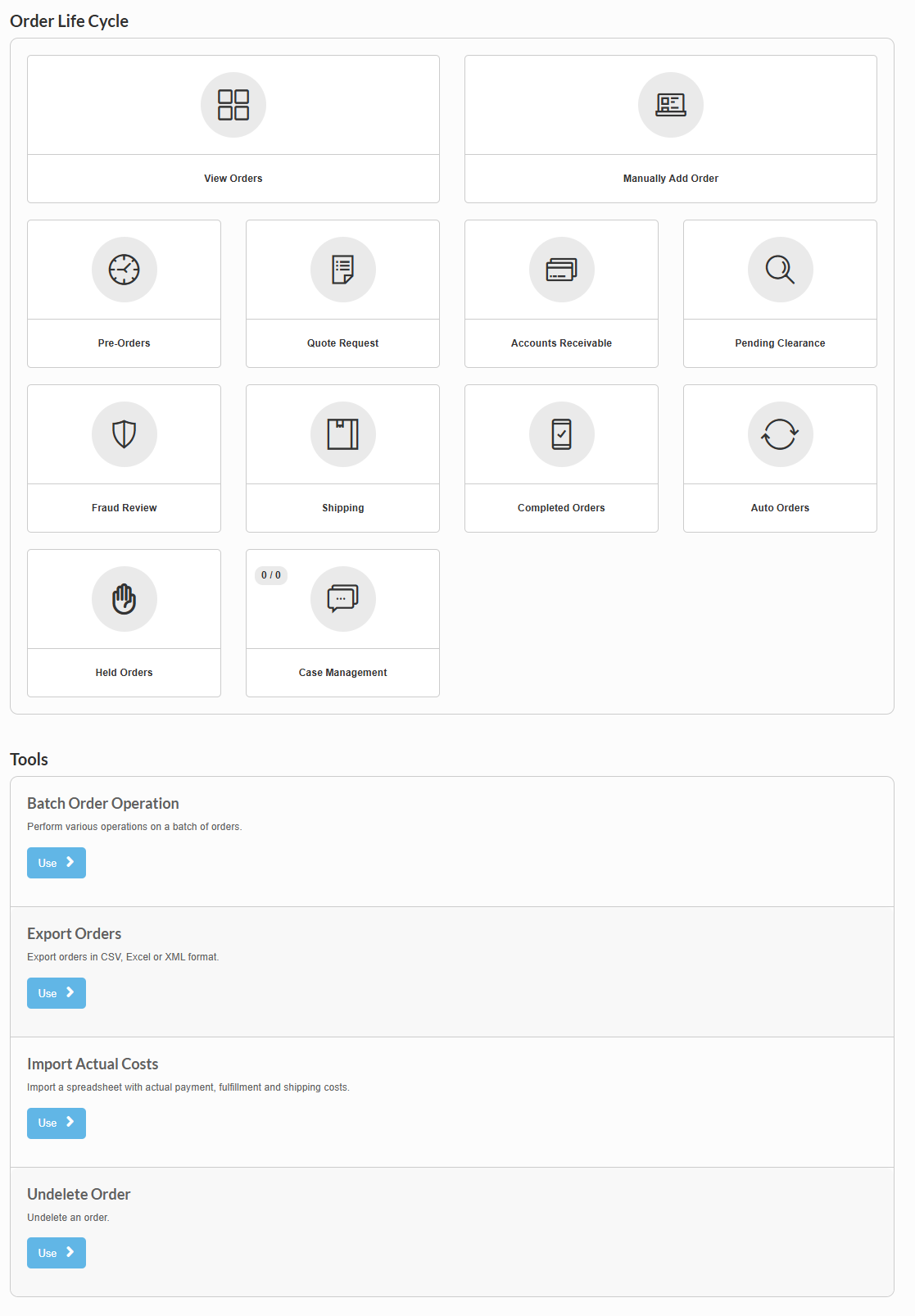
| Section Name | Description |
|---|---|
| View All Orders | This gives you the ability to view all of your orders no matter what stage the order is currently in. |
| * * * | * * * |
| Manually Add Order (B.E.O.E) | Manually add orders. The Back End Order Entry Tool allows for fast order placement with on-the-fly-editing of item and shipping costs. |
| * * * | * * * |
| Pre-orders | The Pre-orders section allows you to review and manage orders that contain a pre-ordered item. |
| * * * | * * * |
| Quote Requests | The Quote Request section allows you to review and manage orders that have requested an order quote (feature must be enabled). |
| * * * | * * * |
| Accounts Receivable | The Accounts Receivable section allows you to review and manage orders that have not completed the payment process. |
| * * * | * * * |
| Pending Clearance | The Pending Clearance section allows you to review and manage payment types that are not immediately processed for payments, such as: E-check orders that are still pending payment. Amazon Payments awaiting the instant payment notification. |
| * * * | * * * |
| Fraud Review | The Fraud Review section will list orders that have received a high Fraud score and requires investigation prior to processing. |
| * * * | * * * |
| Shipping | The Shipping section allows you to review and manage orders that are awaiting shipping or that have recently been shipped. |
| * * * | * * * |
| Completed Orders | The Completed Order section allows you to review and manage orders that have been both processed for payment and marked as shipped. |
| * * * | * * * |
| Auto Orders | The Auto Order section allows you to review and Manage all orders that are on a recurring billing (also known as auto-ship). |
| * * * | * * * |
| Chargeback Disputes | The Chargeback Disputes area allows you to review and manage chargebacks. |
| Tool Name | Description |
|---|---|
| Batch Order Operation | The Batch Order Operation tool allows for several. |
| * * * | * * * |
| Export Orders | Export Orders allow you to export your orders based on a custom mapping that you can create. |
| * * * | * * * |
| Import Actual Costs | Upload a spreadsheet that contains up to four columns: Order ID Actual Shipping Actual Fulfillment Actual Payment Additional Notes: Column headers are required, and the names of the columns must match the names above. If there is no value, leave that field blank. If the cost is zero, enter zero. Order ID is required. Actual payment values are additive to support refunds, etc. Be careful not to import data twice! |
| * * * | * * * |
| Undelete Order | List of deleted orders. Deleted orders can be undeleted here. |
| * * * | * * * |
Related
-
Order Management Guide — A comprehensive guide covering both the configuration settings and this operational interface. Recommended starting point for new users.
-
Configuration Order Management — All configuration settings for order processing, auto orders, chargebacks, and more (Configuration → Order Management).