Destination Restrictions
Destinations Restrictions (Tab), Shipping Configuration
Home → Configuration → Checkout [tab] → Shipping → Destination Restrictions [tab]
UltraCart allows merchants to restrict (prohibit) shipping to an entire state, certain cities within a state, and/or certain Postal Codes within a City. If you want to prohibit shipping to an entire country, then you should remove that country from the approved list at the "Allowed Countries" configuration screen.
On the Destination Restrictions screen, the message "No destination restrictions are configured…." will appear until at least 1 has been added. Click on the "New" button to configure destination restrictions.
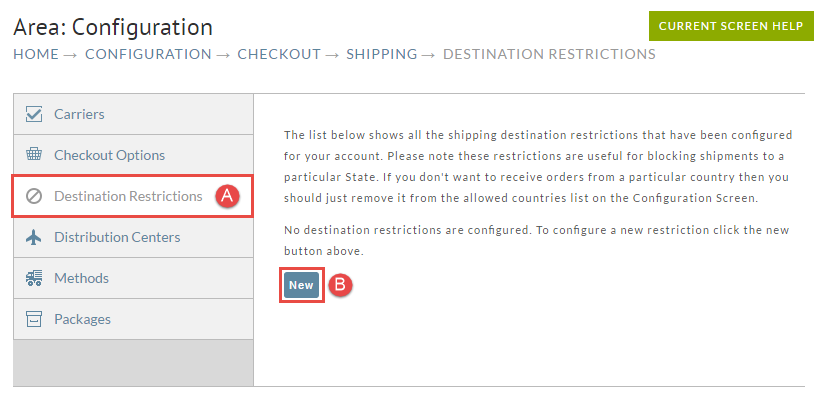
You must create and save each restriction one-at-a-time. Be certain to enter valid information as UltraCart does not confirm your data.
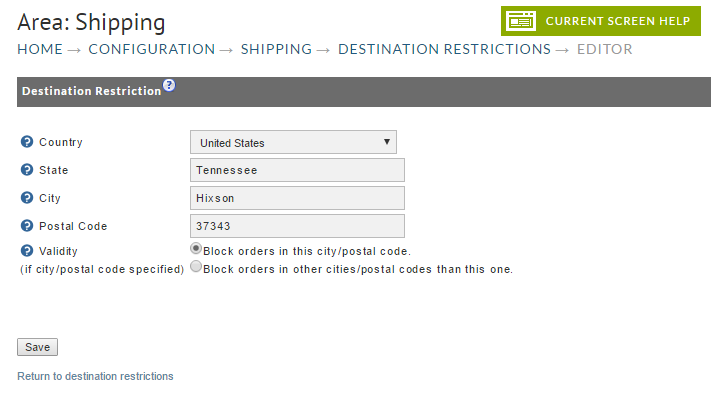
The following is an example with one US City postal code Blocked prior to clicking the save button..
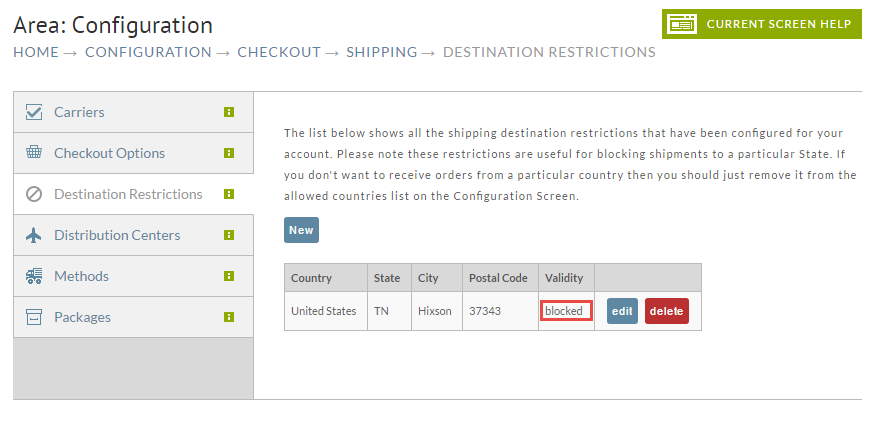
The following is how the configuration appears after saving. You are taken back to the Destination Restrictions screen with your configuration shown..
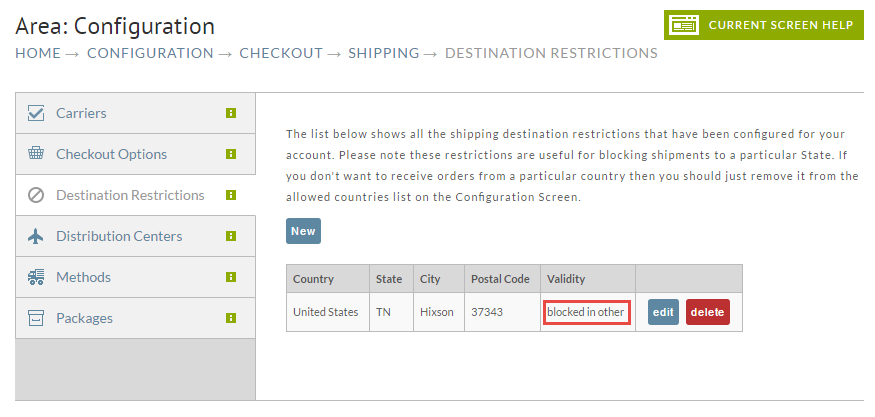
Hint: There may be situations where you want to allow deliveries to one postal code and block all others. Rather than entering separate restrictions for all the postal codes to block (which would be numerous in large cities), you can enter the single postal code desired and click on "Block orders in cities/postal codes other than this one".
The following is the results after selecting "block orders in other cities postal codes than this one" radio button and Saved.
The Validity field only needs to be checked if and when a city/postal code is specified. The following screen shows two entries. We didn't list a postal code for Brazil when configuring so neither of the Validity radio buttons were necessary. So, the Validity is indicated as N/A for Brazil.
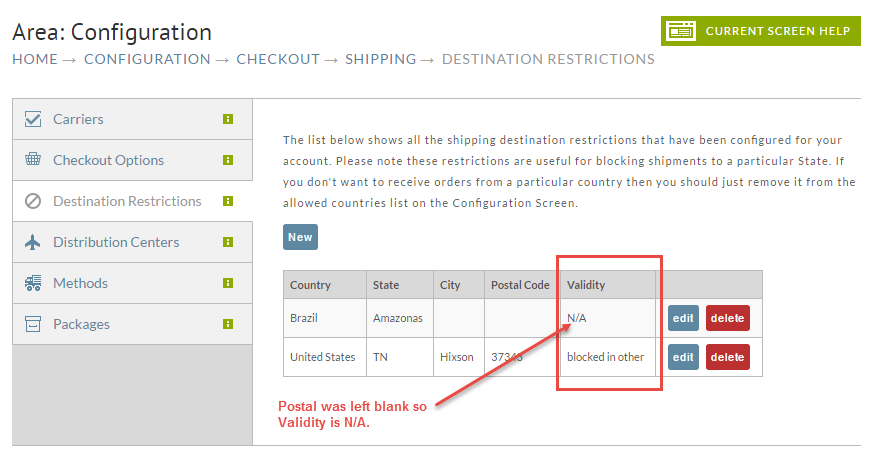
Two buttons will be visible to the right of each restriction listed. Click on the "Delete" button to remove the restriction.
Caution! No warning dialog will appear. The Delete action is undoable!
To make changes, click on the "Edit" button, enter your changes and click "Save".