Introduction
Home → Configuration → Shipping → ('Shipping Config' menu) Shipping Carriers
This screen is designated for those merchants to configure their accounts with the available shippers.
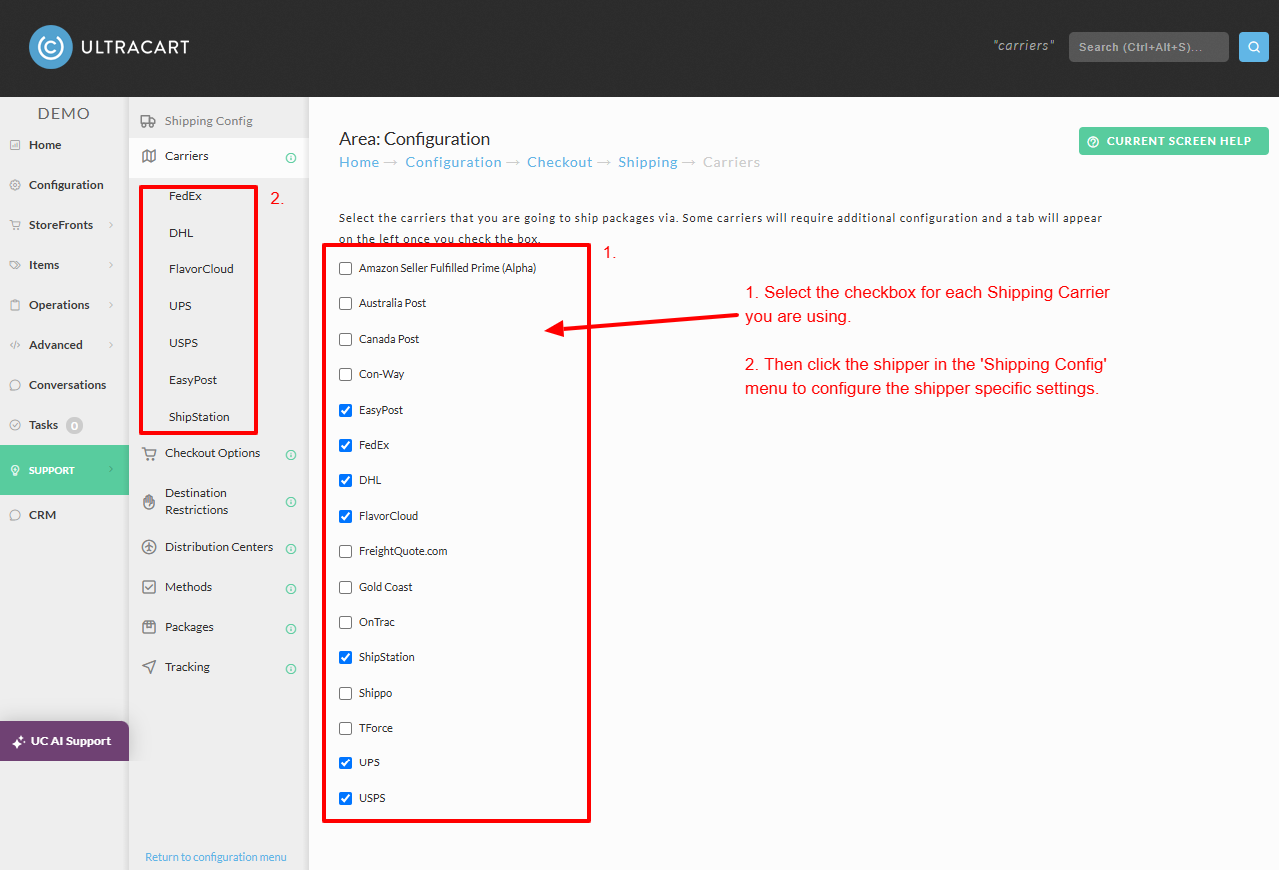
Select the carriers that you are going to ship packages via. Some carriers will require additional configuration and a tab will appear on the left once you check the box.
-
Amazon Seller Fulfilled Prime Alpha
-
Australia Post
-
Canada Post
-
Con-Way
-
EasyPost
-
DHL
-
FedEx
-
FedEx Freight
-
FlavorCloud
-
Freightquote.com
-
Gold Coast
-
OnTrac
-
PeriShip
-
ShipStation
-
Shippo
-
TForce
-
TQL
-
UPS
Each of these shipper specific sections control the interaction with the carrier or postage printing company.
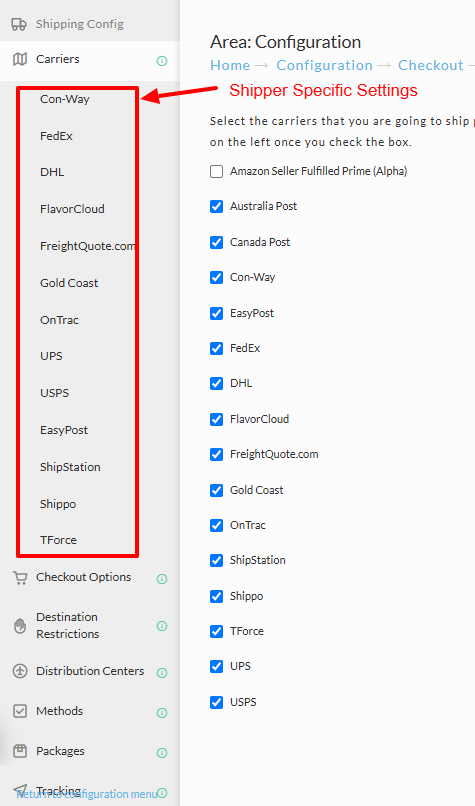
Select the Shipper in the menu that appears below the Carriers tab of the shipping configuration page to view the shipper specific options.
DHL
See Setting up DHL
FedEx
See Setting up FedEx
Freightquote.com
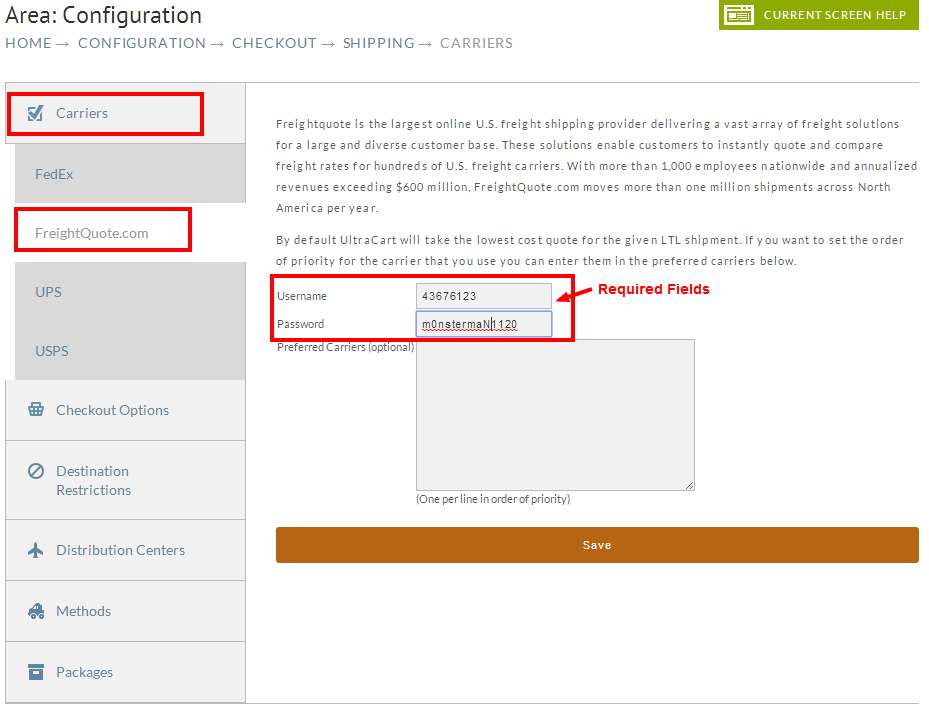
Freightquote.com is a freight broker that can provide freight rates from multiple shippers. To learn more about there service, visit their website. Ton configure your freightquote account with UltraCart, enter your freightquote username & password, and optionally, list your preferred carriers (one per line).
UPS
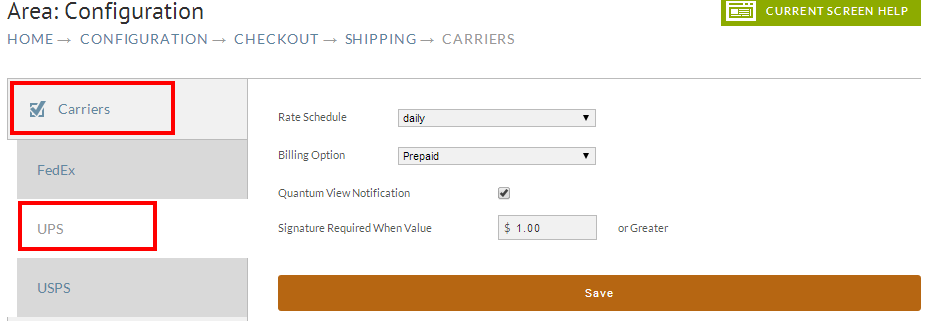
The UPS configuration is also very simple. UltraCart can rate the standard retail or daily pickup rate charts. There are also two options that effect the values placed into the file that is imported into UPS WorldShip. If you want to use the Quantum View Notification feature of UPS you can check the box provided. The final option is the value of the shipment after which a signature will be required.
Endicia Dazzle
Endicia Dazzle is one of the most popular USPS postage printing options in the industry. UltraCart has supported Endicia Dazzle for a very long time. The options in the configuration shown below impact the type of XML file that UltraCart produces for Endicia Dazzle. These options will effect interaction with Dazzle whether through the web interface or through UltraShip.
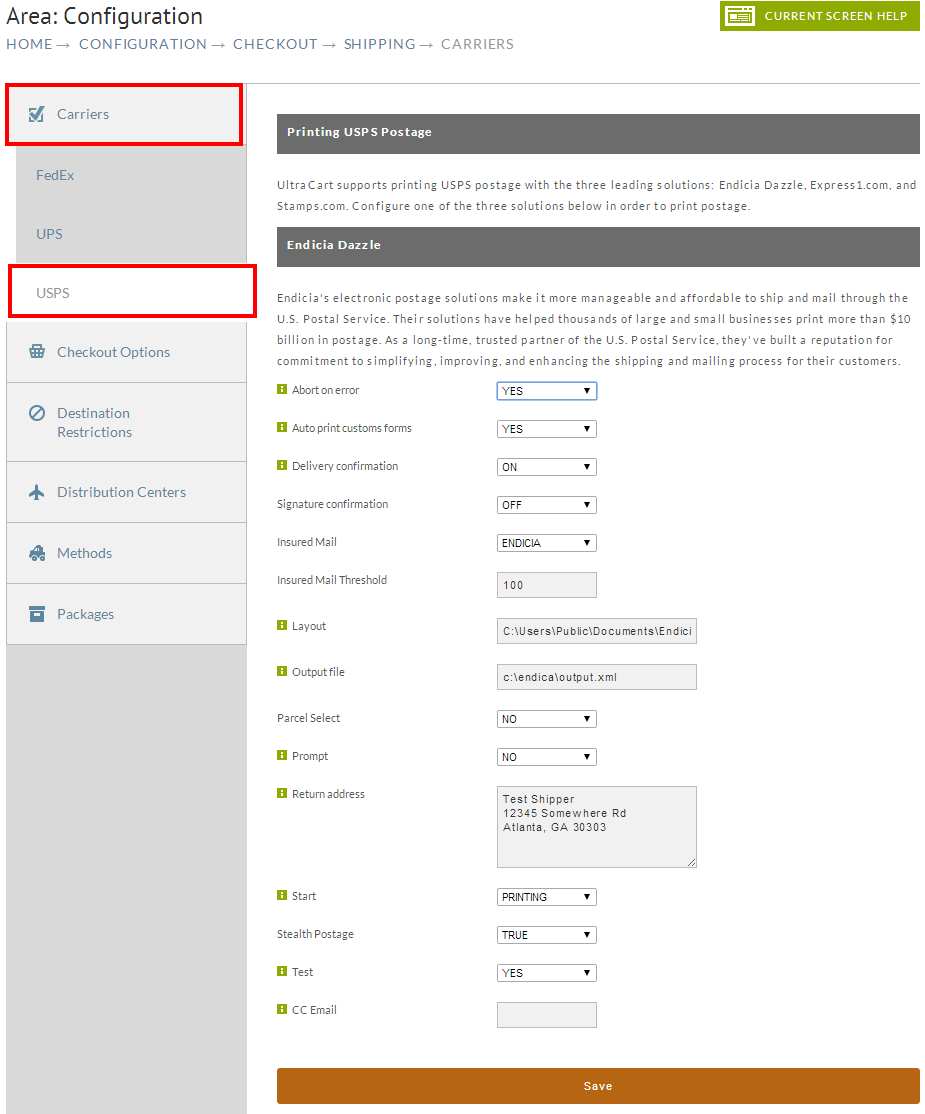
Since there is a lot of configuration of the interaction with Endicia Dazzle, the chart below explains each configuration in more detail.
| Field | Description |
|---|---|
| Abort on Error | When set to Yes, Endicia will stop printing the batch file when an error occurs. Typically this would not be set. |
| Auto print customs forms | If you are shipping internationally, set this to yes. |
| Delivery Confirmation | If you want tracking on your USPS packages (typical), set this to yes. |
| Signature Confirmation | If you need proof of delivery, set this to yes. A signature is usually required to successfully fight chargebacks by customers claiming non-delivery. |
| Insured Mail | If you want insurance than select how you want to insure it. Most merchants find that insuring through Endicia is more cost effective and an easier claims process than the postal service. |
| Insured Mail Threshold | The value of the shipment after which insurance is added. Some merchants only insure shipments of $100 due to the risk/reward. |
| Layout | If you have a specific Endicia Dazzle layout file that you want to use then specify the path to it in this field. Not typically configured. |
| Output File | The path to where Endicia should produce the output file (that contains tracking number). If you're interacting with Endicia Dazzle through the web interface and batch files then you will want to configure this path so the output file is always at a predictable location. |
| Parcel Select | If you want to save a few pennies shipping Parcel Select shipments, set this to yes. |
| Prompt | This option controls whether Endicia Dazzle is able to prompt the user. Typically this should be left unconfigured as you want to prompt the user if you run out of postage during the middle of the batch. |
| Return Address | The return address to print on the label. |
| Start | Whether to immediately start printing or just launch Dazzle. This option is typically left unconfigured. |
| Stealth Postage | This option masks the amount of postage on the label. This is very important to set if you charge higher shipping or handling fees. Almost all merchants turn on stealth postage. |
| Test | Set this to yes if you need to produce some test labels. |
| CC Email | By default the XML file will contain the email of the customer from the order. Endicia can be configured to email the customer the tracking information (not recommended as UltraCart will do this). However if you want to use this feature, you can configure an additional email to be CC'ed on the email. |
Stamps.com
Watkins
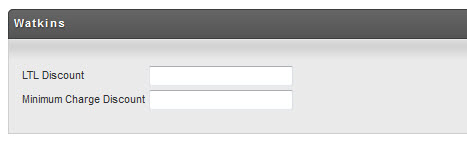
Watkins is a LTL freight carrier that UltraCart can rate freight shipments for. To configure Watkins enter your negotiated discount amount in the field provided.
PeriShip
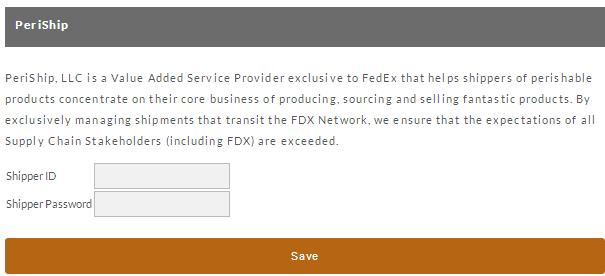
PeriShip is a value added reseller of FedEx that specializes in proactively tracking perishable packages and taking corrective action if an incident that occurs that would cause the spoilage of the product. For instance if you are shipping fresh fish from Seattle across country via 2 day air and something delays the package, PeriShip can contact FedEx and work with them to locate the package and make sure that it is handled so that the product does not spoil. In a standard shipping scenario the delay would lead to spoiled product reaching the customer and a complete loss of the shipment. To configure PeriShip enter your credentials in the fields provided.
Related Documents:
Applying Customized UPS Rate Tables
UPS Mail Innovations and UPS SurePost
Worldwide Express Shipping Services (WWEX)