About
VIPparcel is the Nation's leading online postage service to buy and print discounted USPS labels - domestic and international - from the comfort of your desk. They guarantee to save you time and money by making your shipping process easy, affordable, and efficient.
If you have not yet created your VIParcel account: Learn more and signup.
Navigation
Main Menu → Configuration → (middle menu) Checkout → Shipping → (Carriers) USPS
Step 1
In the “USPS Postage” section, select “VIParcel” from the drop-down list for “Active Label Printer”:
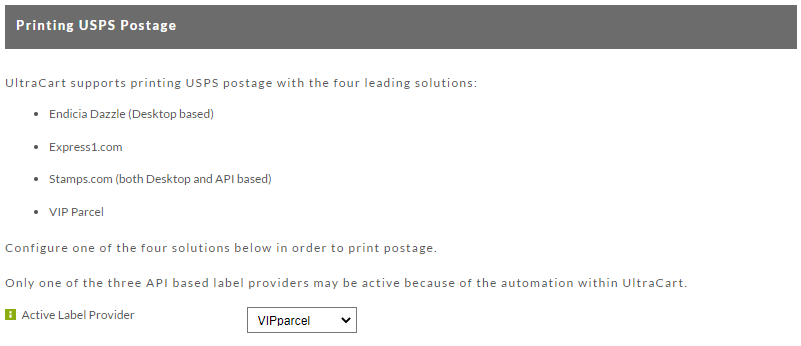
Then click the Save button to save the changes.
Step 2
Next, return to the USPS tab and then scroll down the page to the “VIParcel” section, then click the “Connect VIP Parcel Account” button and complete the connection wizard:
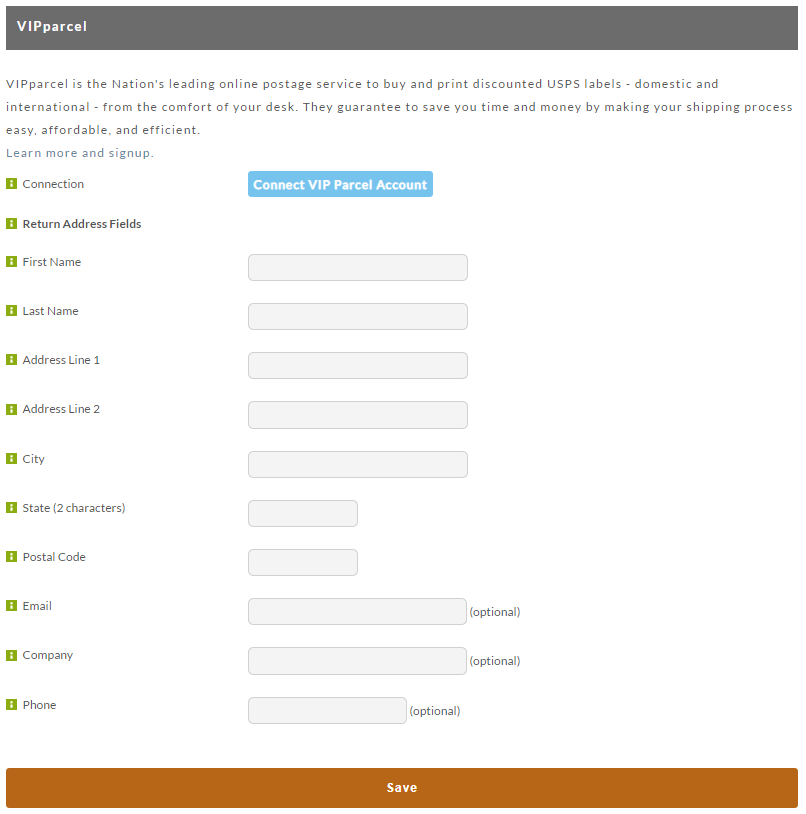
After the connection with VIParcel has been established, configure your Return Address, then click the save button to save the return address details.
| Field | Description | Required |
|---|---|---|
| First Name | First Name | Yes |
| Last Name | Last Name | Yes |
| Address 1 | Street Address Line 1 | Yes |
| Address 2 | Street Address Line 2 | Yes |
| City | City | Yes |
| State (2 character abbreviation) | State Abbreviation | Yes |
| Postal code | Postal Code | Yes |
| Company | Company Name | |
| Phone | Phone |