Third Party Billing for Customer's Shipping Cost
Apply Shipping Cost to 3rd Party
Third Party billing is a configurable option that allows your customers to provide shipping account numbers to be used for payment of shipment of their order. Once properly configured, the shipping cost will show as $0.00 (for the method configured).
The following is the list of necessities to make it happen.
-
Use only the qualified Shipping Carriers for this configuration
-
DHL
-
FedEx
-
UPS
-
-
Make certain your Fulfillment Center is supported. The following are officially supported:
-
AtLast Fulfillment
-
ProLog Logistics
-
-
Configure the appropriate Shipping Method to allow 3rd party billing.
-
Configure the appropriate Customer Profiles to qualify for the 3rd party billing.
Shipping Method configuration to allow for 3rd party billing
The first step to configuring the 3rd party shipping account is to enable it at the shipping method level. Navigate to:
Home → Configuration → Shipping
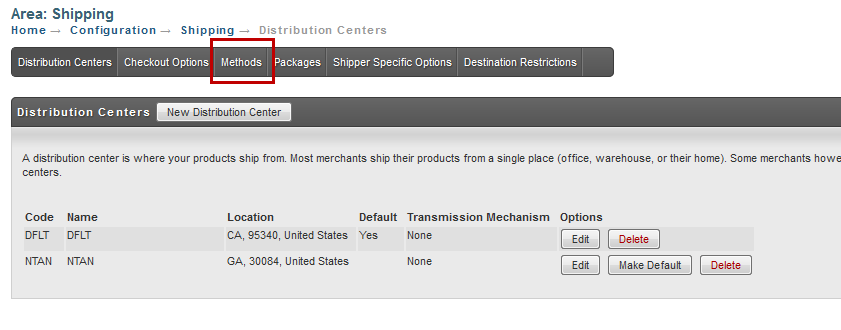
At the Shipping Screen, click the Methods tab.
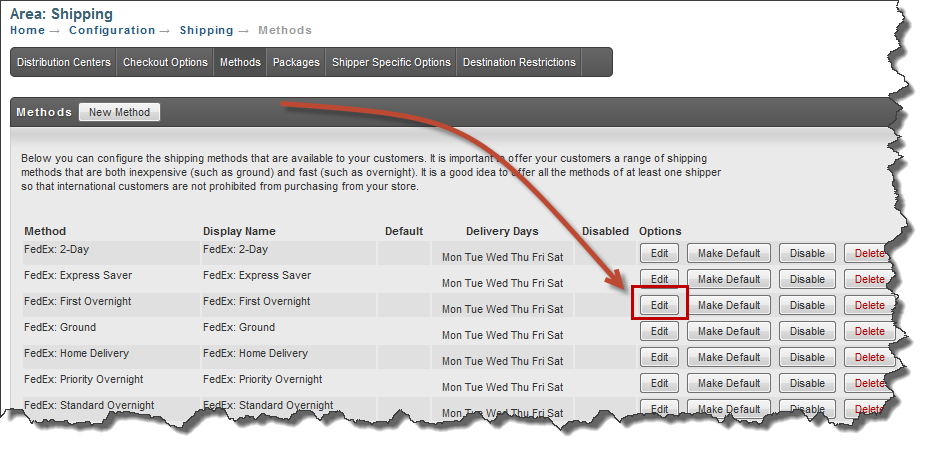
At the Shipping Methods screen, click the Edit button for the Shipping Method you want to configure.
At the next screen, click the Other Tab.
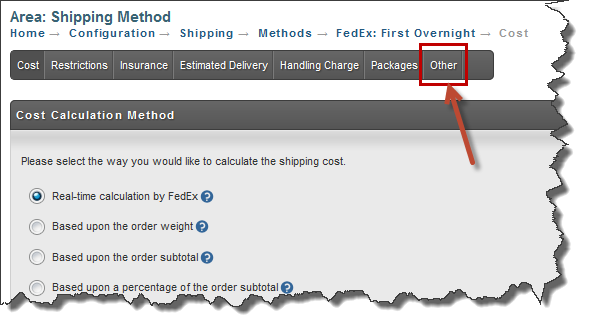
At the Shipping Method Other Options Screen, click the Other Tab.
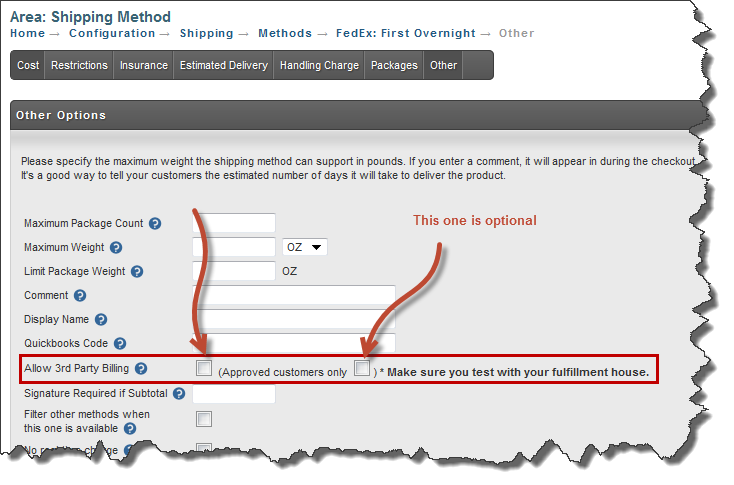
You'll see two configuration check boxes for "Allow 3rd Party Billing".
-
The 1st check box enables 3rd party billing and must be checked.
-
The 2nd check box makes this option available only to customers with a customer profile setting to "allow 3rd party billing".
Customer Profile Configuration for 3rd Party (shipping) Billing
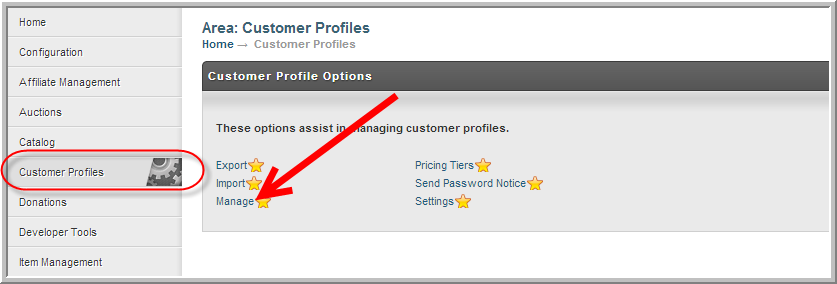
Navigate from the Main Menu to "Customer Profiles".
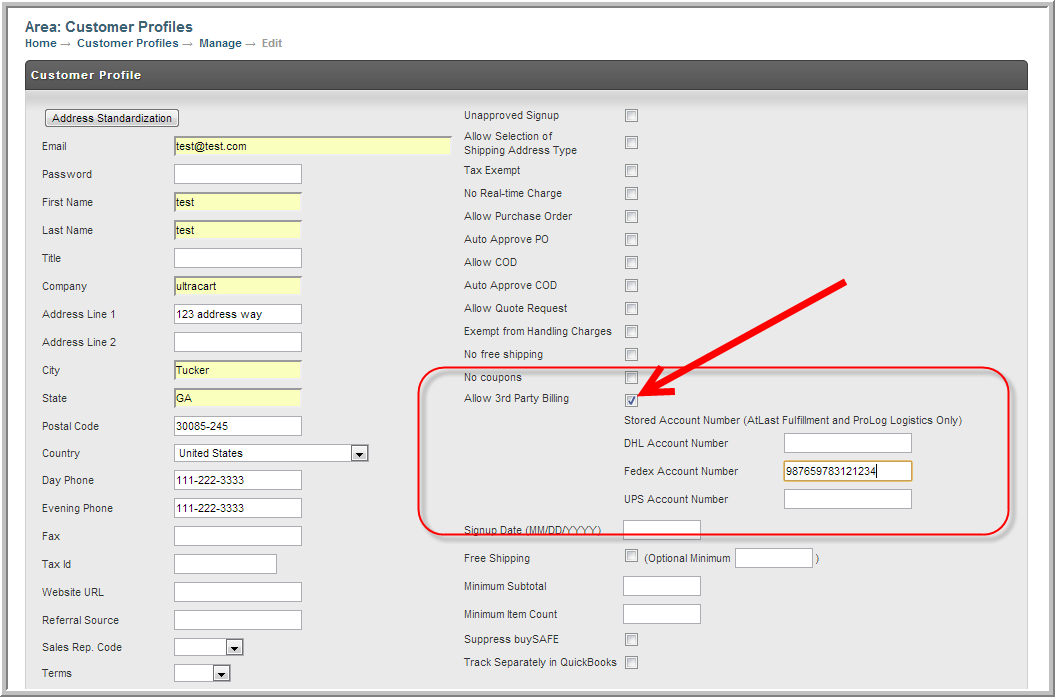
Select the "allow 3rd Party Billing" check box.
Supported Shippers
The supported shippers for 3rd party billing are:
-
DHL
-
Fedex
-
UPS
Back End Order Entry
Merchants using the Back End Order Entry system will need to enter the customers 3rd Party Shippers Account Numbers. The following demonstrates an order being entered and the fields associated to the 3rd Party Billing.
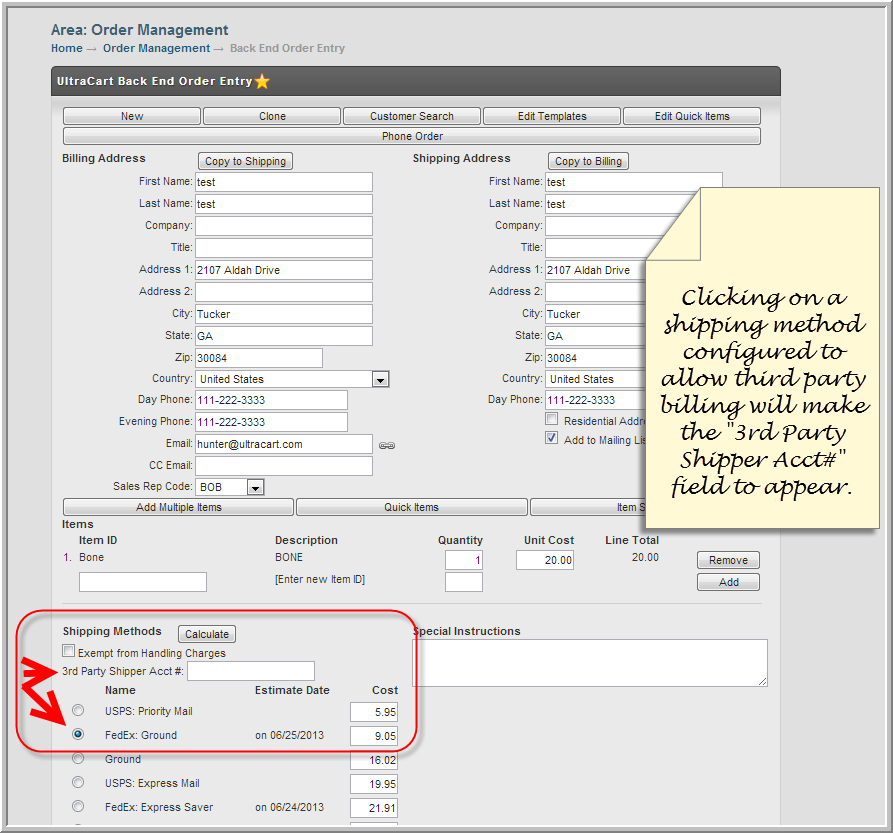
A view of the 3rd Party Billing Acct# field on the Back End Order Entry.
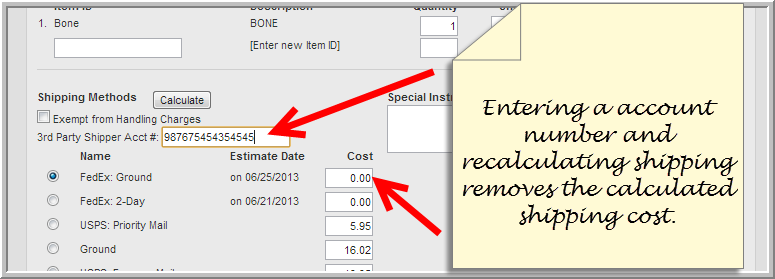
After entering a shipper account number and recalculating the shipping, the method cost will be $0.00.
Customer Checkout View of Shipping Preferences
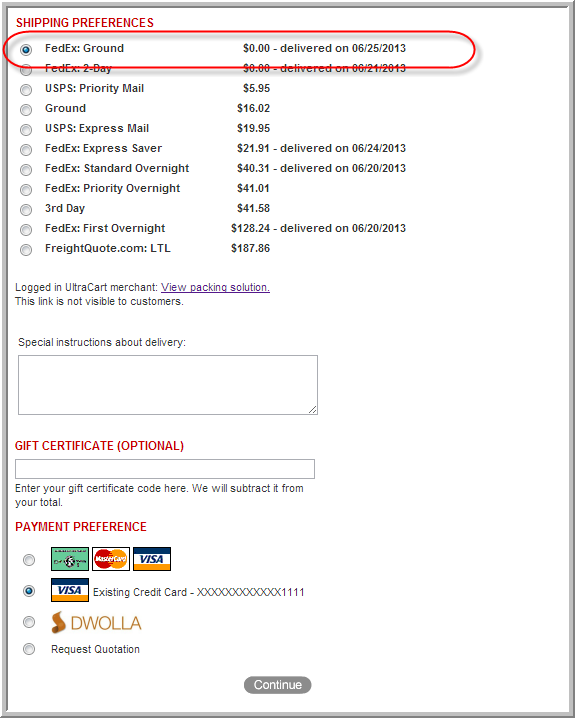
During checkout the customer is presented the Shipping Preferences screen. When UltraCart detects that the customer's profile is configured to "allow 3rd party billing", the applicable shipping method appears to the customer with $0.00 cost.
Limitations
The following fulfillment integration's are officially supported:
-
AtLast Fulfillment
-
ProLog Logistics
So if you are attempting to integrate with other fulfillment services or exporting shipping data to external service make sure to test it thoroughly!
If you would like to have your fulfillment service integrated, please contact our Pro Services department: proservices@ultracart.com
Frequently Asked Questions
Q: Why does the checkout still show shipping charges after the customer enters their third-party shipping account number?
A: UltraCart has updated (April 2026) the checkout so that when a customer enters a valid third-party shipping account number, the shipping estimates update correctly during checkout, rather than only after the order is completed. The Review step can also display that the customer provided a third-party account number, which helps reduce confusion before the order is submitted. One important note: when third-party billing is used, any additional handling fees configured on that shipping method are removed.
This FAQ aligns with the existing document’s explanation that third-party billing is intended to show the configured shipping method at $0.00 once properly set up for eligible carriers, customer profiles, and supported fulfillment integrations.