About
Shippo is a multi-carrier shipping solution. Shippo was founded in 2013 and is headquartered in San Francisco, California. With 100,000 businesses reportedly using their system, Shippo sends millions of packages to and from 196 countries around the world.
Shippo aggregates all of its customers’ packages through their own account with carriers to get discounted rates, which they then pass onto customers. They help businesses generate shipping labels, as well as support for address validation, multi-carrier support, API tracking, batch label creation, discounts and international shipping.

Configuration
To configure Shippo with your UltraCart account you’ll need to obtain your Shippo API key from the API key’s page: Shippo Support Doc .
After you have copied your Shippo API key, log into UltraCart and then navigate to the shipping configuration area:
Main Menu → Configuration → (middle menu) Checkout > Shipping > (middle menu) Carriers
-
Click the checkbox for Shippo then click the ‘Save’ button to save the changes.
-
Next, click Shippo in the Shipping configuration menu below ‘Carriers’
-
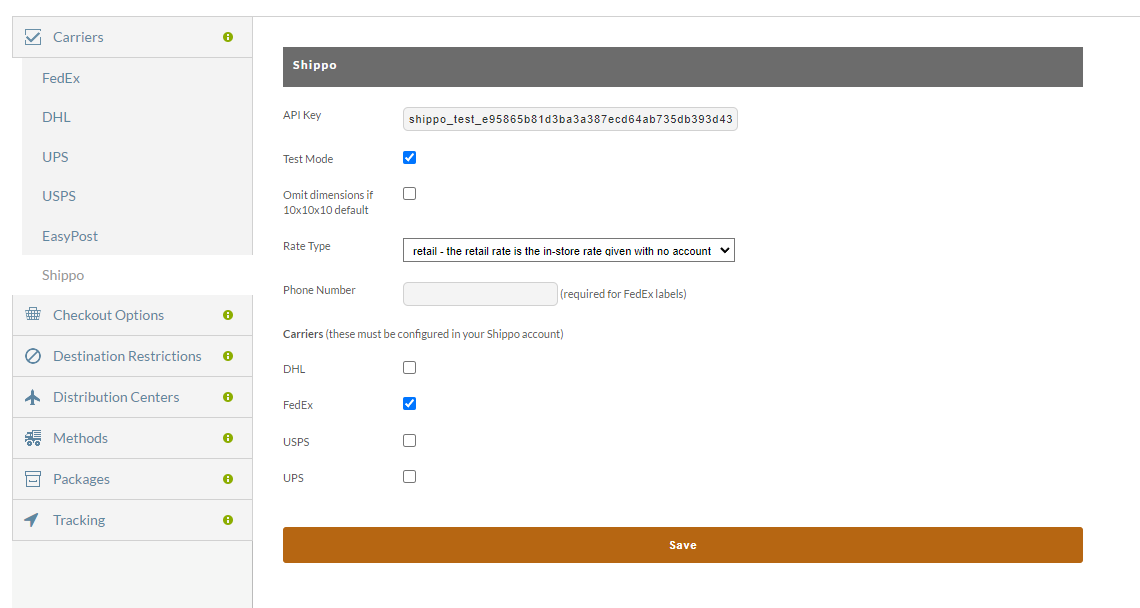
Paste the Shippo API key into the API Key field:
-
Select the Carriers that you’ll be using with Shippo, then save the changes.
NOTE: The carriers you select here must be configured within your Shippo account.
| Field | Description |
|---|---|
| API Key | Your Shippo API Key is the required validation credential to connect to your Shippo account. |
| Test Mode | Select this when performing initial test of the integration. |
| Rate Type | There are two options: 1. retail - the retail rate is the in-store rate given with no discount 2. account - the rate your account is given |
| Carriers (these must be configured in your Shippo account) | - DHL - FedEx - USPS - UPS |
Shipping Methods
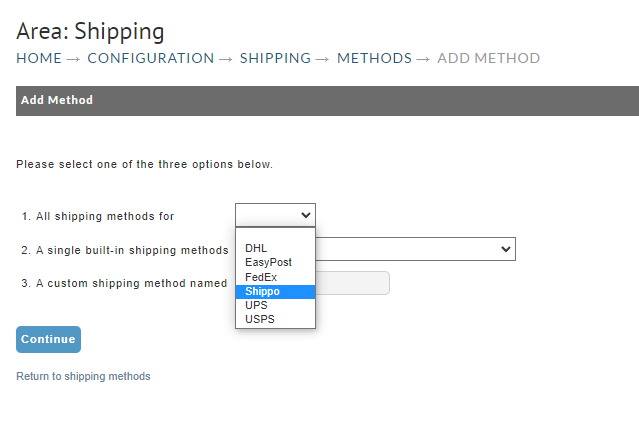
All Shippo shipping methods begin with SPO: to distinguish shipping going through Shippo versus directly through a carrier. For example, normal FedEx Ground is named FedEx: Ground, while the Shippo equivalent is named SPO: FedEx: Ground. This allows the UltraCart system to know whether to contact FedEx directly or ask Shippo for a rate estimation.
After configuring Shippo, navigate to Home → Configuration → Checkout → Shipping → Methods to add Shippo Methods.
Printing Labels
There are three ways to print Shippo labels. The first is through the UltraCart Shipping Department screen. The second is through UltraShip. The third way is to set up a distribution center transport to funnel orders directly to Shippo and print the labels through Shippo’s web interface. Navigate to the Transmission Mechanism tab of your distribution center to set up label printing at Shippo.
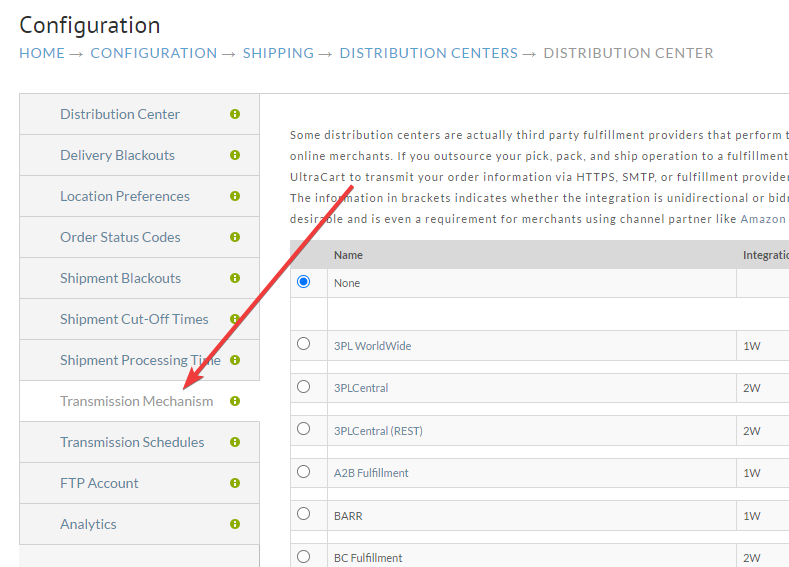

Yes, your API key will be stored in two different places. The Shippo transport mechanism existed long before the full Shippo integration and the transport mechanism is a separate system from rate estimation. Entering your API key here will automatically send orders to Shippo for printing.
Related Documentation
- Shippo API documentation
- Managing your API tokens in Shippo
- Shippo Integration - configure Shippo as a distribution center transmission mechanism