Discussion
No Estimates For Shipping Method Reason: Shipping method is invalid because XXXXX is one of the invalid for screen branding themes configured on this method
Explanation: The Screen Branding of Store Front's restrictions are causing this Shipping Method to be invalid.
Solution: If you wish this shipping method to be available, modify the Screen Branding of Store Front's "invalid for" restrictions.
Remediation Steps
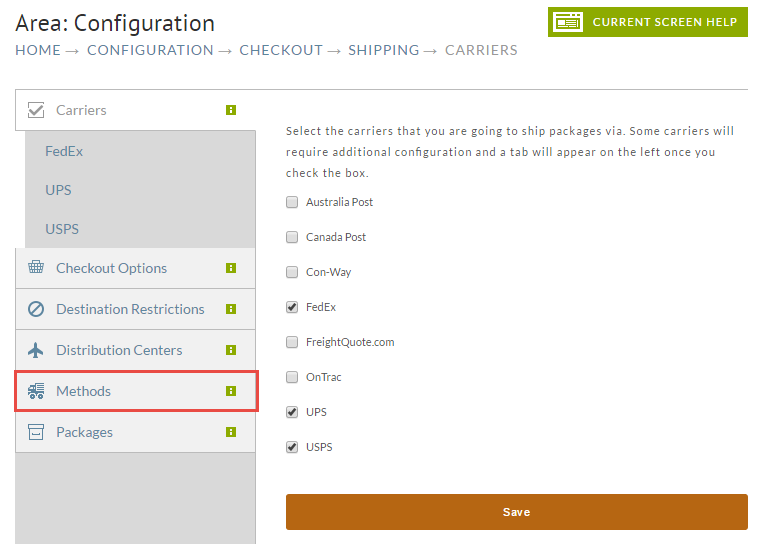
Navigate to your shipping method:
Home → Configuration → Checkout → Shipping
Click on the Methods tab.
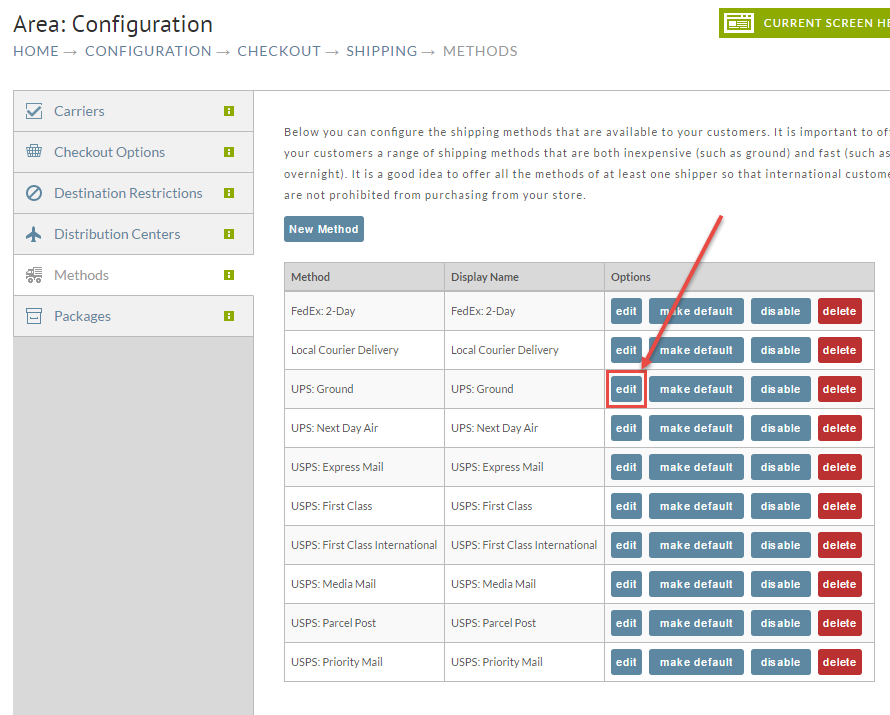
Click the Edit button for your shipping method.
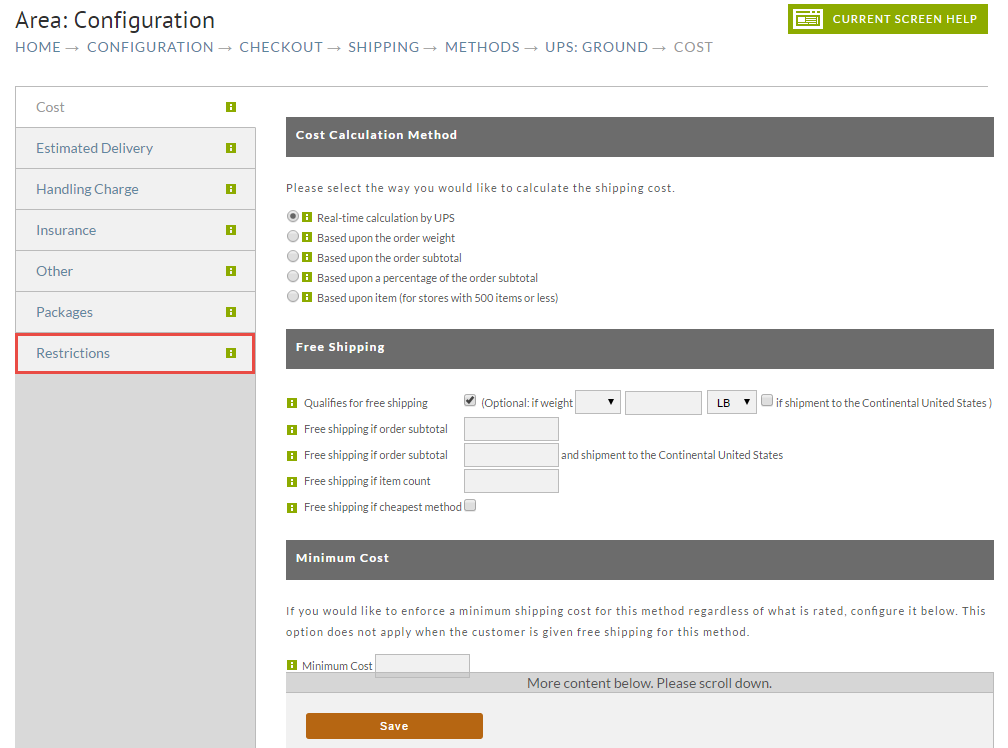
In the next screen, click on Restrictions Tab.
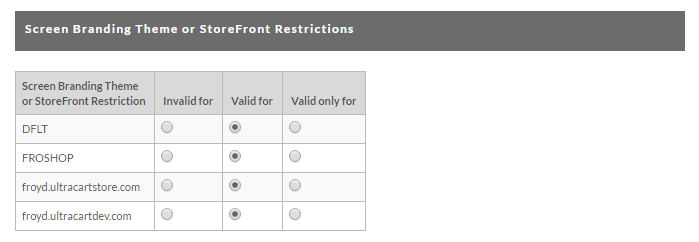
Once you are on the Restrictions screen, scroll way, way down to the Screen Branding Theme or StoreFront Restrictions section (consider using the scroll bar on the right edge of the screen to scroll).
Adjust the radio buttons as needed to allow this shipping method to be used with the desired screen branding theme.
Save your changes and retest.