Discussion
No Estimates For Shipping Method Reason: Total shipment did not meet weight restriction
Explanation: The package weighs too much.
Solution: Three Solutions
- Leave it alone. If the package truly weighs too much, it weighs too much.
- The weight for the item may be incorrect.
- The weight restriction for the shipping method may be incorrect.
Remediation Steps
To change shipping method weight restriction
Navigate to your shipping method:
Home → Configuration → Checkout → Shipping
Click on the Methods tab.
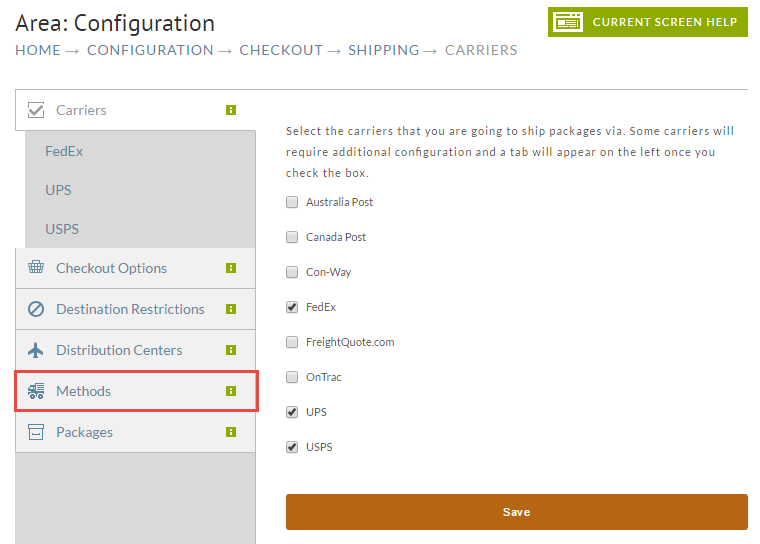
From the Methods screen, click the Edit button for your shipping method.
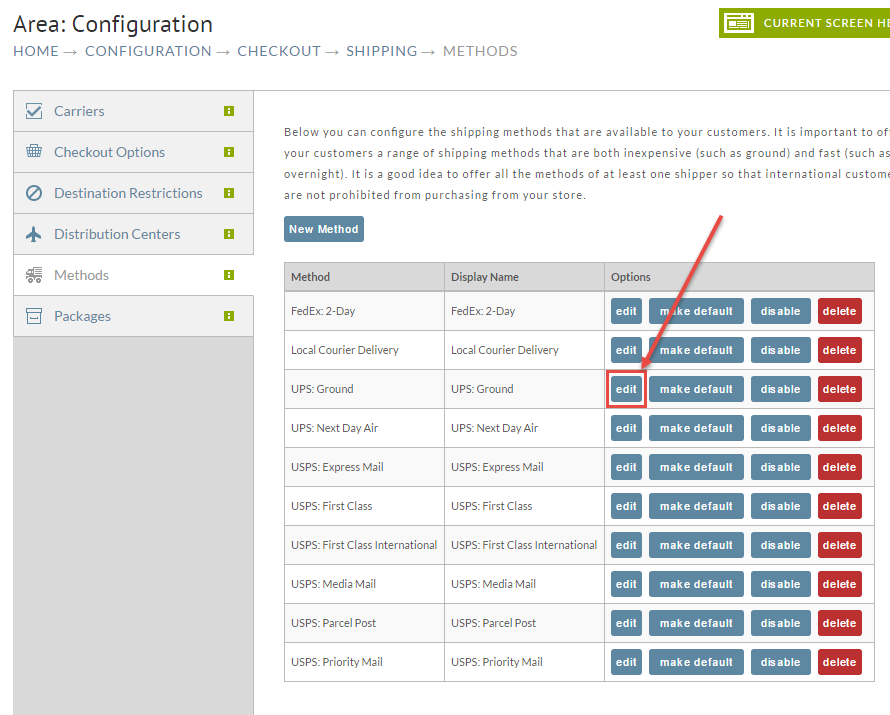
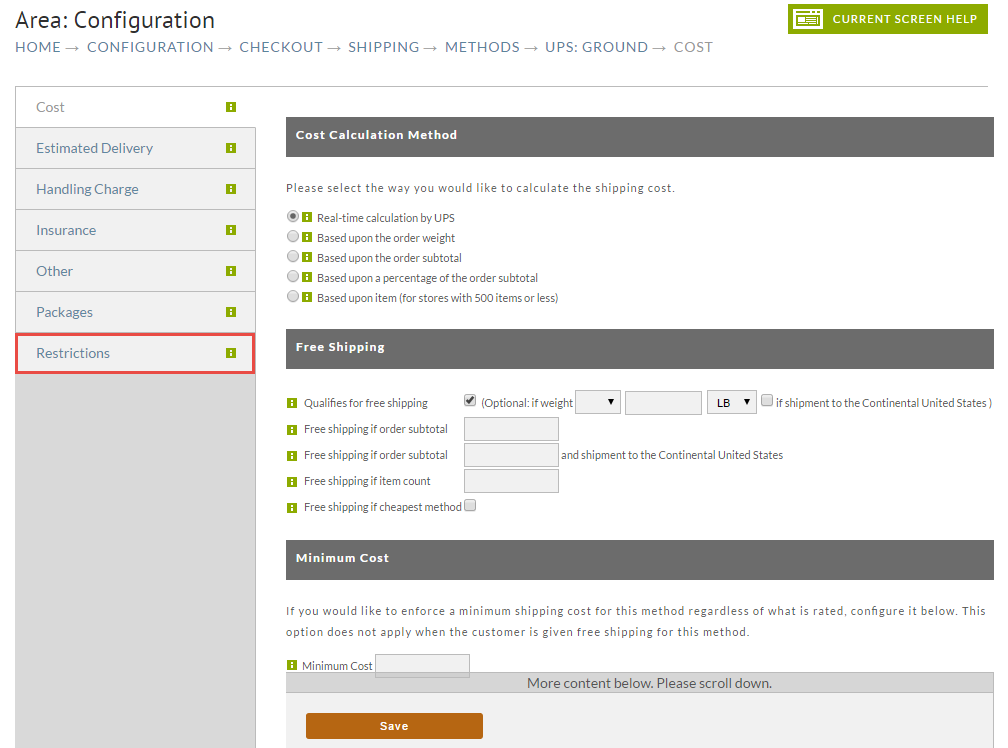
While Inside the particular shipping method (UPS:Ground in this case), click on the Restrictions Tab
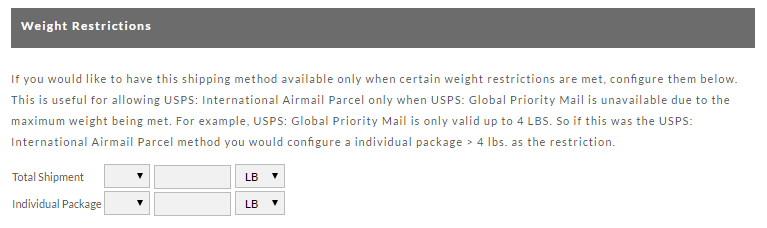
At the Restrictions screen, scroll down (way, way down) to the Weight Restrictions section.
If you wish there to be NO restrictions, then blank out the fields (do not enter zeroes!). If you wish to increase the restriction, then add a higher number.
Save your changes and retest.
To change item weight
Navigate to:
Select your item from your item list by clicking on the item id.
Scroll down to the Shipping section. There you'll find the Weight and Dimension fields. Adjust it if you feel it is incorrect.
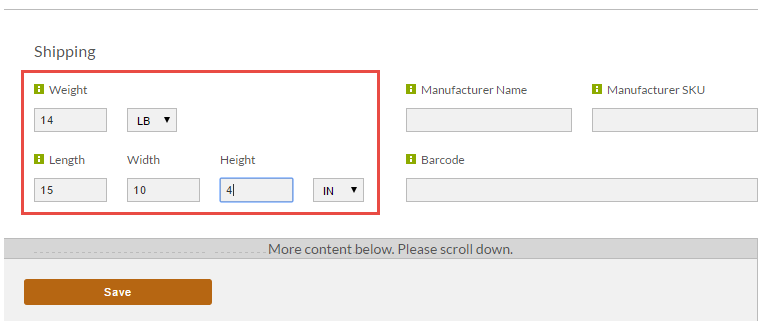
Click the Save button when finished.