Discussion
No Estimates For Shipping Method Reason: Unable to pack items into boxes
Explanation: The items are too big for the packages you have configured.
Solution: Three Solutions
- Leave it alone. If the package truly is too big, it is too big. You may need to define a NEW package.
- The package size for the item may be incorrect.
- The packages for the shipping method may be incorrect.
Remediation Steps
To alter packages
Navigate to shipping.
note
- HOME → CONFIGURATION → CHECKOUT → SHIPPING
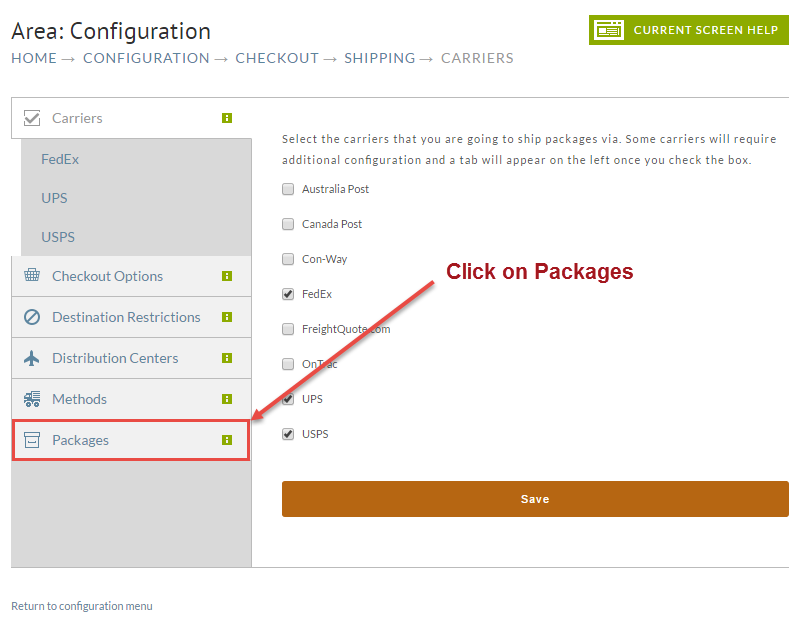
Click on the Packages tab.
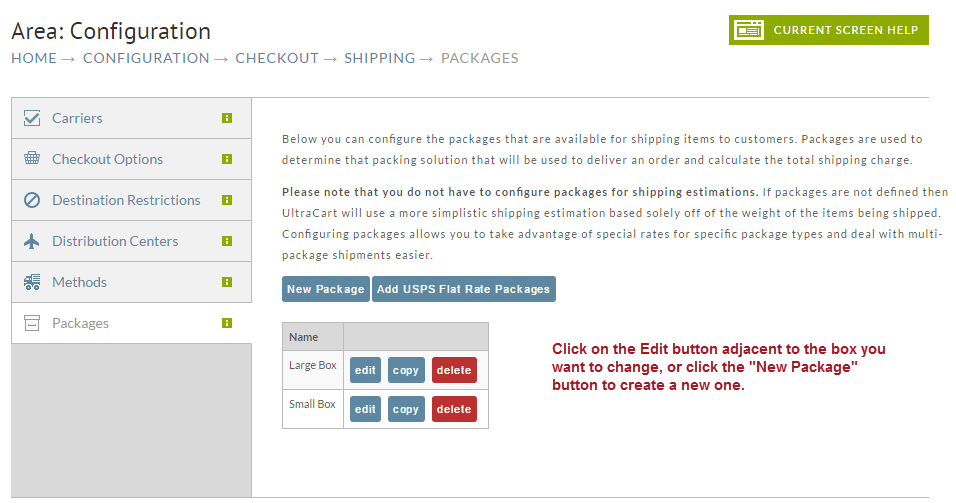
In this next screen you'll select the existing packing you want to change or click the New Package button to create a new one.
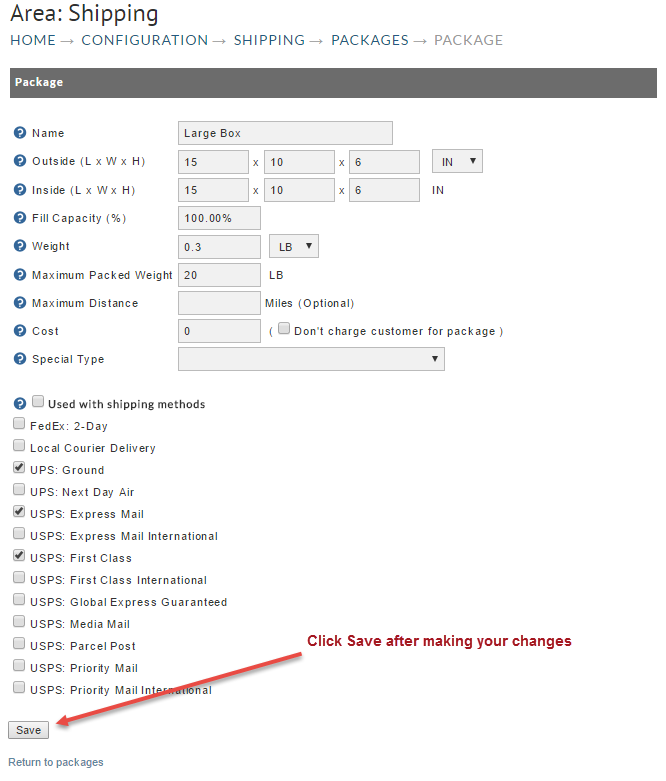
Adjust your package size and/or Shipping method usage as needed.
To change item dimensions
It's possible the error is being caused by incorrect Item demensions. To check or change them, Navigate to:
Select your item from your item list by clicking on the item id.
Scroll down to the Shipping section. There you'll find the Weight and Dimension fields. Adjust it if you feel it is incorrect.
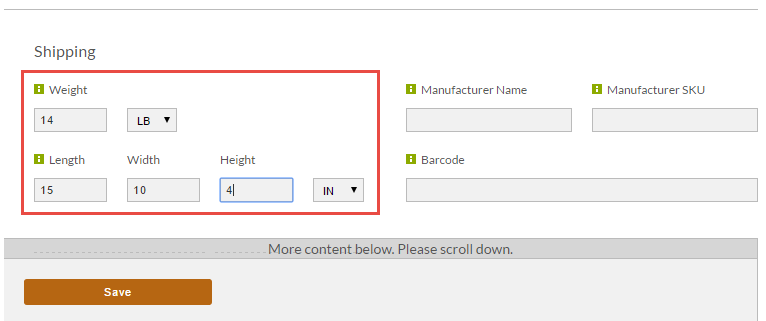
Click the Save button at the bottom.
Was this page helpful?