How do I change the price of my shipping?
This is a common question that most new merchants have. This tutorial will walk you through the basics of finding your shipping methods and changing the pricing strategy.
Locating Shipping Methods
Shipping methods are configured under:
Main Menu → Configuration → Shipping → Methods
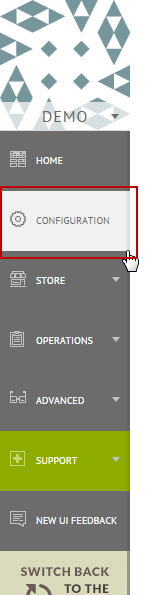
On the left hand side of the page click on Configuration as shown below.
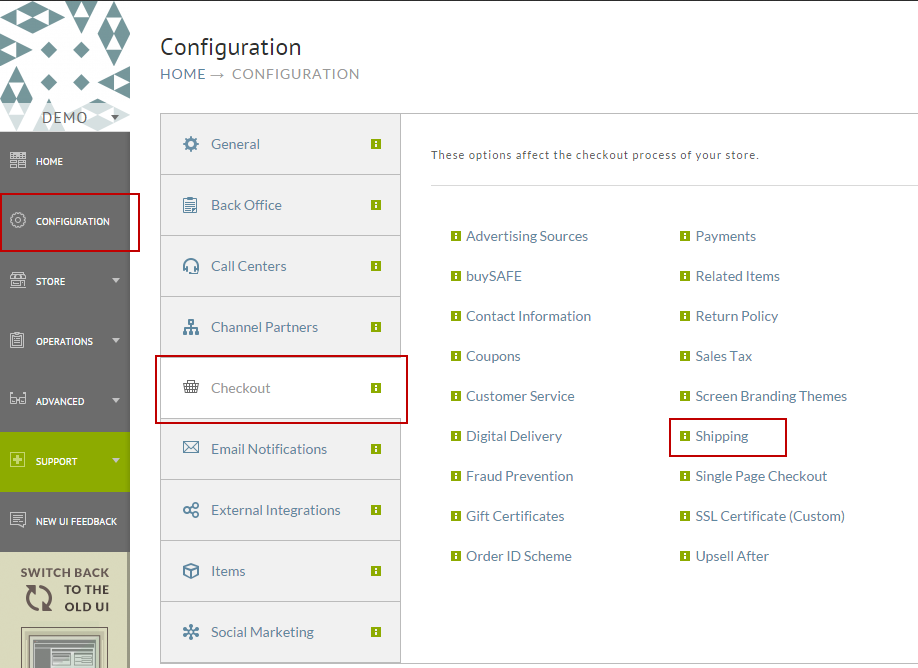
Next click on "Checkout" and then to "Shipping" on the right.
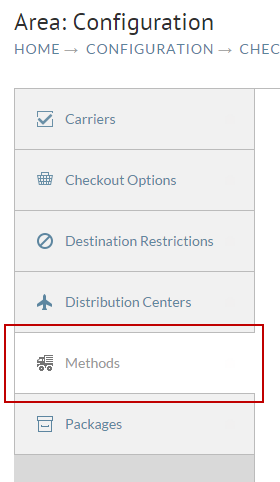
Now click on the "Methods" tab as shown below.
Editing the Cost of a Method
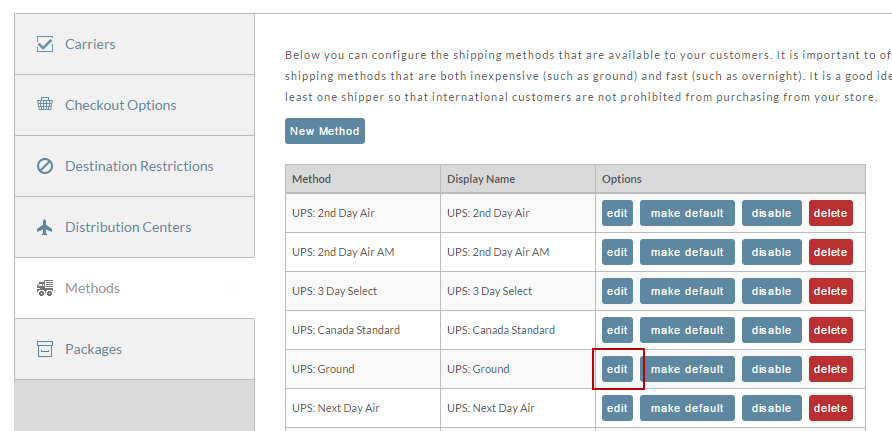
On the methods tab is a list of all the shipping methods on your account. Click the "Edit" button next to the method you want to adjust as shown below.
The first tab of the shipping method editor is all about cost. Below is a screen shot of the Cost tab.
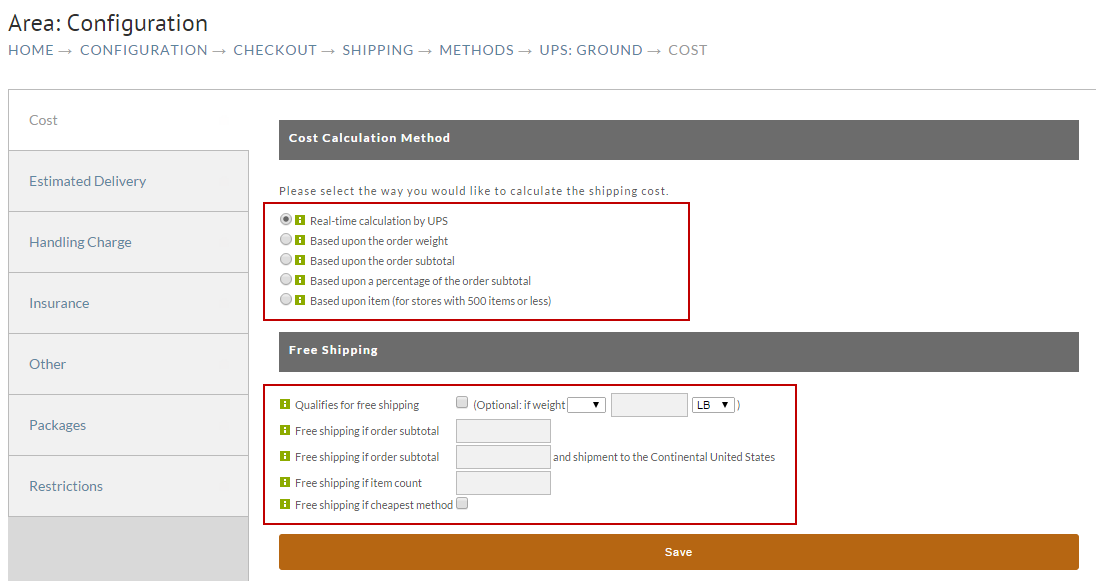
Most merchants will choose the real-time calculation option, but other types of calculations are possible. The bottom section covers the free shipping options that you might make available to your customers such as free shipping if they spend $99 or more.
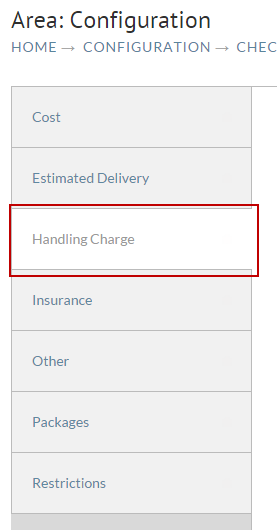
In addition to the basic cost calculation there are also handling charges that can be applied. Click on the Handling Charge tab as shown below.
There are many different types of charges you can apply to your shipping cost, but the first section (shown below) is the most popular.
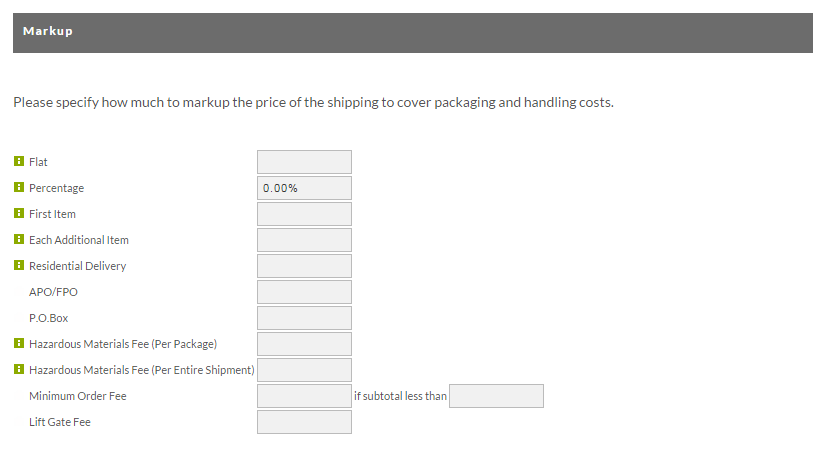
This is where most merchants add markups to handle passing along their fulfillment house costs to the customer.
Adding Item Specific Handling Charges
Login → Item Management → Items
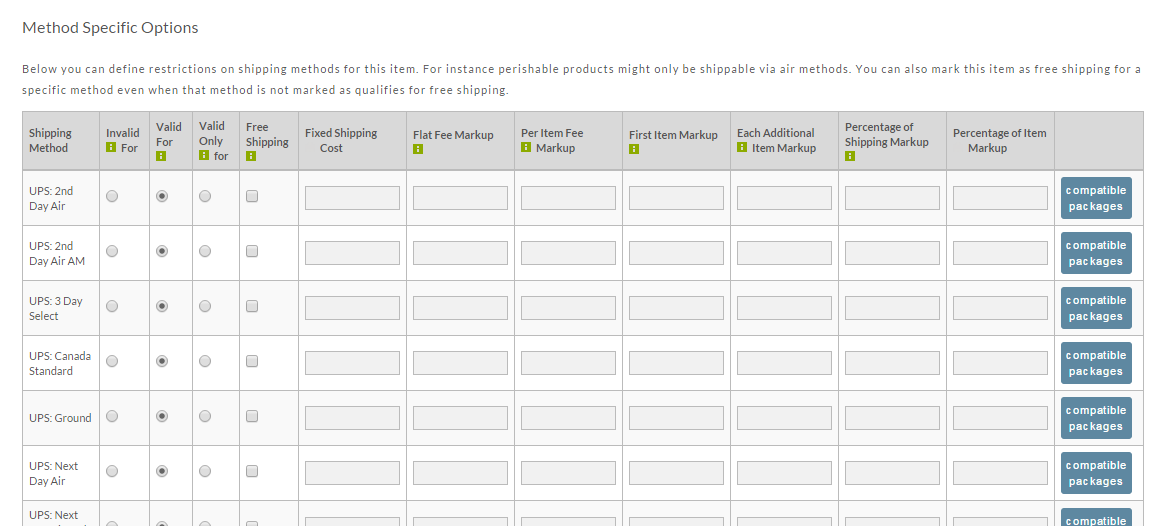
In some cases, you may have items that require their own handling charges to be included in the cost calculation described above.
You can add item specific handling charges to an item by editing the item and navigating to the shipping tab and scrolling down to
the "Shipping Method Specific Options" section. Along the right side of each shipping method are the item specific handing charge
configuration fields.