Printing FedEx Certification Labels
In order to print production FedEx labels you must first certify your account with FedEx. In order to certify your account you must produce a series of test labels with your Test Environment credentials, print them out and mail them to FedEx along with their paperwork. After you've obtained your test environment credentials place them on file under:
Below is a screen shot of the FedEx section of the shipper specific options.
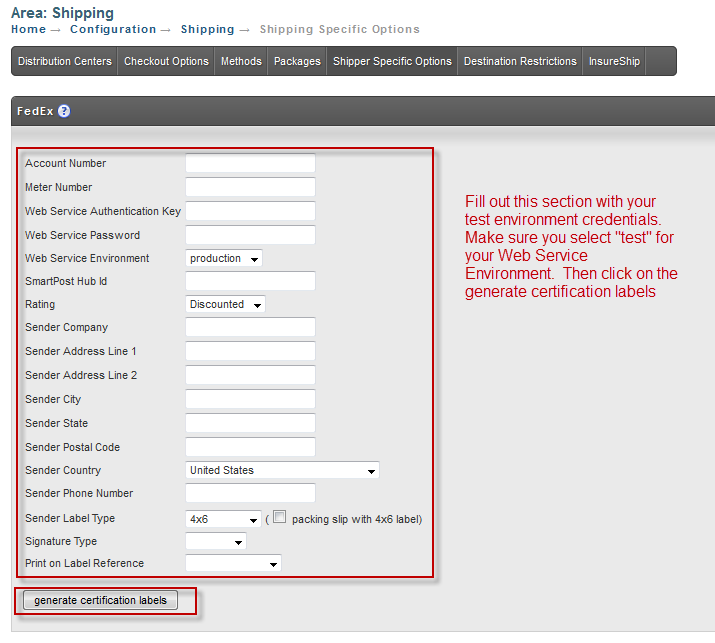
After you have completed filling out the credentials, ship from address, etc. click on the Generate Certificate Labels button at the bottom of the section. The certification screen will appear with a series of blank scenarios that you can configure. For your convenience there is a stock test scenarios button at the bottom. Click on the button as shown in the screen shot below.
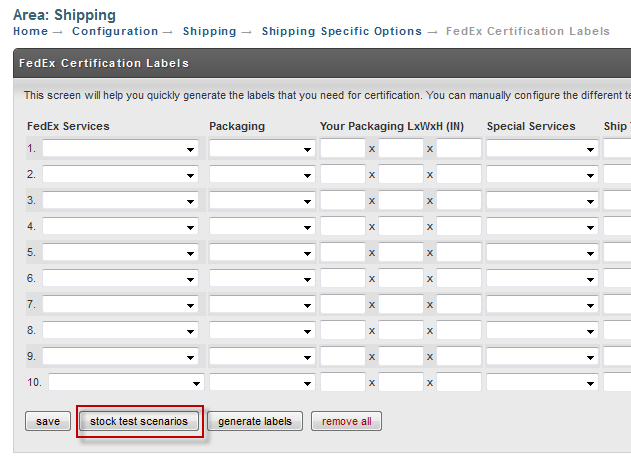
You will now see ten different test scenarios populated as shown below.
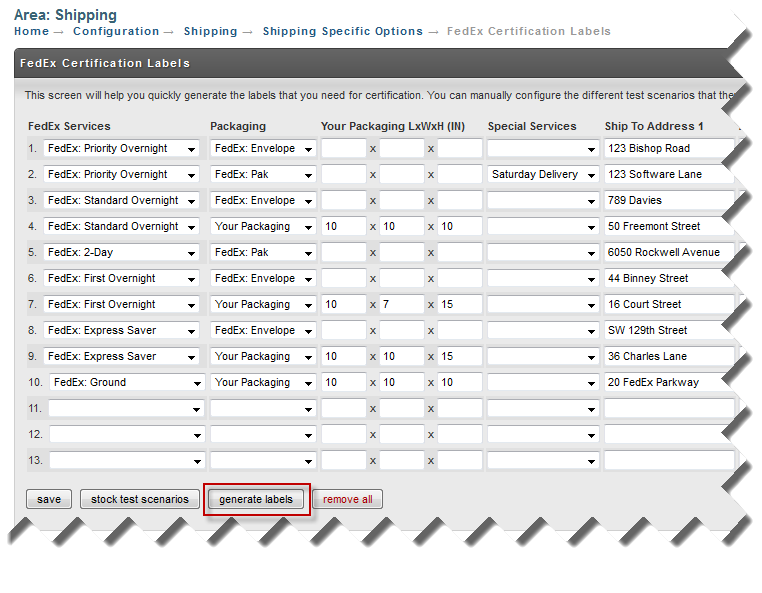
Click on the generate labels button to product the PDF file. Print the PDF file to your thermal label printer and submit the labels and other required documentation to FedEx.
If you received an error on the PDF, make sure that you have the proper credentials for the TEST environment on file and did not make a copy paste error.