How to require an international shipping method
This tutorial will guide you through the process of making sure that international customers are required to select an appropriate shipping method. If you're estimating in real-time, the carrier will only return rates for the valid methods based upon the address, but if you're setting up fixed cost or percentage based cost shipping calculations then this tutorial is important to follow.
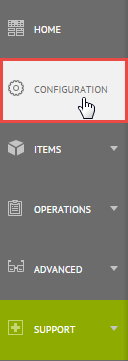
First click on Configuration on the left hand menu as shown below.
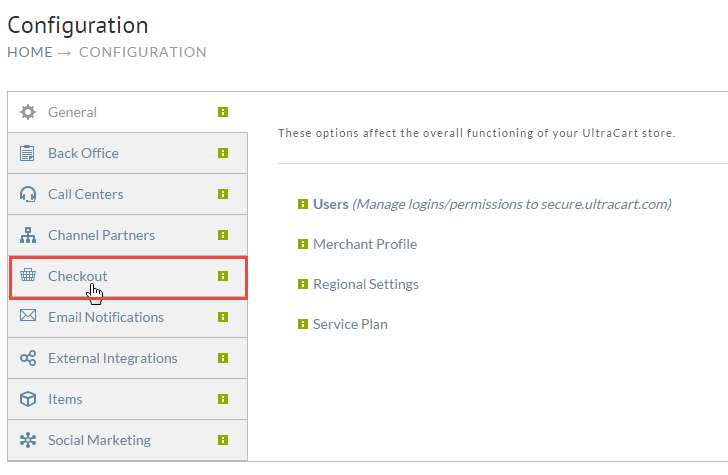
Now click on the Checkout section of configuration as shown below.
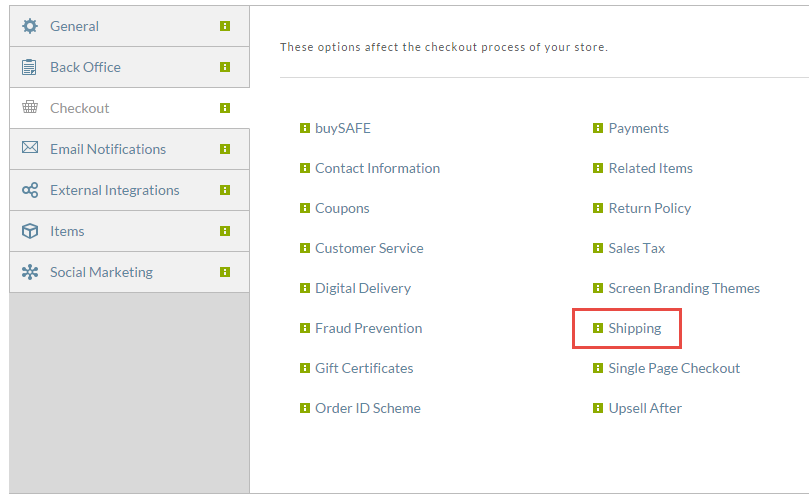
Next, click on the Shipping link under the Checkout section as shown below.
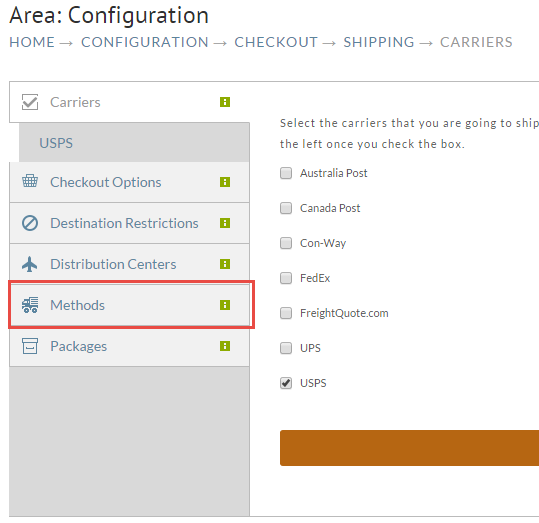
Now drill down into the methods section by clicking the Methods tab as shown below.
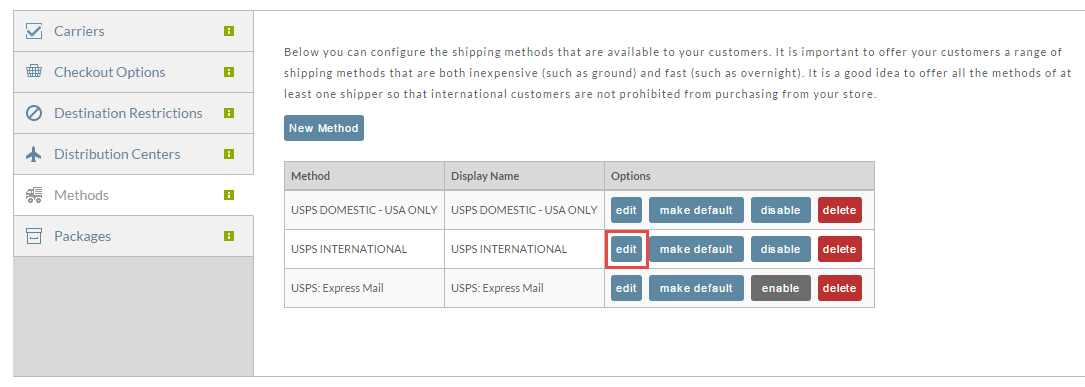
First we need to set the restrictions on the international methods. Click edit next to the international method as shown below.
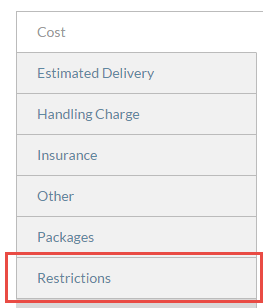
Click on the Restrictions tab.
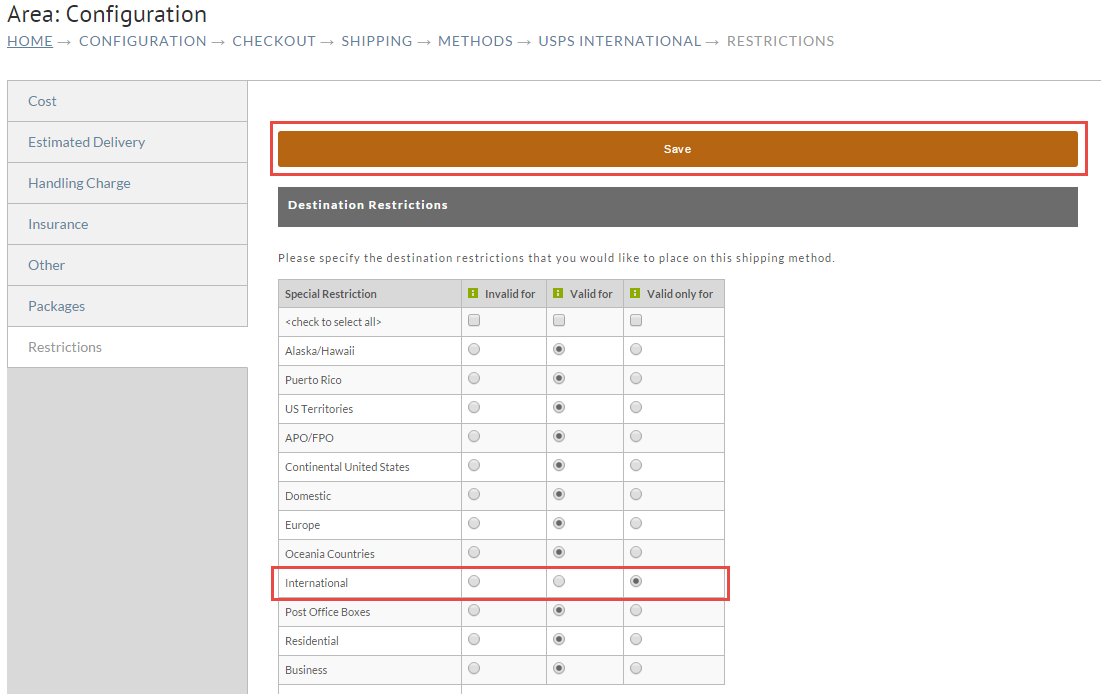
Now find the International restriction and set it to "Valid Only For" as shown below and then click save.
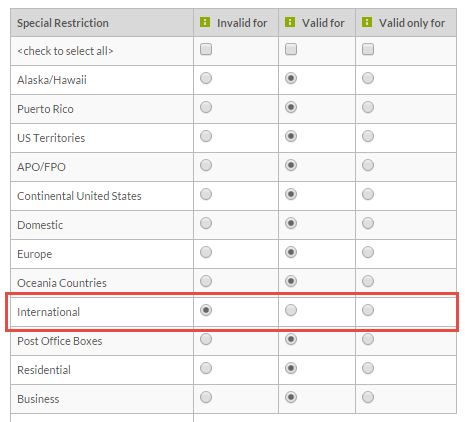
Repeat the process for all international methods. Then repeat the process for domestic methods, but instead of selecting "Valid only for" you need to select "Invalid for" as shown below.
Once you have finished this tutorial, customers will only be shown shipping method estimates that are appropriate for them based upon their address.