Navigation
note
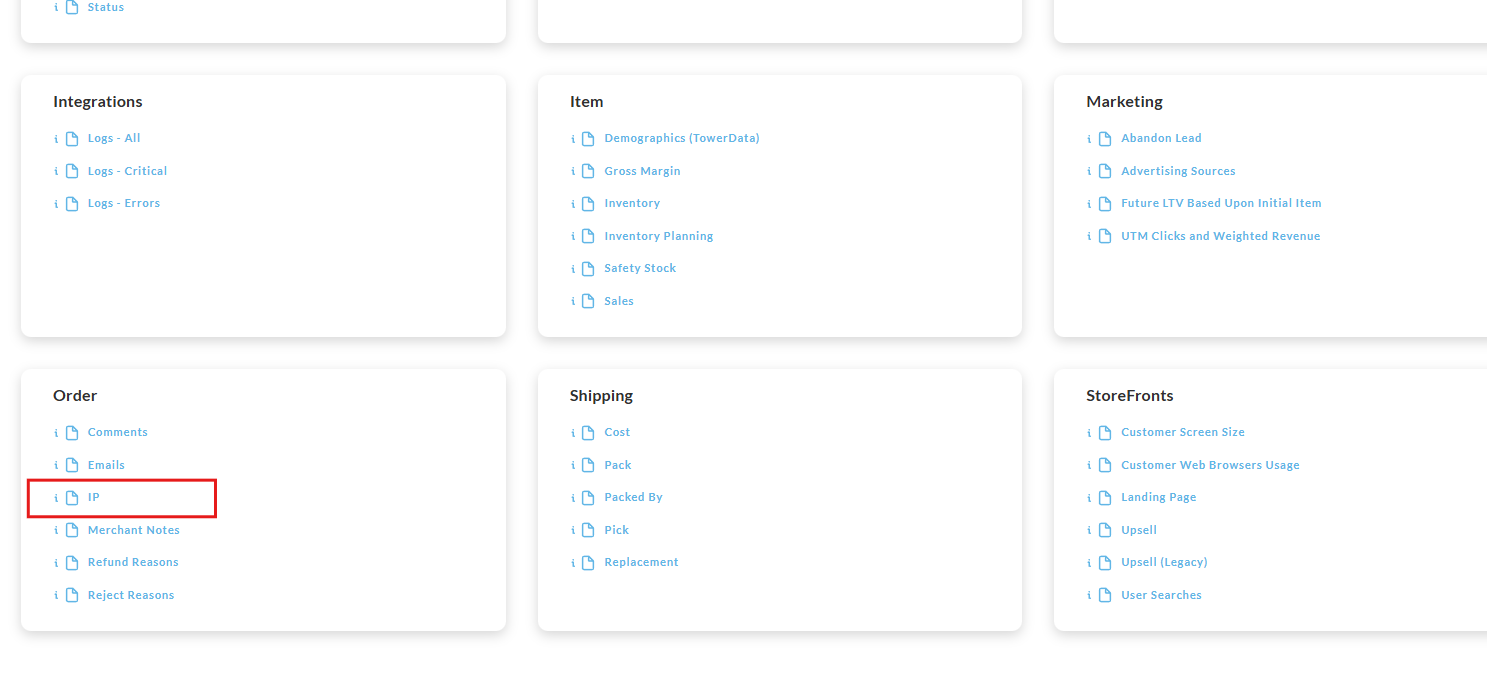
Operations → Reporting → Order → Order IP
Overview
The "Order IP" report provides a IP address recorded for each order during the specified reporting period.
info
Not Schedule-able
Please note that this report is not schedule-able.
Running the Report
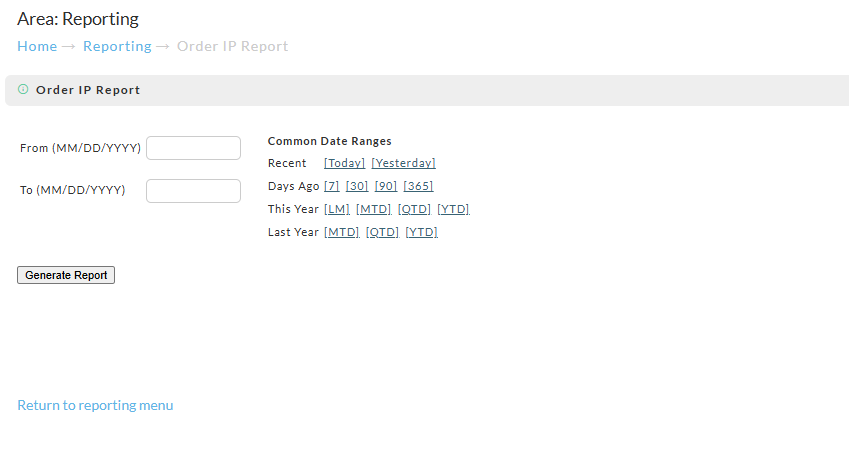
To run the report, you'll enter the time period for the report into the "From" and "To" fields (format MM/DD/YYYY) then click the "Generate Report" button.
View of the Downloaded Report
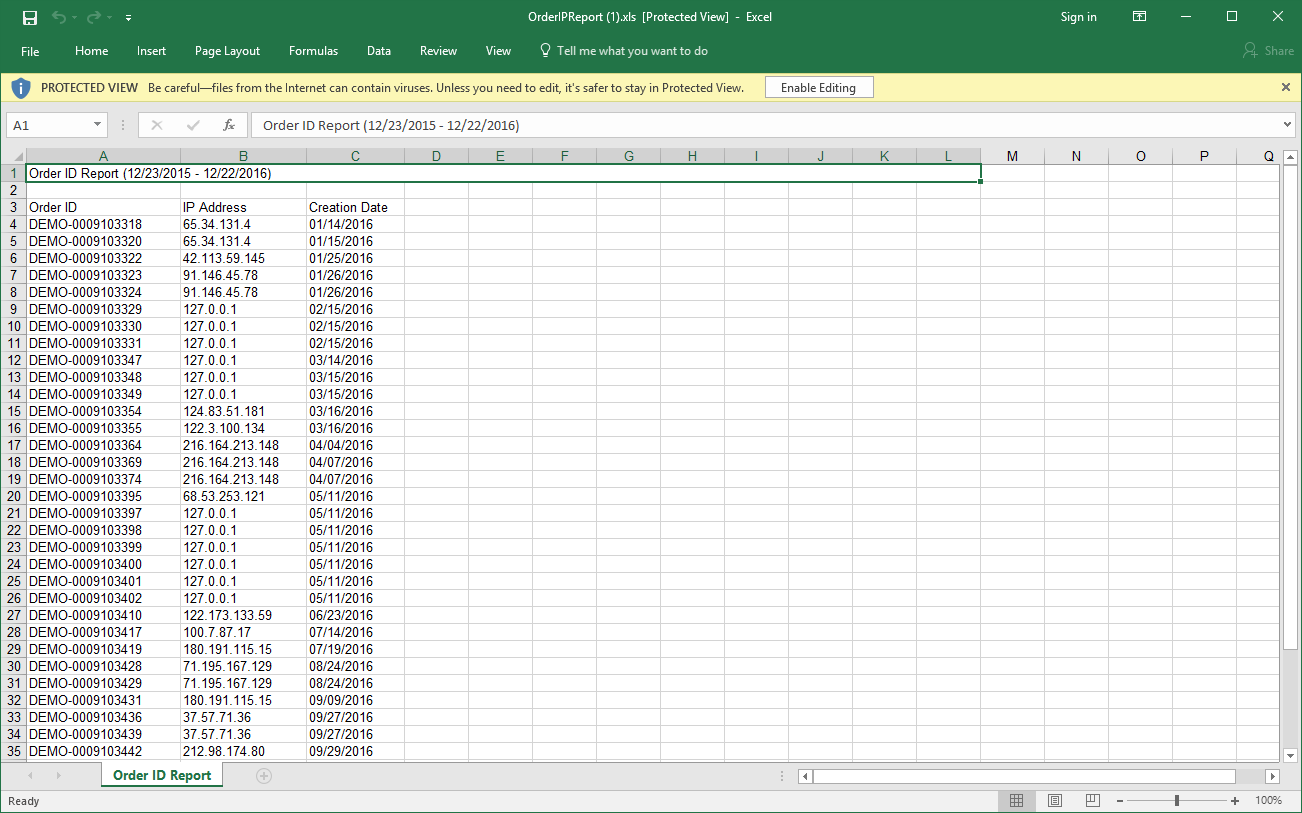
The spreadsheet will contain the IP address associated with the orders that processed during the reporting period.
The columns will be "OrderID", "IP Address" and "Creation date":
Was this page helpful?