Upsell Report Legacy
Legacy Screen
This is a legacy report for the legacy upsell after offers. For storefront upsells, please see the statistic in the StoreFront Upsells screen.
Navigation
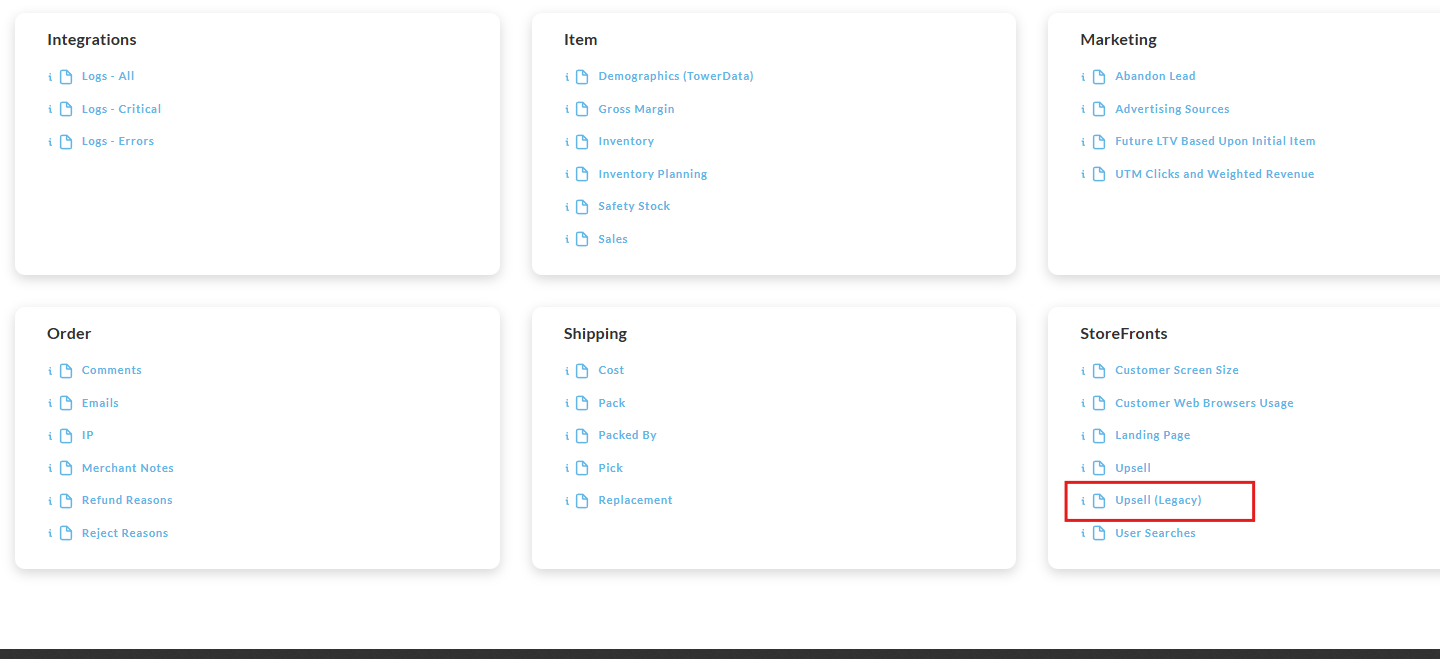
Operations → Reporting → Storefronts → Upsell (Legacy)
Overview
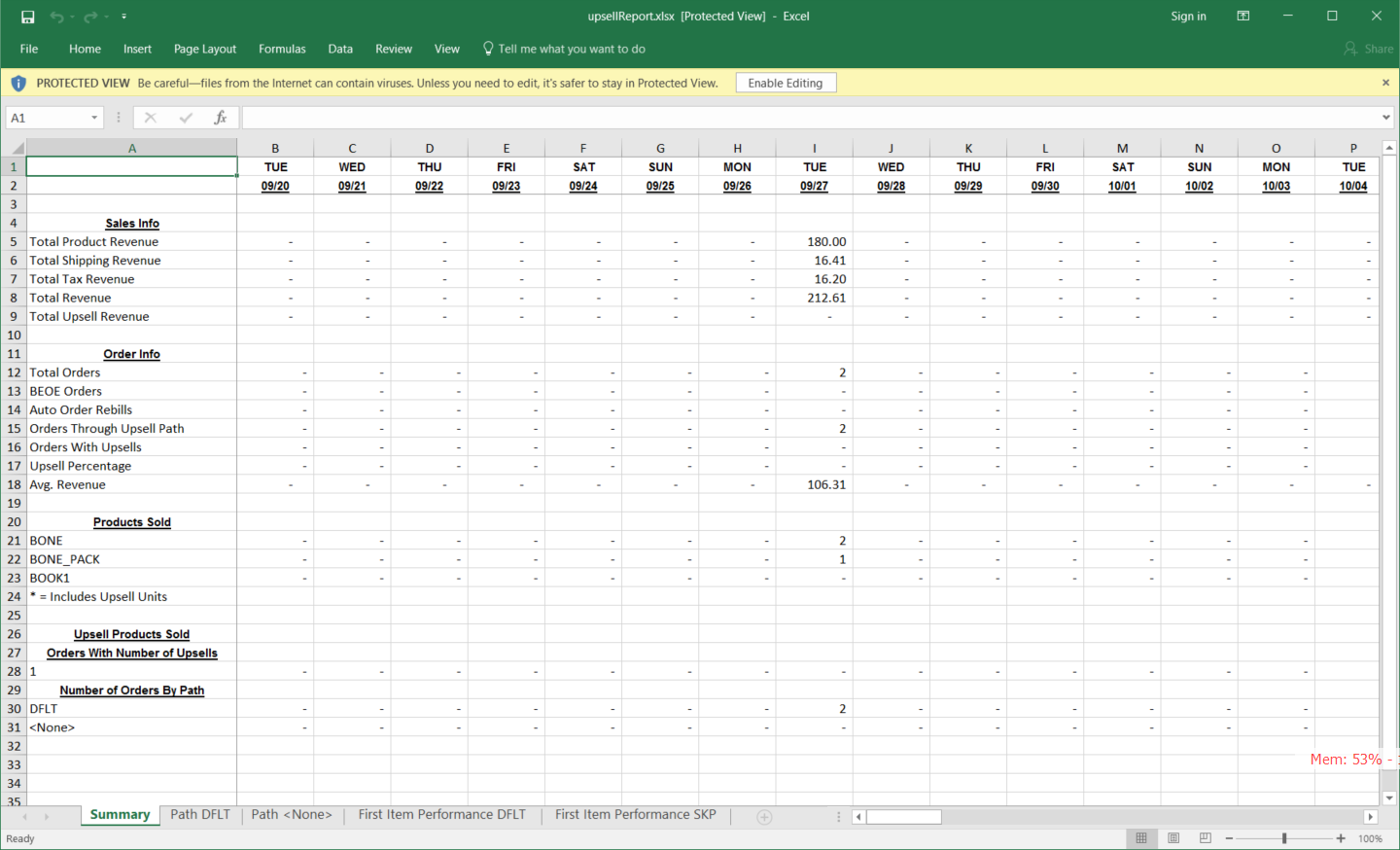
The Upsell report is a comprehensive report details in the breakdown of the upsells triggered, with a column for each day of the reporting period. the rows provide the following details for each days upsells:
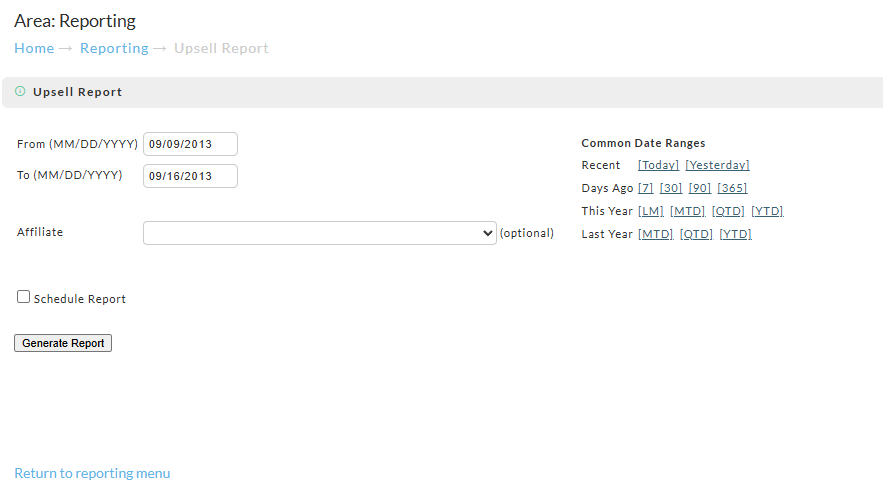
Sales Info (section)
-
Total Product Revenue
-
Total Shipping Revenue
-
Total Tax Revenue
-
Total Revenue
-
Total Upsell Revenue
Order Info (section)
-
Total Orders
-
BEOE Orders
-
Auto Order Rebills
-
Orders Through Upsell Path
-
Orders With Upsells
-
Upsell Percentage
-
Avg. Revenue
Products Sold (section)
* = Includes Upsell Units
Upsell Products Sold (section)
Orders With Number of Upsells (section)
Number of Orders By Path (section)
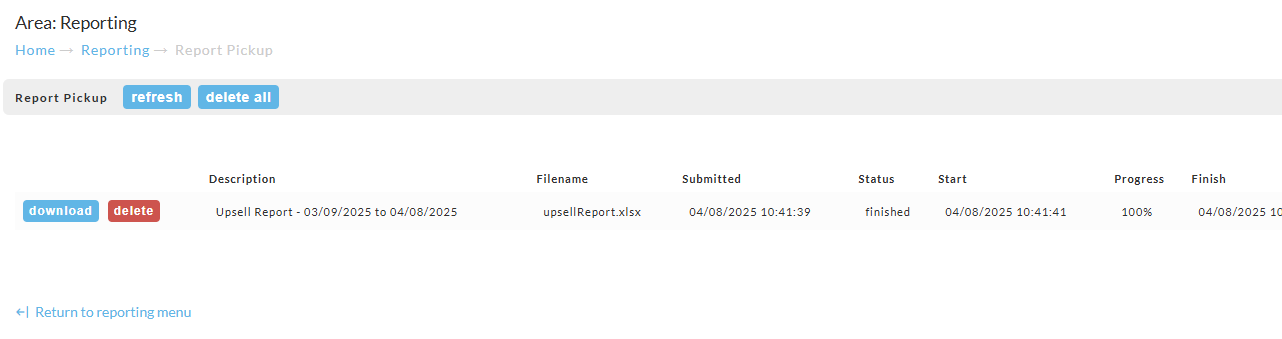
Report Pickup
Upon running the report you may encounter the following message about navigating to the report pickup area to download the completed report:
Viewing the Downloaded report