Make an offer
Make an offer lets a customer name their own price for an item during checkout, instead of paying the listed price. The order arrives in your Accounts Receivable rather than being charged, so you decide whether to accept the offer, negotiate, or decline.
This is an alpha feature. Contact UltraCart Support to have it enabled on your account before you configure anything below.
Configure the item
The item needs arbitrary unit cost enabled, with a minimum set. The minimum is the floor below which an offer will not be accepted.
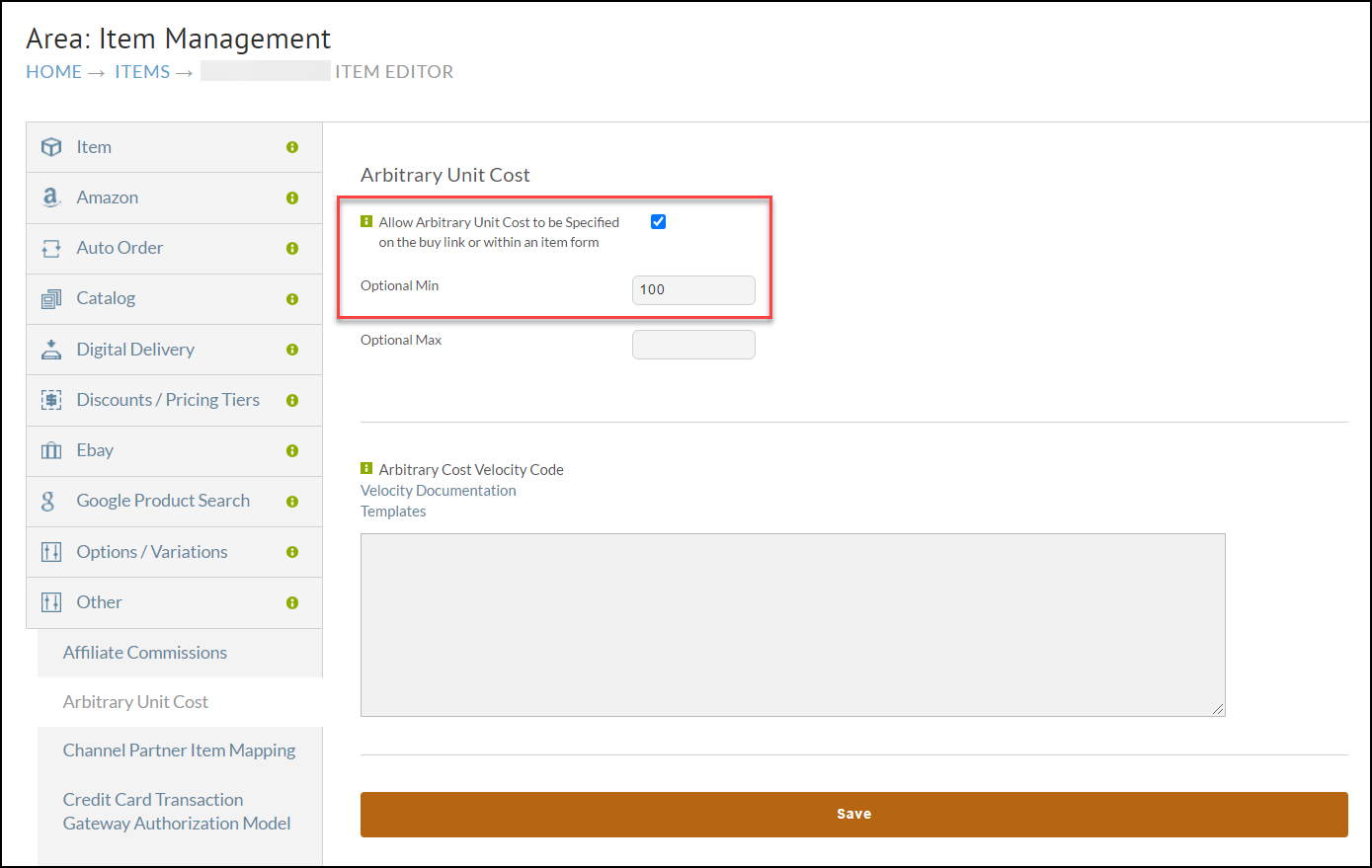
Add the offer field to the item form
On your StoreFront, add this structure to the item form, nested under the itemform element:
row
└─ label
   └─ itemarbitraryunitcost
A CJSON file with that structure is available so you do not have to build it by hand: MAKE AN OFFER ROW.cjson.
What happens at checkout
Two limitations apply when a customer submits an offer:
- Credit card is the only supported payment method.
- The payment is not processed during checkout. Nothing is charged at the time the order is placed.
The order lands in your Accounts Receivable carrying a merchant note that names the item the offer was made on. From there you can process the payment as offered, or edit the item price first if you negotiate a different figure with the customer by phone or email, and then process it.