Kissmetrics integration
Kissmetics is a 3rd party analytics platform.
UltraCart supports integration with Kissmetics via the "supported conversion pixels" section of the Conversion and Tracking tab of the Screen Branding Theme editor.
Main Menu → Configuration → Screen Branding Themes → Conversion and Tracking (tab)
You will need to enter your Kissmetrics API key into the UltraCart integration field:

After saving your Kissmetrics API key, you are ready to begin coding your buy links into your pages. In order to support domain changes during the checkout, your will need to wrap your UltraCart buy links within a script that helps track the purchase. (Please refer to our article on using the JavaScript library on more than one domain for more details).
Let's take a look at an example of encoding an item buy link with this special tracking script:
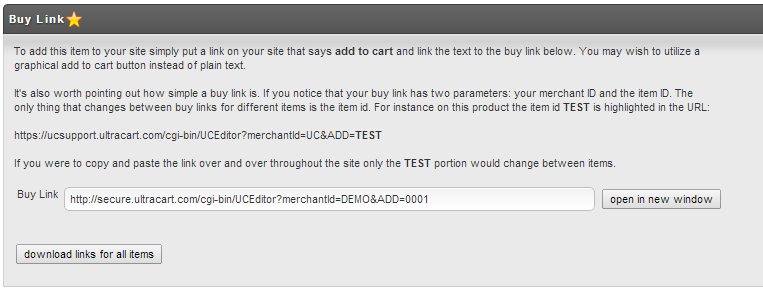
Here's how the script code appears for this item:
<script type="text/javascript">
// This block would go below the main JavaScript code we provide in kissmetrics.com/settings

_kmq.push(function()
  { document.getElementById("frm1").action = 'http://secure.ultracart.com/cgi-bin/UCEditor?merchantId=DEMO&ADD=0001&kmi=' + encodeURIComponent(KM.i());
  } );
</script>
See also: