This tutorial will explain how you can subscribe customers to a list from an external platform, such as a page builder or survey system, using a webhook.
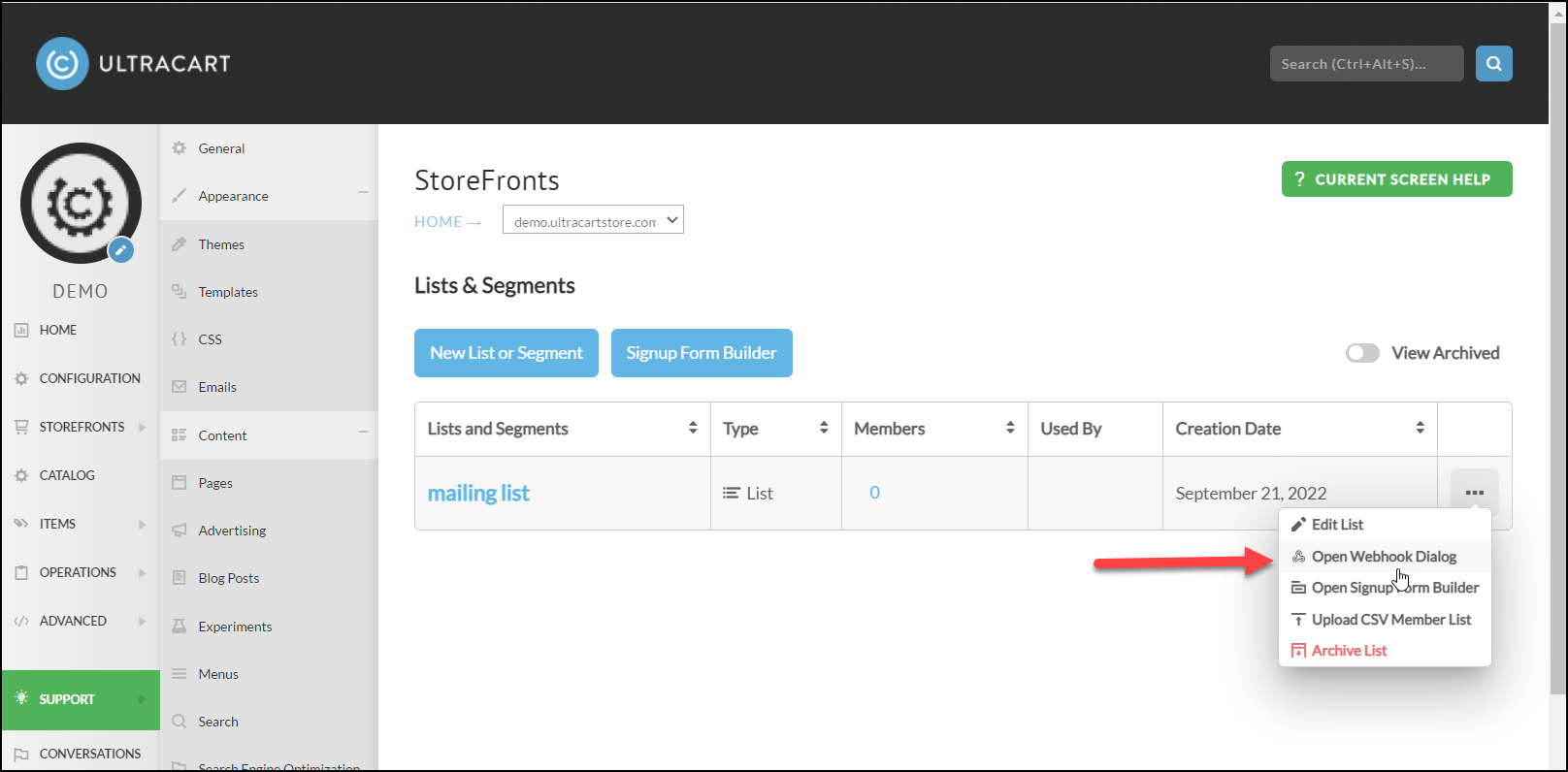
Under StoreFronts → Communications → Lists & Segments click on the “…” button for your list and then click on “Open Webhook Dialog” as shown below.
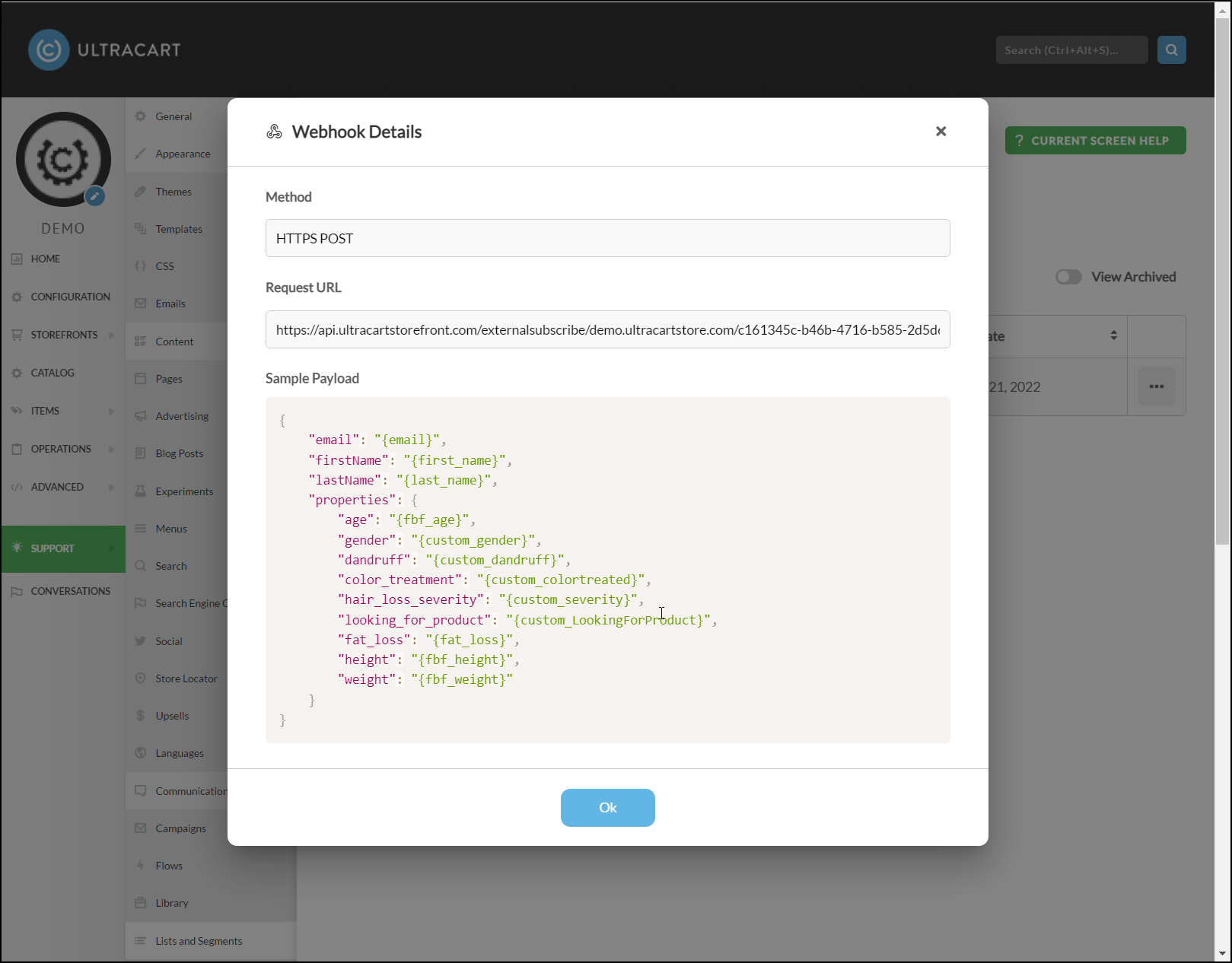
This will open up a dialog that will provide you the URL where your external system should perform an HTTPS POST and deliver a JSON payload like the sample provided. It’s important to note that sending any old random payload will not work. It needs to be properly formatted JSON.
Unbounce Integration
UltraCart has made a special provision to parse the Unbounce form subscribe webhook payload. After parsing and transforming the Unbounce webhook the payload is:
{
    "properties": {
        "unbounce_page_uuid": "16f6a38d-7539-4e63-847d-a9579c7e6da7",
        "unbounce_page_name": "Sample Mini-Course",
        "unbounce_page_url": "http://my.site.com/sample/",
        "unbounce_variant": "i",
        "unbounce_ip_address": "1.2.3.4"
    },
    "email": "sample@domain.com",
    "firstName": "John",
    "lastName": "Doe"
}
Was this page helpful?