Adding Google+ links to your web site
Here are the steps for Adding Facebook link to your website.
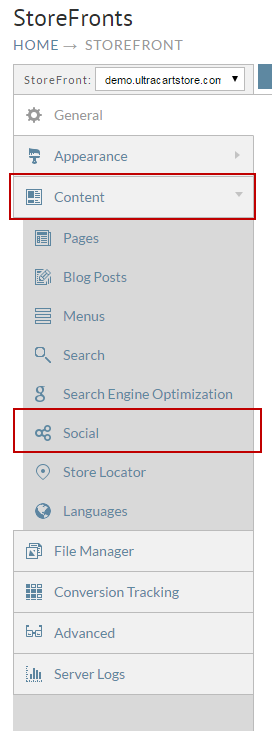
- From the StoreFronts page, scroll down and click on the Social Tab.
The Social Network and Share Settings screen will appear. Enter your Google+ URL in the Google+ URL field. Under the Social Sharing Buttons section, click the check box to the right of "Google+" if you want to allow users to share items.
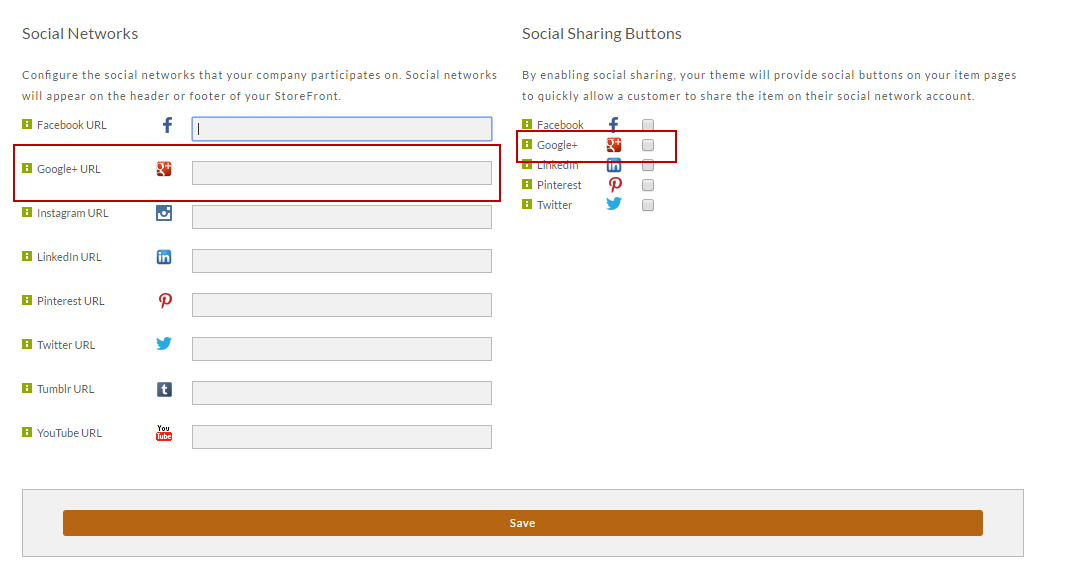
Feel free to configure other accounts while you are here.
Click the Save button when finished.
Was this page helpful?