Assigning Items to a StoreFront
This tutorial covers the various ways of assigning items to a StoreFront. There are three ways that we are going to cover assigning items:
- Item Editor
- Page Editor - Manual
- Page Editor - Conditions
Item Editor
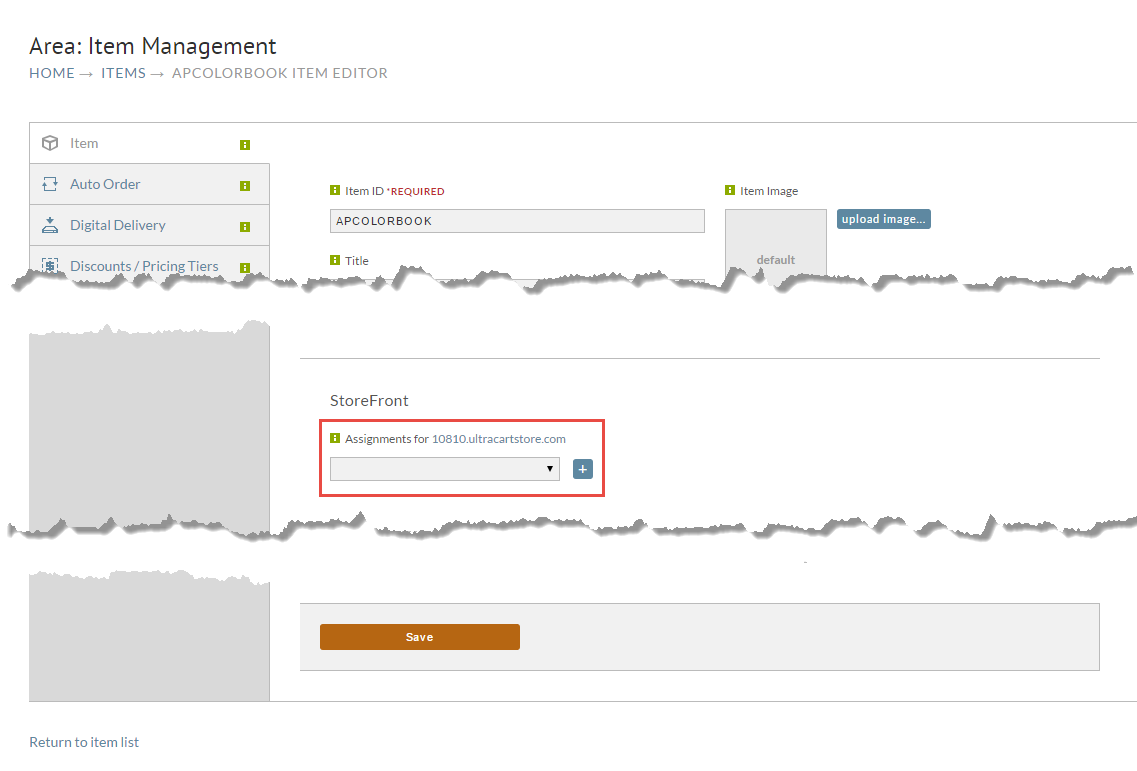
On the first tab of the item editor, scroll down to the StoreFront section, select the page from the drop down and click the plus button to add the assignment. When you are done click Save at the bottom of the page.
Page Editor - Manual
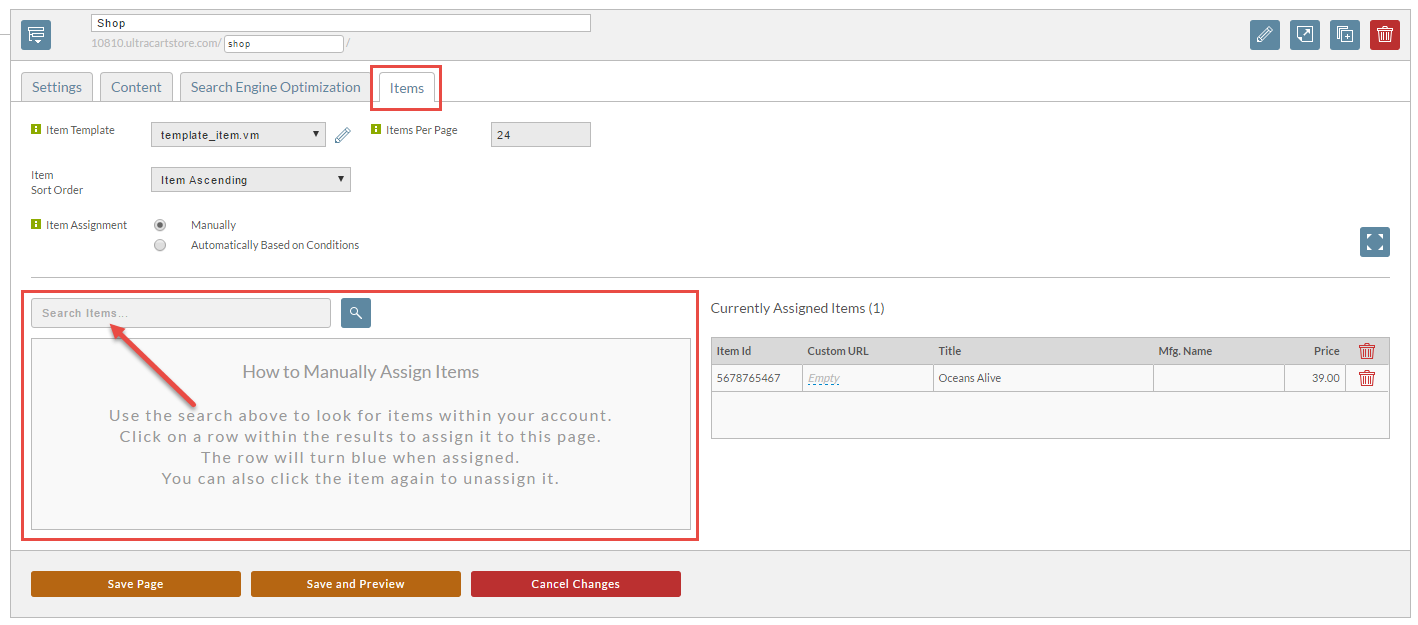
If you're editing a page within StoreFronts, click on the Items tab, and use the manual assignment section as shown below.
info
Page Editor - Conditions
To have products that meet a certain condition assigned automatically, please see the tutorial "Assign items automatically, by condition" which covers the process in more depth.
Was this page helpful?