Overview
This document will detail how to change the sort order of products in a specific page.
Please note that this is different than the drag-n-drop re-ordering of product group pages, which is for reordering the layout of the pages in your storefront, as opposed to the ordering of items within a specific page.
Steps
Here are the steps for changing the sort order of products in a product page of your store:
-
From the StoreFronts Menu, click on "Pages":
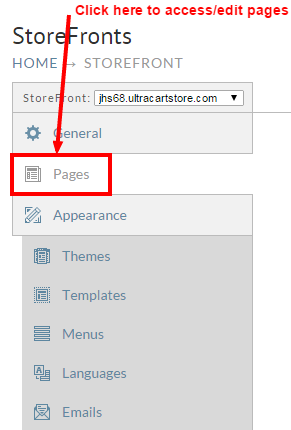
-
Next, edit a page that you wish to change the order order of the products:
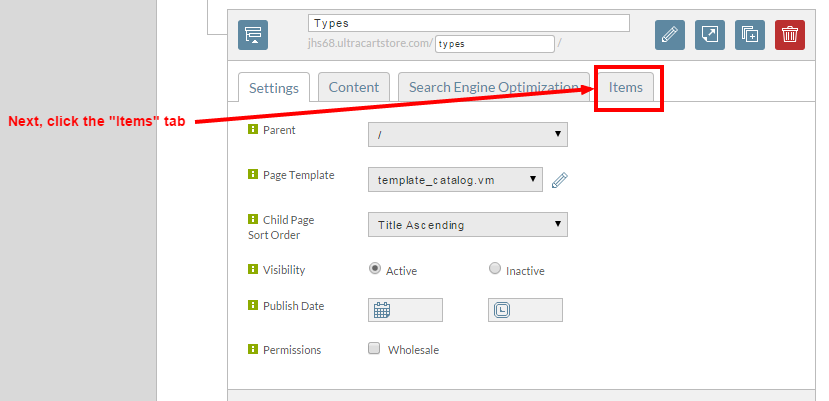
-
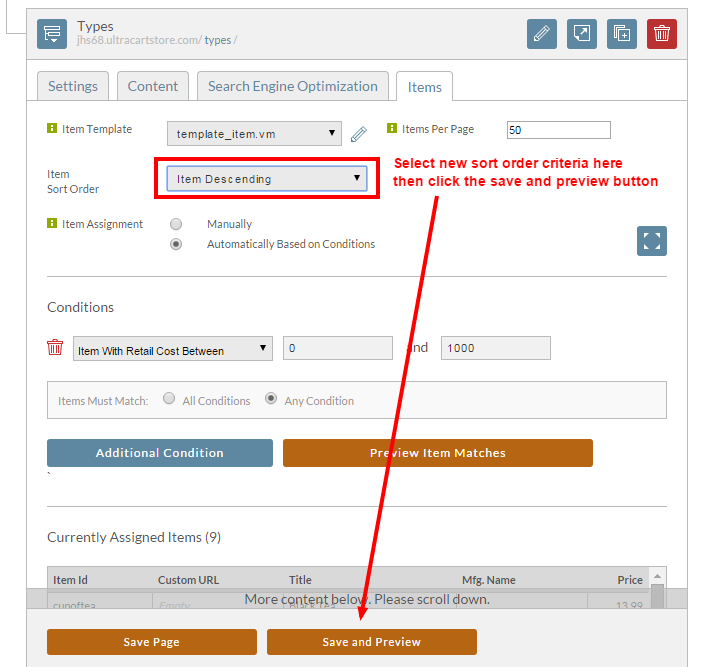
After selecting the items tab, select from the drop-down list for "Sort Order""
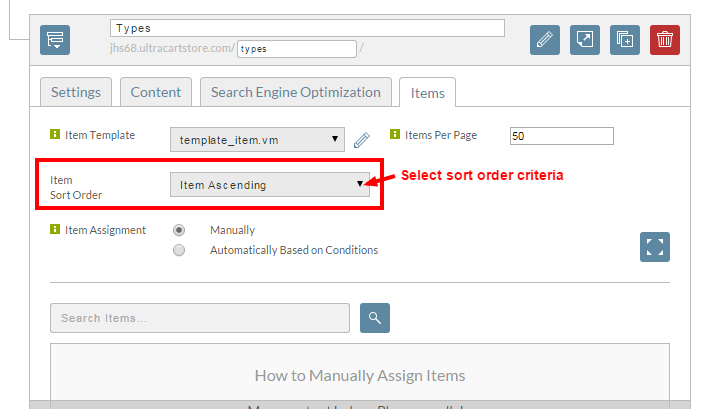
Item Sort Order Criteria Notes Item Ascending Item Descending Description Ascending Description Descending SKU Ascending SKU Descending Price Ascending Price Descending Review Ascending Review Descending Custom After you select custom, you can drag the ordering of the assigned items around before saving. See the section below -
Select the new criteria from the drop down menu:
-
After selecting the new criteria for the Item Sort Order, and clicking the Save and Preview button to save the changes, you'll
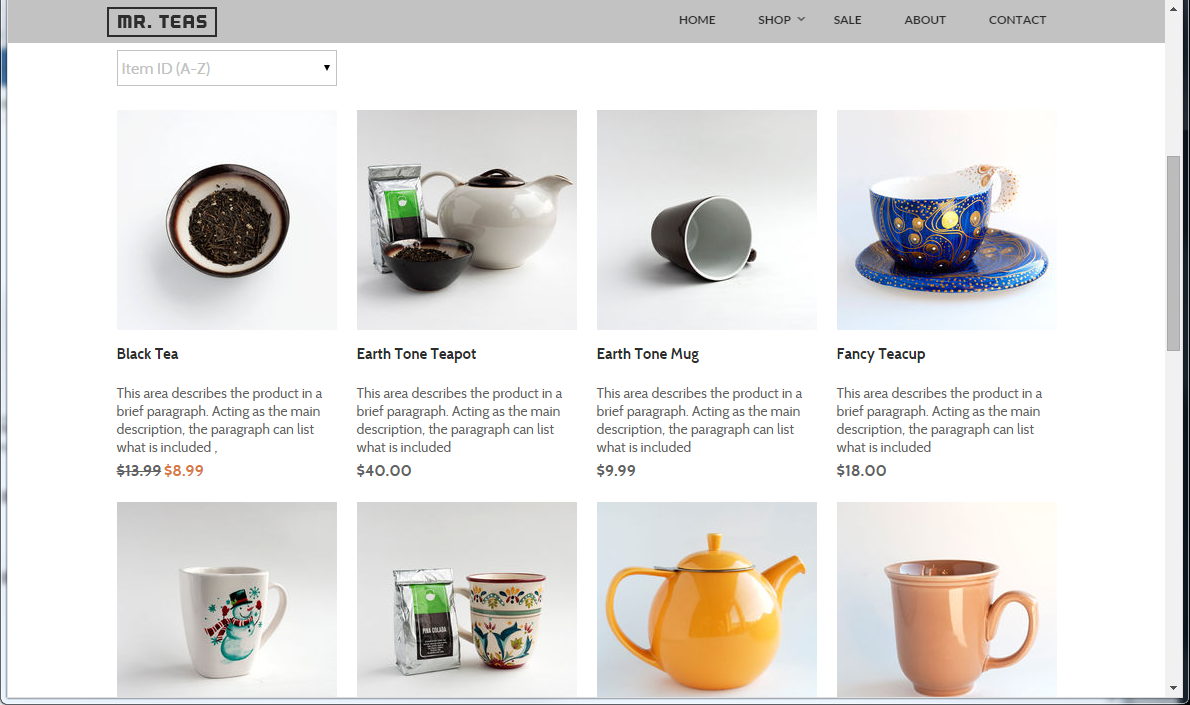
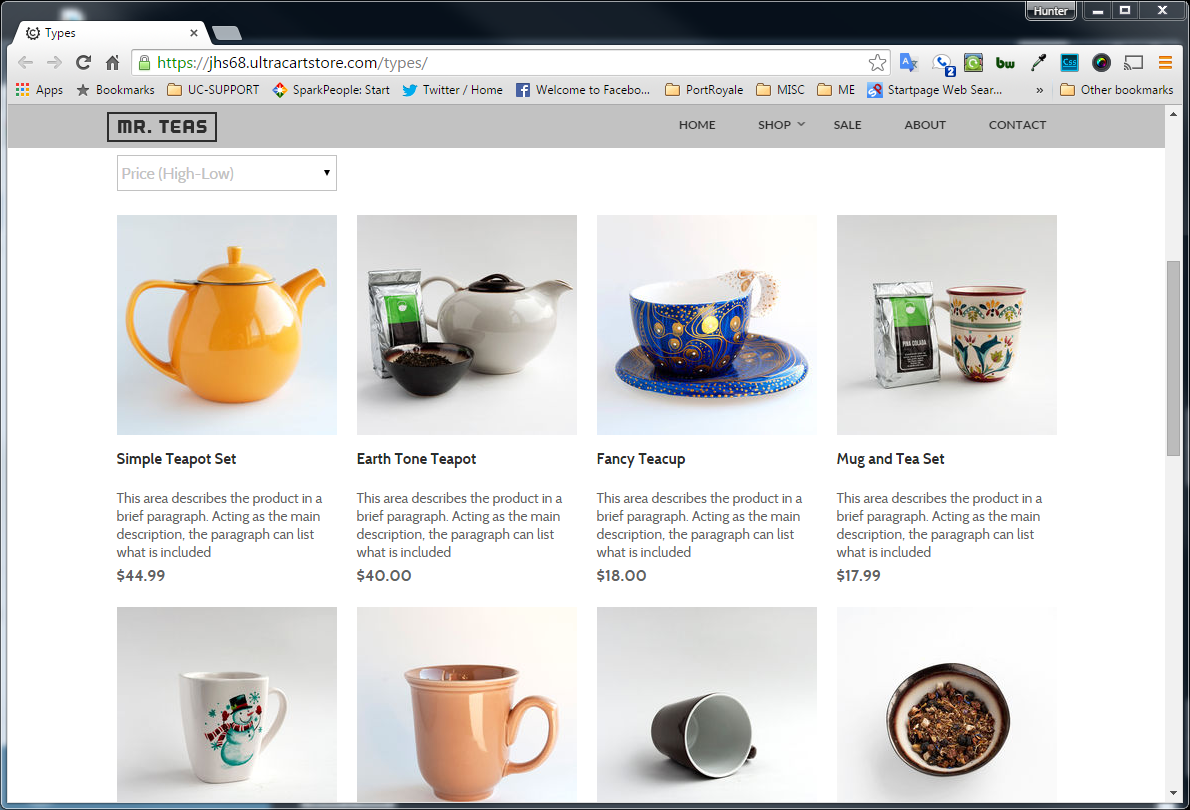
be presented with the page displaying the items based on the new sort order criteria you selected.
View of item sorting prior to changes
View of item sorting After making sort order changes
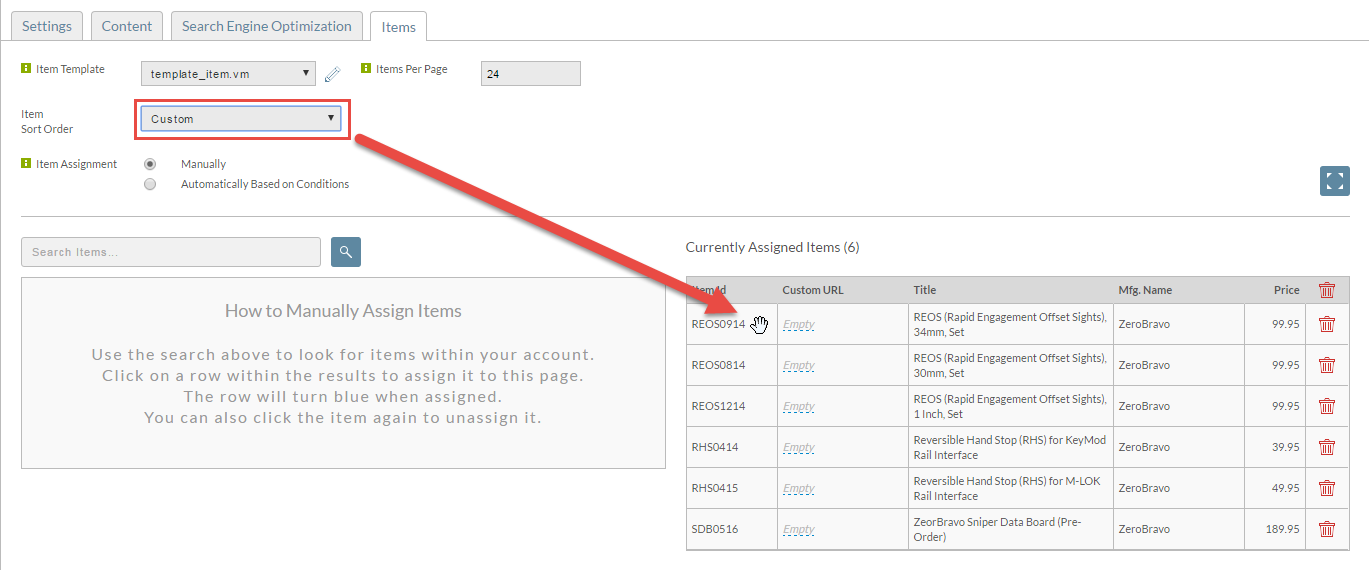
Custom Sort Ordering
After you change the item sort order to "Custom", a hand will appear over the row in the Currently Assigned Items. Click on the row, hold the mouse button down, and drag the row up or down to reorder the way the items are displayed.