Serving All StoreFront Traffic Over HTTPS
Serving up all the content over HTTPS is easy with StoreFronts. To enable this option perform the following steps:
-
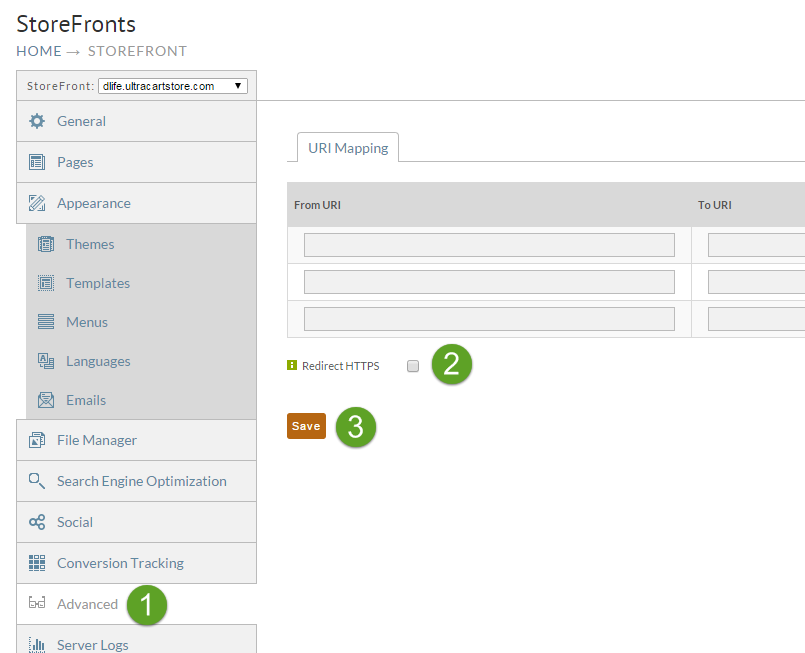
Navigate to the Advanced tab of the StoreFront.
-
Check the Redirect HTTPS option.
-
Save the settings.
note
Browse your website after enabling this option to make sure you haven't accidentally added any content that is hard coded to HTTP. You do not want browsers like Internet Explorer displaying nasty mixed content warnings to the end customer.
Was this page helpful?