Overview
How to find the Storefront email template "Delivery Options" in order to review and/or edit the display settings for each email templates.
Steps
Here are the steps for changing the Delivery Options of your emails.
-
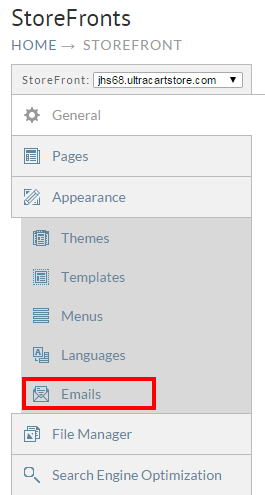
From the StoreFronts page, click on the Emails tab.
-
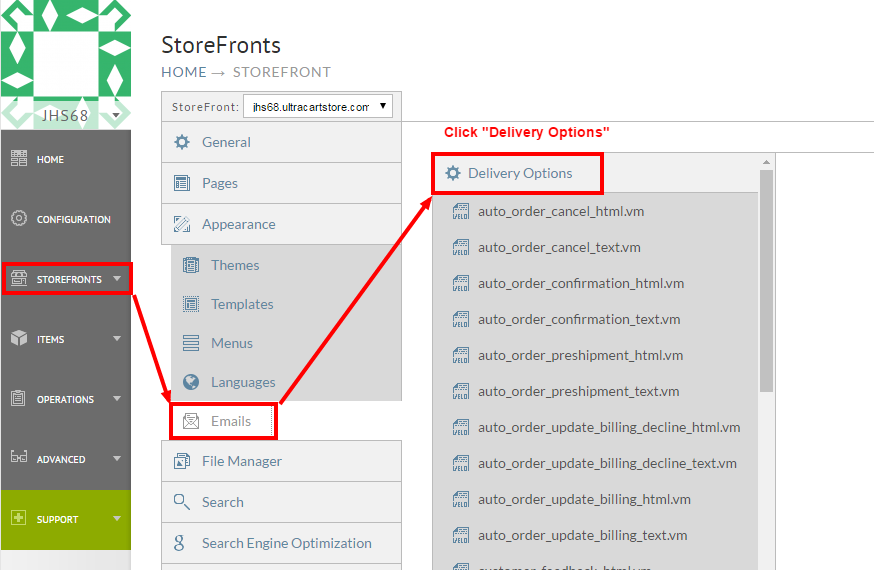
Once the Email templates are displayed, click "Delivery options" to open the editor:
-
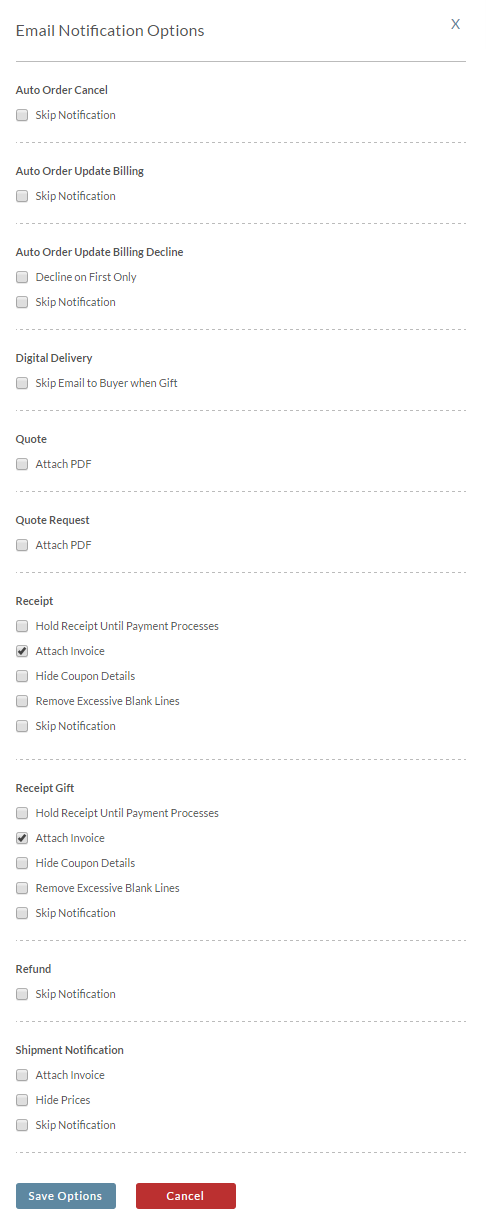
Upon clicking the "Delivery Options" hyperlink, a pop up window will appear containing the delivery option check-boxes. The following "Multimedia Link" will play a short video (only - no sound) showing how the Email Notification Options pop-out works. Below that link is a screen shot of the pop-out.
Was this page helpful?