How-to

Overview

This how to doc will detail the steps for suppressing or displaying the Trust Logos in your storefront.

tip

UltraCart supports automatic trust logos for Comodo SSL certificates.

Steps

Here are the steps for suppressing or showing trust logos in your store

  1. From Storefronts menu, click the Conversion and Tracking tab:
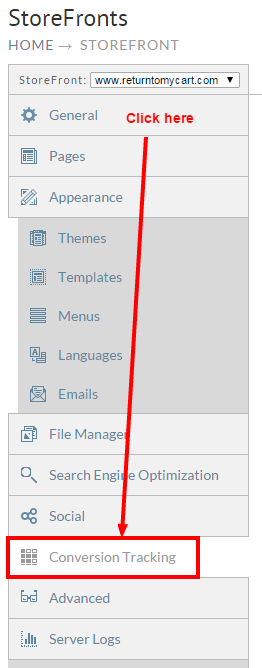
    ![Storefronts - Conversion and Tracking.PNG](pathname:///confluence/1377446/Storefronts - Conversion and Tracking.PNG)

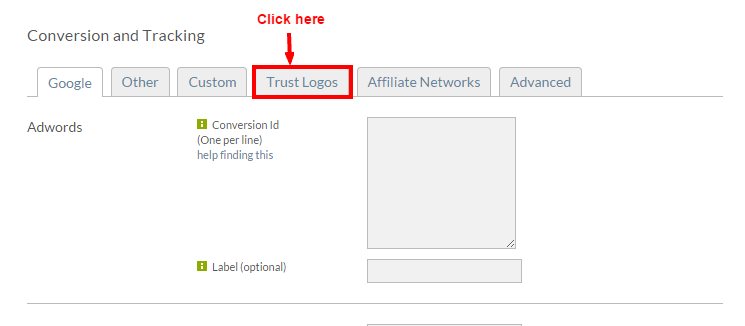
  2. Next Click the "Trust Logos Tab:
    ![Storefronts - Conversion and Tracking - Trust Logos tab.PNG](pathname:///confluence/1377446/Storefronts - Conversion and Tracking - Trust Logos tab.PNG)

  3. Here you will see options for the configuration of your Comodo Trust Logos:
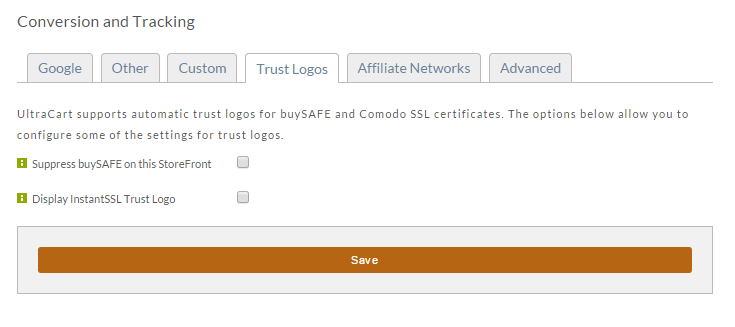
    ![Storefronts - Conversion and Tracking - Trust Logos tab settings.PNG](pathname:///confluence/1377446/Storefronts - Conversion and Tracking - Trust Logos tab settings.PNG)

Was this page helpful?