Updating multiple blog posts at once
- Click on the StoreFront Blogs tab.
- Select one or more posts
- Click the edit button
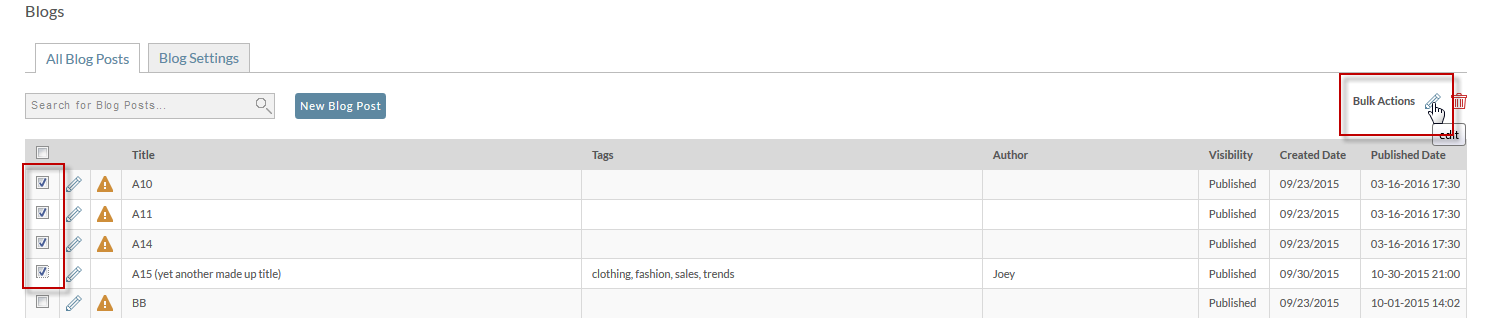
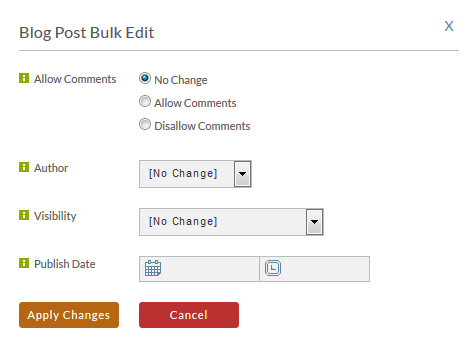
And edit pop up will display giving the following options:
- change comment behavior
- change author
- change visibility
- change publish date
You may change any or all of the options at one time. When finished, click Apply Changes.
Was this page helpful?