Using existing SSL certificate for a checkout only theme
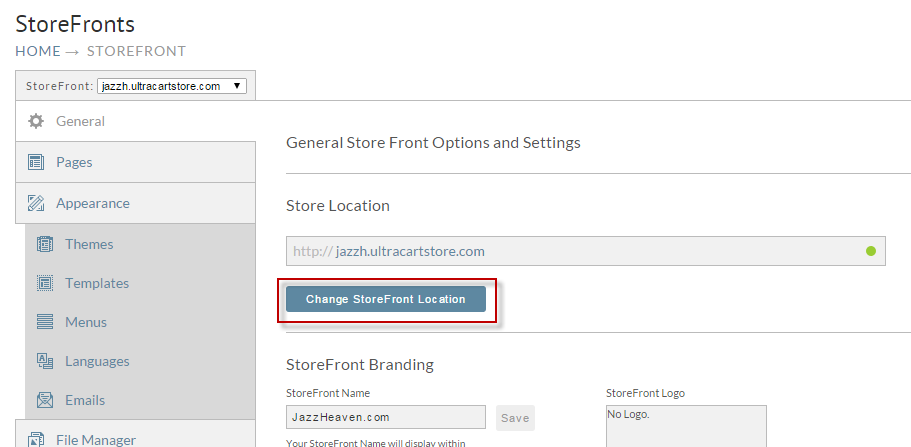
After you've successfully configured the StoreFront for checkout only mode, you can assign an existing SSL certificate to that StoreFront. To accomplish this click on "Change StoreFront Location" as shown below on the General tab of your StoreFront.
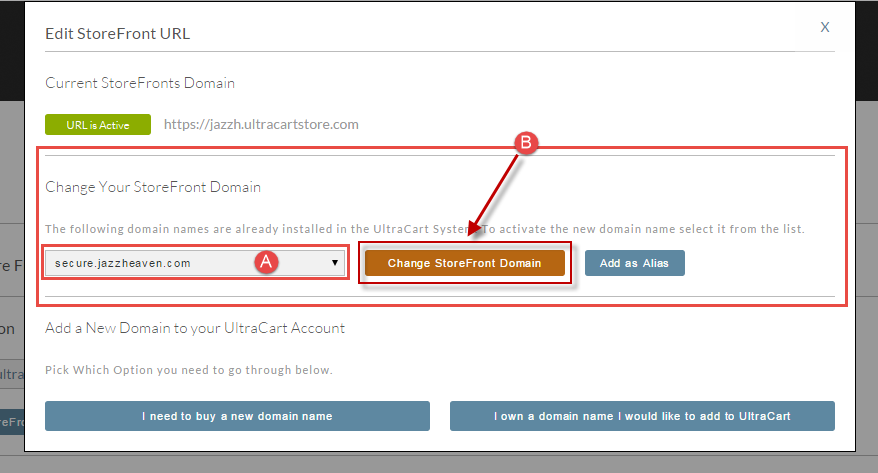
Here you will see the existing SSL Certificate shown in the second section of the dialog.
A. Select the desired domain name from the drop down list (secure.jazzheaven.com is shown as example).
B. Click the "Change StoreFront Domain" button.
At this point all of the buy links pointing to the legacy checkout will now point to the StoreFront.
Was this page helpful?