StoreFront Advanced Screen
Introduction
The StoreFront Advanced screen provides several tools for managing and optimizing your storefront, including:
-
URI mapping for legacy page redirection
-
PCI Payment Script Monitor
-
Migration check tool
-
Google Autocomplete
-
Google reCAPTCHA v2
These tools are intended for advanced storefront customization, SEO tuning, and security compliance.
URI Mapping
URI mapping allows you to redirect traffic from legacy URLs (such as those used on a previous platform) to the corresponding locations in your UltraCart StoreFront. This is essential during migrations to preserve SEO value and ensure users land on the correct pages.
How URI Mapping Works
The mapping process involves specifying the path portion of the legacy URI and matching it to the new StoreFront path. For example:
Legacy URI:
www.yourdomain.com/marketing/blog/
New StoreFront URI:
| From URI | To URI | .html Needed? |
|---|---|---|
| /about.html | /about-us/ | ✅ Yes |
| /store/products.html | /store/products/ | ✅ Yes |
| /old-folder/ | /new-folder/ | ❌ No |
Tip: Test your mappings after saving to ensure proper redirection behavior.
URI Wildcarding
URI wildcarding is supported using the '*' character.
Example:
Wildcard: /products/*/specs/ (matches /products/any-item/specs/)
Configuring 301 redirects
To signal that a URI has permanently moved, check the Send Permanent Redirect (301) box when configuring each mapping. This helps search engines index the new location and preserve SEO ranking.
Exclude From Sitemap
Check the Exclude from Sitemap box if you want the mapped URI to be omitted from your StoreFront’s sitemap.
Migration Check Tool
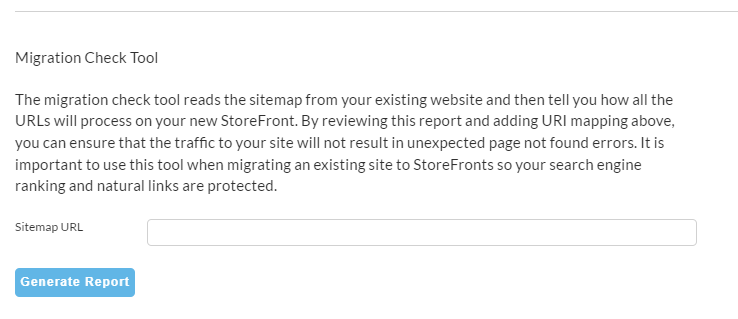
Use the Migration Check Tool to validate that all important legacy URLs are redirected correctly. The tool scans your sitemap and identifies broken or unmapped links.
note
TIP: Aside from the external stite migration check, you can use the migration check tool to generate an export of storefront URLs. The migration check tool scans the sitemap and identifies broken or unmapped links. Additionally, you can use your storefront’s sitemap URL in the migration check tool to generate a spreadsheet export of the current storefront URLs.
TIP: Aside from the external stite migration check, you can use the migration check tool to generate an export of storefront URLs. The migration check tool scans the sitemap and identifies broken or unmapped links. Additionally, you can use your storefront’s sitemap URL in the migration check tool to generate a spreadsheet export of the current storefront URLs.
PCI Payment Script Monitor
The PCI Payment Script Monitor is available to all merchants in the PCI tab of the StoreFront Advanced screen.
Recent PCI DSS requirements (as of April 2025) mandate that merchants:
-
Maintain a full inventory of scripts running on payment pages.
-
Monitor any new or modified scripts that appear in the checkout.
UltraCart provides a PCI Payment Script Monitor to help merchants comply with these standards.
There are two modes for the PCI Payment Script Monitor:
-
Monitor Mode
-
Enforcement Mode
Monitor Mode
In Monitor Mode, UltraCart tracks:
-
XHR and Fetch requests
-
Script and iframe sources
UltraCart assigns a security rating and category to each detected domain.
Monitor Mode runs for 7 days. If no new script activity is detected, the system transitions to Enforcement Mode automatically.
Enforcement Mode
In Enforcement Mode, UltraCart blocks any script, iframe, or request not explicitly listed in the Content Security Policy (CSP).
To allow new scripts:
-
Manually add domains to the CSP, or
-
Return the page to Monitor Mode by clicking Edit.
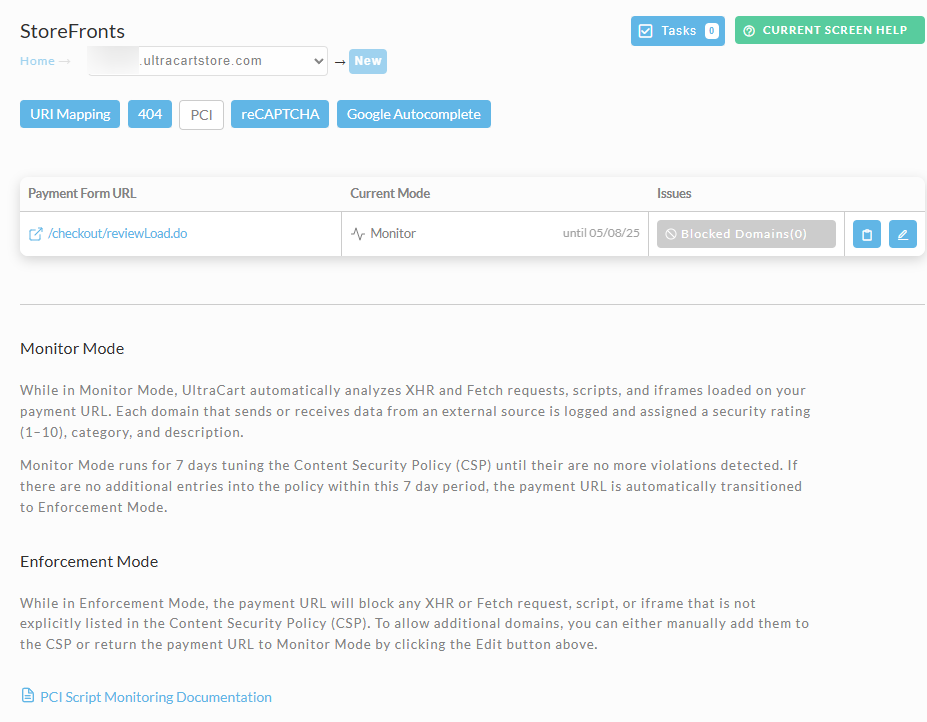
Transcluded from reCAPTCHA Configuration.
Google Autocomplete (Address Entry)
If your theme supports Visual Builder, you can enable address autocomplete using the Google Places API.
Setup Instructions
-
Visit Google Places API.
-
Generate an API key.
-
Enter the key under:
StoreFront → Advanced → Google Autocomplete
Note: Google Maps API keys are not the same as Places API keys. Be sure to select the correct type.
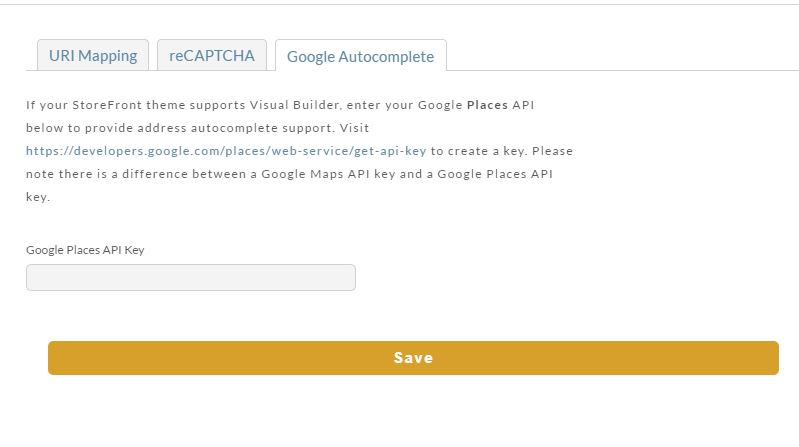
If your StoreFront theme supports Visual Builder, enter your Google Places API to provide address autocomplete support.
Visit https://developers.google.com/places/web-service/get-api-key to create a key.
Please note there is a difference between a Google Maps API key and a Google Places API key.
Related Documents: