StoreFront Languages
StoreFront Languages lets you translate your storefront content into multiple languages so shoppers can browse in their own. Translation is automatic, and you can support up to 60 languages.
Navigate: Main Menu → Storefronts → Choose Storefront Host → (Storefronts Menu) Languages
Adding and managing languages
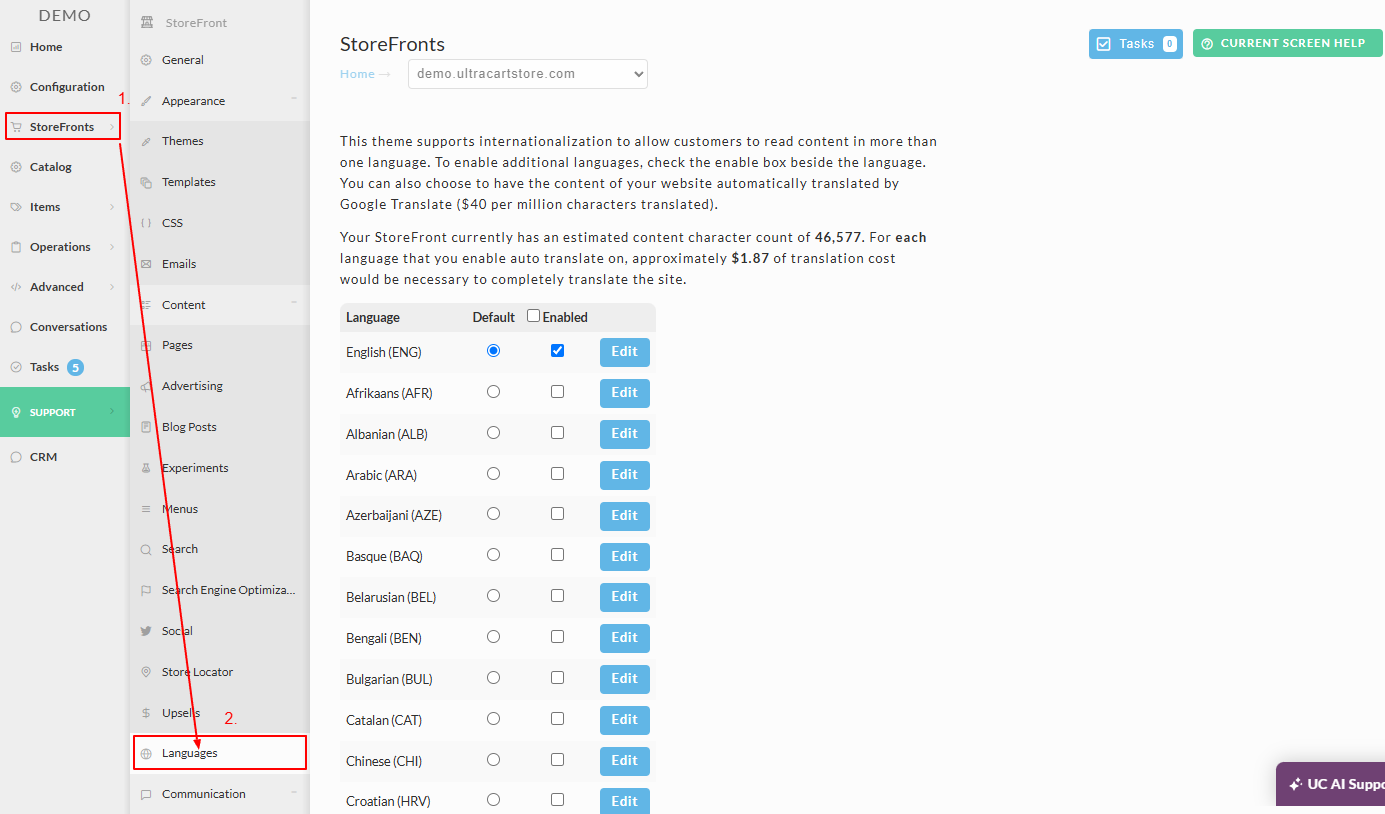
To add another language to your UltraCart storefront:
-
Navigate to the Languages tab in your Storefront.
-
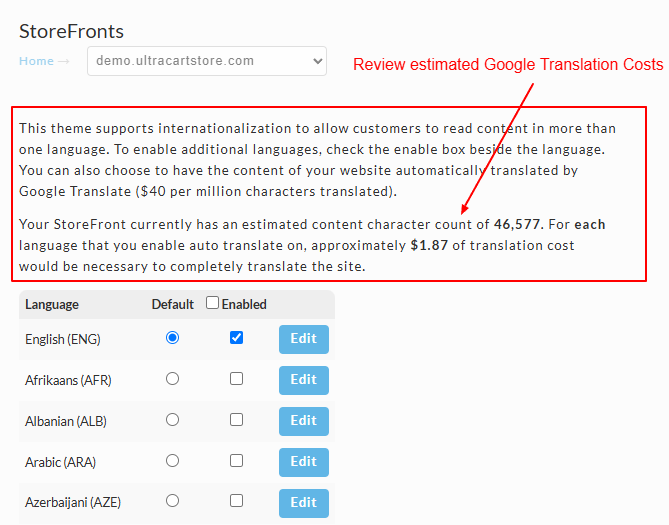
Review the translation cost associated with your storefront's content, which appears in the paragraph above the Language list.
-
Enable the desired language by checking the corresponding box. You can also enable all languages using the "enable all" checkbox.
-
Save your settings.
If your theme does not support internationalization (i18n), you will need to upgrade to a theme that does.
| Field | Description |
|---|---|
| Language | List of available languages. |
| Default | Designates the default language. |
| Enabled | Select the checkbox for any additional languages you wish to enable. |
| Edit (button) | Click that to access the checkout text editor. You can modify the defaulted text to your liking. |
Editing checkout text
To edit a specific line of checkout text, such as the heading for an input field, for a language:
-
Go to the Languages page and click Edit next to the desired language.
-
Use the search tool to find the text you want to edit.
-
Modify the text in the provided edit field and save your changes.
Supported themes
The following themes support multi-lingual capabilities:
- Elements
- Hero
- Jewel
- Lifty
- Native
- Natural VB
- Poppy
What to read next
- Multi-Language Content in the Visual Builder covers switching the editing language and refining the wording for a single language.
- How does Multi-Lingual support work for the end customer explains what shoppers experience on the live site.
- Preventing Content from Being Translated covers keeping brand names, model numbers, and code samples in their original language.
- How to translate Page, Item or Blog Post text covers content edited outside the Visual Builder.
- How StoreFront handles static text and multi-lingual support explains why text hard-coded into an older hand-built theme does not translate.