How does Multi-Lingual support work for the end customer
Shoppers reach your StoreFront in their own language two ways: automatically, from what their browser reports, or manually, from the language picker. This page explains what a shopper experiences once you have enabled more than one language.
Automatic language selection
When a customer first loads your site, their browser sends an HTTP header called Accept-Language that lists the languages they prefer and the order of preference. If a customer's browser asks for Spanish first and English second, UltraCart sets their language preference to Spanish, provided your site supports it.
Manual language selection
Not every customer configures a language preference in their browser. For those customers there is a standard interface for changing language. In the upper right corner of the desktop view there is a globe icon.
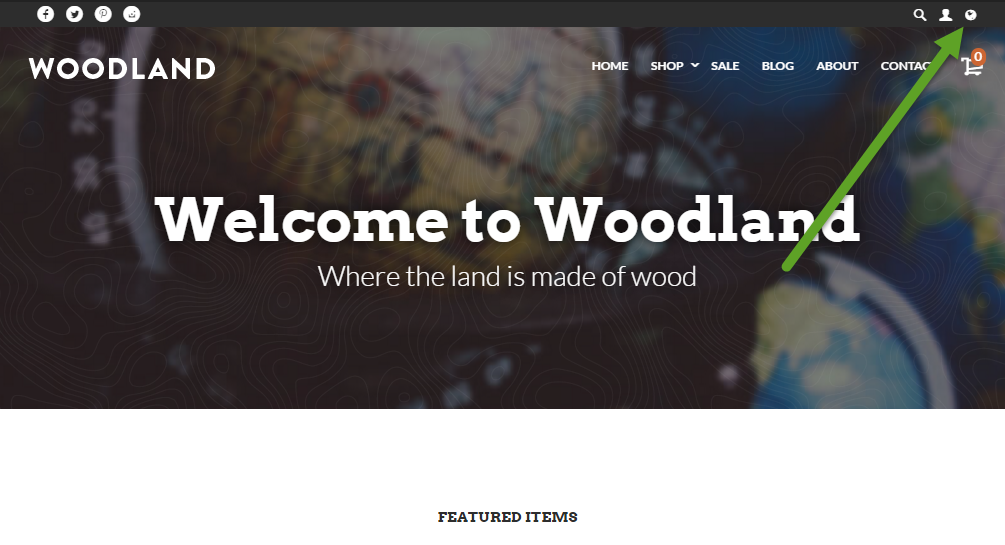
When the customer clicks the icon, the system displays a language picker. Note that the languages in the picker are spelled in their own language, so you will see Espanol rather than Spanish. This is customary practice for multi-lingual sites.
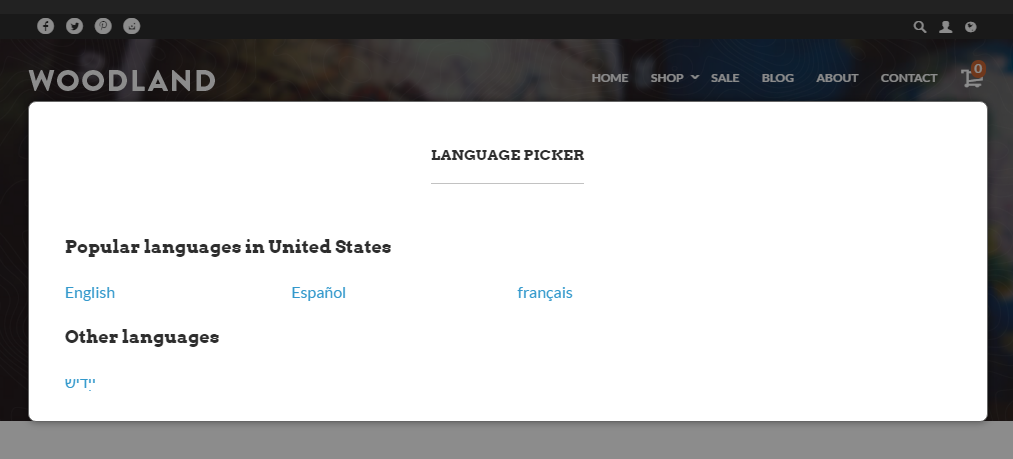
Sites can enable a long list of languages, so we attempt to geo-locate the country the customer is coming from and show the languages most appropriate for that country.
After selecting a new language, the page refreshes automatically and the content is translated.
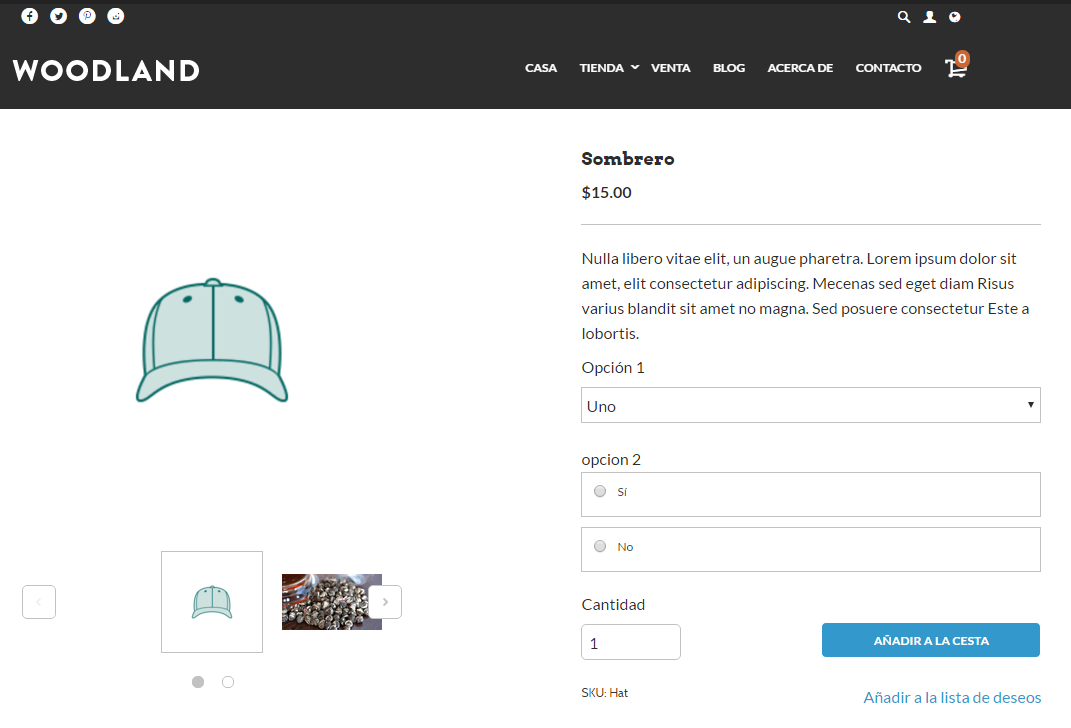
Content translated in the background
Whenever UltraCart encounters new content, the translation is queued in the background. A customer can see some untranslated content when a language is first enabled, or shortly after you publish new content, until that queue drains.
This is expected and resolves on its own. It is the same behavior you see as a merchant when you first switch the StoreFront Visual Builder to a new language.
Related
- StoreFront Languages covers enabling the languages shoppers can choose from.
- Multi-Language Content in the Visual Builder covers editing the wording a shopper sees in each language.
- Preventing Content from Being Translated covers keeping brand names and model numbers in their original language.