Picking a Visual Builder Capable Theme
To use the StoreFront Visual Builder, your StoreFront has to run a theme that supports it. These themes are Visual Builder capable:
- Elements
- Hero
- Native
- Jewel
- Natural VB
- Lifty
- Poppy
- Nexus (coming soon)
If you signed up for UltraCart recently, your StoreFront already runs a Visual Builder capable theme and you are ready to go. Continue to Accessing the Visual Editor.
Nexus is not in the Theme Gallery yet. Pick one of the other themes above for now.
Check your current theme
To see which theme your StoreFront runs, navigate to Main Menu → Storefronts → (select your StoreFront) → Appearance → Themes. Your active theme is the first tab, marked [active].
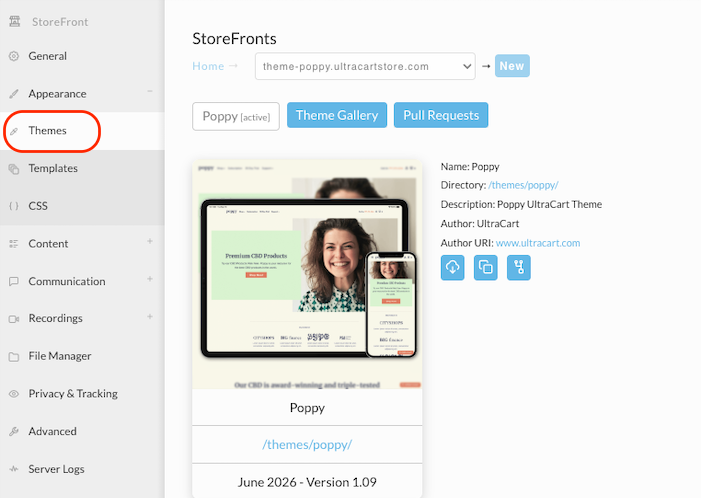
If your StoreFront runs a theme published before January 1, 2023, such as Mr Teas, that theme is not Visual Builder capable and it has other consequences for your account. See Migrating off the Mr Teas theme.
Install a Visual Builder capable theme
Click the Theme Gallery tab, find the theme you want, and click Install. To try the theme out in a brand new StoreFront rather than adding it to this one, click New StoreFront instead.
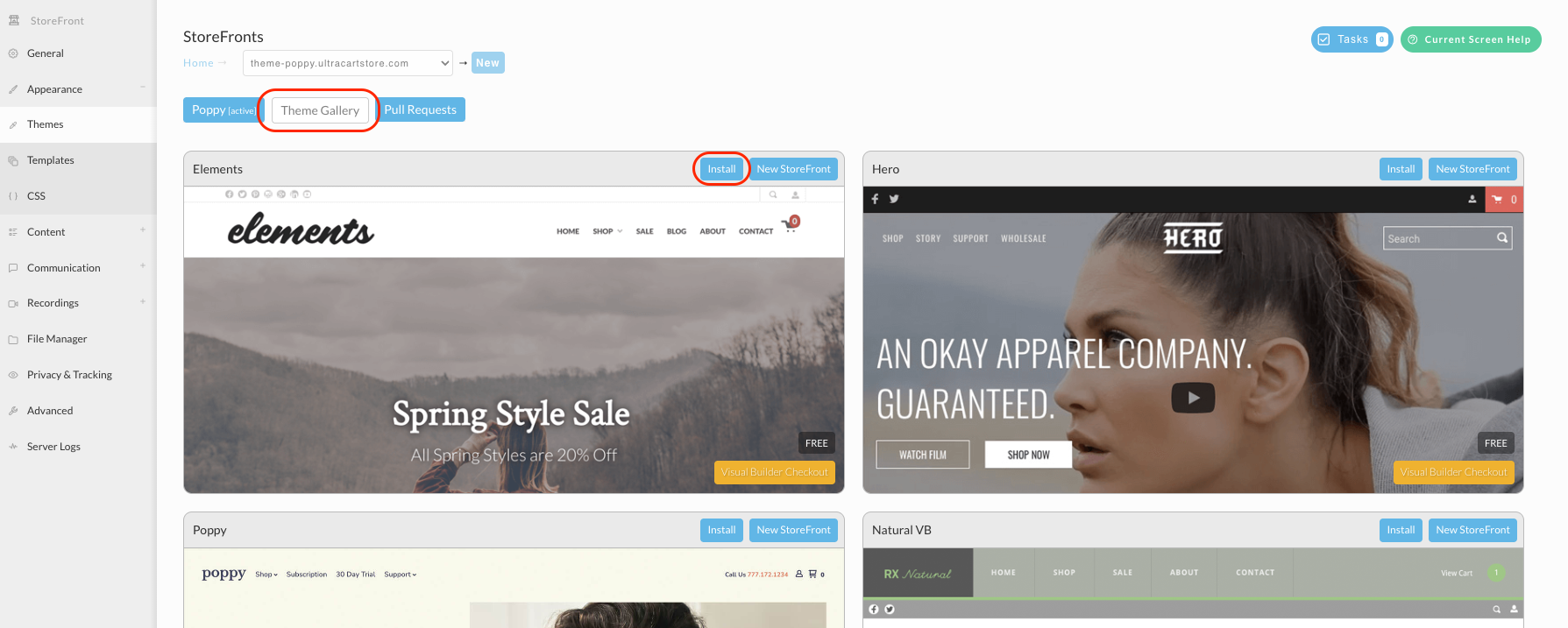
After the theme installs, continue to Accessing the Visual Editor.