Custom Tracking Scripts
When a platform has no built-in section on the Other tab, you can add its script yourself. Go to Main Menu → StoreFronts, choose your StoreFront host, then open Privacy & Tracking → Custom.
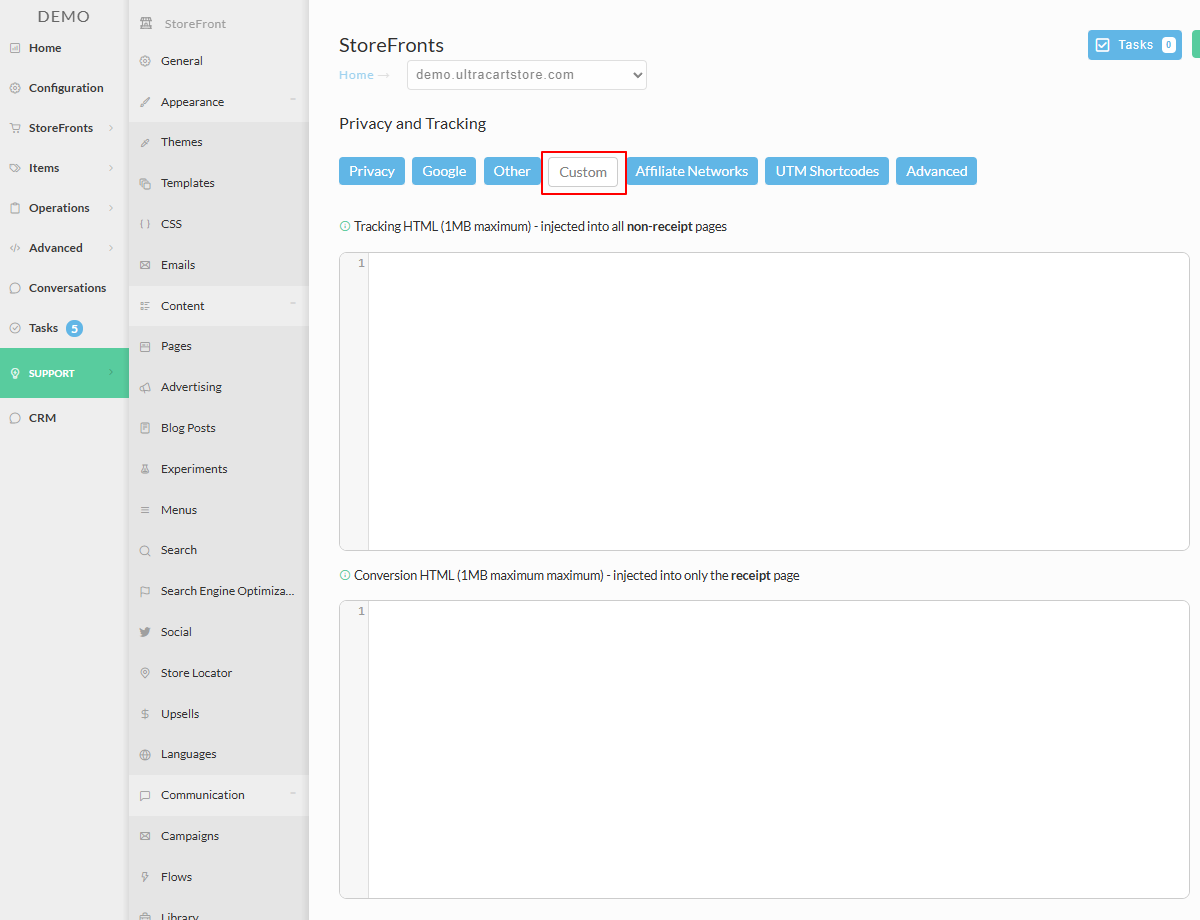
Tracking HTML and Conversion HTML
The Custom tab holds two separate fields, each with a 20,000 character limit. Which one you use decides when your script runs.
| Field | Where it is injected | Use it for |
|---|---|---|
| Tracking HTML | Every page except the receipt | Page views, adds to cart, retargeting scripts, general site analytics |
| Conversion HTML | The receipt page only | Conversion pixels, sending order data to a reporting service |
Paste your script into the appropriate field and select Save Changes.
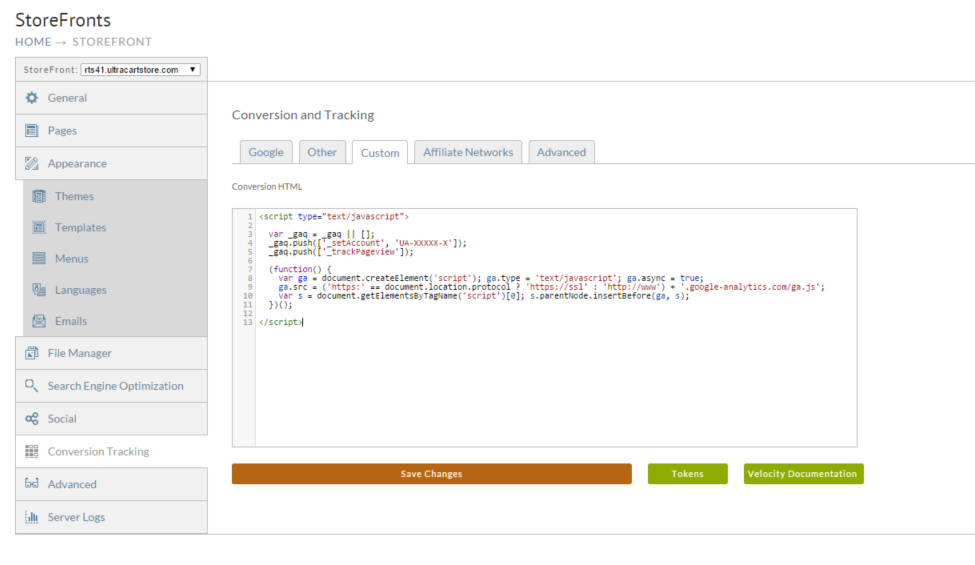
Do not assume a script works because you saved it. Place a test order, then confirm with the third-party system that the data actually arrived.
Passing order data with tokens
A conversion script usually needs to tell the platform what was bought and for how much.
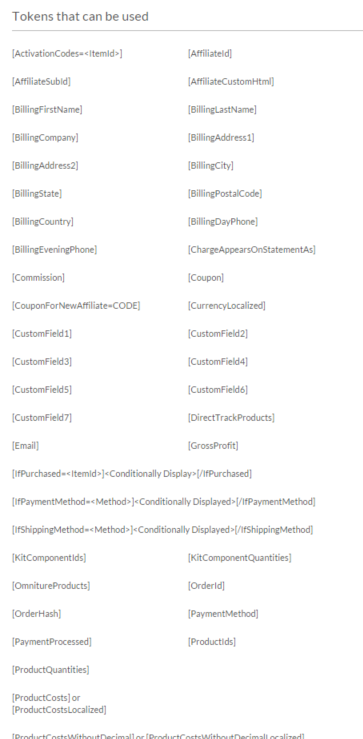
UltraCart tokens are placeholders that get replaced with real order data when the receipt page
renders, so [Total] becomes the order total and [BillingFirstName] becomes the customer's
first name.
Customer and shipping
[BillingFirstName] [BillingLastName] [BillingCompany] [BillingAddress1]
[BillingAddress2] [BillingCity] [BillingState] [BillingPostalCode] [BillingCountry]
[BillingDayPhone] [BillingEveningPhone] [Email]
[ShippingFirstName] [ShippingLastName] [ShippingCompany] [ShippingAddress1]
[ShippingAddress2] [ShippingCity] [ShippingState] [ShippingPostalCode]
[ShippingCountry] [ShippingDayPhone] [ShippingEveningPhone]
Order and money
[OrderId] [OrderHash] [Total] [Subtotal] [SubtotalBeforeDiscount]
[SubtotalDiscount] [SubtotalAndShipping] [Shipping] [Tax] [TotalQuantity]
[GrossProfit] [Commission] [Coupon] [CurrentStage]
Products
[ProductIds] [ProductQuantities] [ProductCosts] [ProductCostsWithoutDecimal]
[ProductDescriptions] [ProductQuantity1] through [ProductQuantity#]
[ActivationCodes=<ItemId>] [OmnitureProducts] [DirectTrackProducts]
Payment
[PaymentMethod] [PaymentProcessed] [ChargeAppearsOnStatementAs]
Affiliate
[AffiliateId] [AffiliateSubId] [AffiliateCustomHtml] [CouponForNewAffiliate=CODE]
Custom fields
[CustomField1] through [CustomField7]
Conditional blocks
These wrap content that should only appear when the condition holds:
[IfPurchased=<ItemId>]<displayed only if that item was purchased>[/IfPurchased]
[IfPaymentMethod=<Method>]<displayed only for that payment method>[/IfPaymentMethod]
[IfShippingMethod=<Method>]<displayed only for that shipping method>[/IfShippingMethod]
Tracking on a static HTML page
The StoreFront serves a .html file on the file system straight to the browser, without
running it through the template engine. That means none of the standard tracking, including
screen recording, is injected.
To include tracking in a static file, add these two lines to it:
## uc:contains-velocity="true"
#parse('system://3.0/snippets/tracking.vm')
A complete file looks like this:
<html>
  <head>
  </head>
  <body>
    Hello World

    ## uc:contains-velocity="true"
    #parse('system://3.0/snippets/tracking.vm')

  </body>
</html>
Keeping a script where you put it
UltraCart speeds up page loads two ways. External scripts are unified into a few .js files
served from the CDN, and inline <script> tags are pushed down to just before the closing
</body> tag. That cuts requests and gets content on screen sooner.
Tracking is where this bites. A vendor pixel that has to sit in the <head>, or fire before
other scripts run, breaks quietly when it gets relocated or bundled.
To exempt a script, add data-uc-ignore="true" to its tag:
<script type="text/javascript" data-uc-ignore="true">
  // Your script here.
</script>
The attribute works on external <script src="..."> tags as well as inline scripts, and
excludes the script from unification and CDN offload entirely:
<script src="https://example.com/my-script-v2.js" data-uc-ignore="true"></script>
Republish the page after adding it.
An exempted script no longer benefits from CDN edge caching or request consolidation, so use this only where load order actually matters. If an exempted script still serves a stale version, suspect the browser cache first: UltraCart is no longer touching that file at all. See Script CDN Caching Troubleshooting.
Next steps
- Advertising Platform Pixels covers the platforms with a built-in section, which is easier and safer than a custom script.
- Privacy and Tracking explains the consent settings that decide whether your script is allowed to run at all.